Xerox · AltaLink A3 color MFP
Xerox AltaLink C8145
Departments leasing a current-generation A3 colour copier with cloud workflows
India is an ink tank market. Here is what to buy, how to get it onto a JioFiber or Airtel router, where the authorised service centres are, and how e-waste rules work.
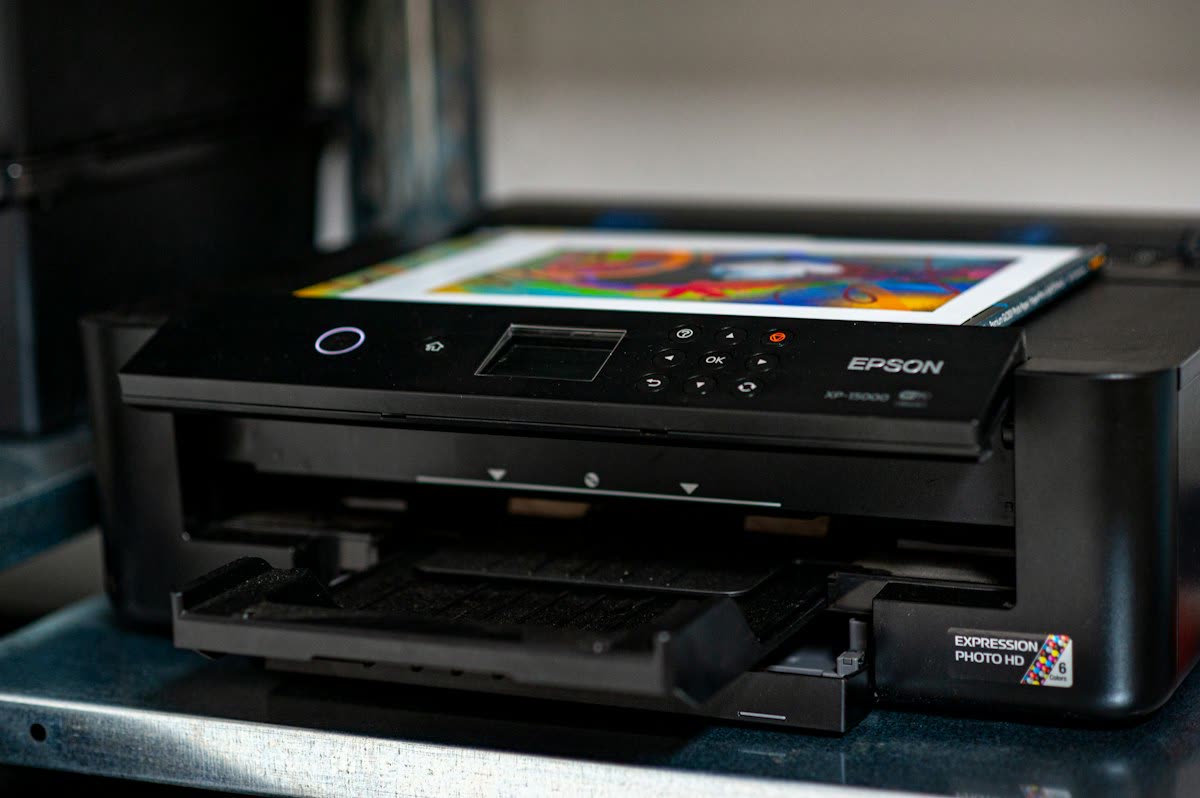

India is the world's most ink-tank-centric printer market. Cartridge printers barely register in home sales, because refill bottle economics are so dramatically better and because the local ink refilling trade has been part of the landscape for decades. That shapes everything: which models are worth buying, what goes wrong, and how service works.
The market leader. Epson refreshed its Indian EcoTank line on 17 June 2026 with fifteen models priced from INR 13,999 to INR 24,999. The key ones:
The user-replaceable maintenance box on the newer models is a genuinely important change: on older L-series printers, a full waste ink pad meant a service centre visit. See Epson ink pad end of service life.
The PIXMA G-series (G1020, G2020, G3020, G3270 and their successors) is Canon's ink tank line and the main Epson competitor, typically INR 12,000 to INR 22,000. Canon's dye-based colour gives noticeably better photo output on glossy paper. The older E-series cartridge models still sell at the very bottom of the market and should be avoided on running cost grounds.
HP Ink Tank models such as the 315, 415 and Smart Tank 580 series sit in the same INR 13,000 to INR 20,000 bracket, using GT53 black and GT52 colour bottles. HP's app and service network are the widest in India, which matters in smaller cities.
The DCP-T420W, T520W, T720DW and T820DW are Brother's ink tank line, typically INR 14,000 to INR 22,000. Brother's advantage is build quality and paper handling, and the T720DW and above add automatic duplex printing, which several competitors at the price omit.
For text-only printing at volume, Brother HL-L2321D and HL-L2400 series, HP LaserJet M1005-class successors and Canon imageCLASS LBP-series remain popular in offices, and Pantum has a large and growing presence in India at the budget end. Pantum announced its BP2400 mono laser series in April 2026 alongside its corporate rename.
Almost all printers sold in India have a 2.4 GHz-only Wi-Fi radio, and the major ISP routers publish a single network name across both bands. During setup the printer cannot find a network it can join, or it joins and then becomes invisible to phones on 5 GHz.
Jio's supplied ONT routers merge bands by default on most firmware. Sign in to the router's admin page at its local address using the credentials printed on the unit, open the WLAN or Wireless settings, and either create a separate 2.4 GHz network name or disable the band-steering option. Complete the printer setup, then revert if you prefer. The MyJio app exposes basic Wi-Fi settings on some models but not always the band split.
Airtel's Nokia and Syrotech ONTs also default to a merged SSID. Access the router admin page, open Wireless settings, and configure the 2.4 GHz SSID separately. Airtel's Wi-Fi extenders can isolate devices, so join the printer to the main router during setup.
These providers supply a variety of ONT hardware, most of which exposes separate 2.4 and 5 GHz SSIDs in the standard web interface under Wireless or WLAN settings. ACT's supplied routers are often retail TP-Link or D-Link units, which are the easiest to configure.
Many Indian households run the printer from a phone hotspot rather than fixed broadband. This works, but set the hotspot band to 2.4 GHz in Android's hotspot settings first, or the printer will not see it. Note that the printer will lose connection whenever the hotspot is off, so a fixed connection or a USB cable is more reliable for a shared home printer.
Detailed troubleshooting is in printer will not connect to Wi-Fi.
These are the official Indian support sites. Use them rather than any number found in a search advertisement.
We are an independent support site and are not affiliated with any manufacturer. Our brand pages, starting with HP, collect the fixes we see most often.
All four major brands operate authorised service centre networks across Indian cities, and each maintains a service centre locator on its support site. Use the locator rather than a search result, because unauthorised shops advertising as "authorised" are common.
Two rules matter in India more than anywhere else we cover:
| Job | Typical Indian cost |
|---|---|
| Service centre diagnostic | INR 300-800 (often waived if repaired) |
| Head cleaning / unclogging service | INR 800-2,000 |
| Waste ink pad replacement and counter reset | INR 1,000-2,500 |
| Roller or pickup assembly replacement | INR 1,200-3,000 |
| Printhead replacement (where supported) | INR 3,500-8,000 |
| Laser fuser replacement | INR 4,000-9,000 |
Because labour costs less in India than in the markets covered elsewhere on this site, repair is far more often worthwhile here. A clogged printhead cleaning at INR 1,200 on a INR 16,000 printer is a sensible spend, where the equivalent job in the US or Australia would exceed the printer's value. See is it worth repairing a printer.
India's E-Waste (Management) Rules place responsibility on producers to collect and recycle end-of-life electronics, and printers are explicitly covered. In practice:
Before disposing of a networked printer, clear its stored Wi-Fi credentials, address book and saved scan destinations. Our guide to printer security basics covers this.
Indian support enquiries cluster around five issues, and the first three are fixable in a single remote session.
Three environmental factors matter more in India than in most markets. Dust is the biggest: printers in open rooms, shopfronts and small offices accumulate paper dust on the rollers, which causes multi-sheet feeds and jams. Wipe the pickup rollers with a barely damp lint-free cloth every few months. Humidity is the second: paper stored in monsoon conditions curls and misfeeds, so keep a working ream sealed. And power fluctuations are the third. Frequent brownouts and abrupt cuts interrupt the head-capping routine when a printer shuts down uncleanly, which is a common cause of clogging. A basic UPS or a decent surge-protected extension is a worthwhile purchase alongside any ink tank printer.
The most common problems we see from India are Wi-Fi band issues on JioFiber and Airtel routers, driver installation failures on Windows 11, and clogged heads from long idle periods in humid or dusty conditions. The first two are entirely fixable remotely in one session. If you want somebody to take it over, you can get help from a printer specialist. To work through it yourself, start with printer offline or our error code reference, and read printer maintenance tips for the weekly habits that keep an ink tank head clear.
Departments leasing a current-generation A3 colour copier with cloud workflows
Families wanting lab-quality 4x6 prints from a phone at home
Home organisers labelling cables, jars and drawers
Departments needing a fast duplex-scanning mono MFP
Offices in the Asia-Pacific region leasing an A3 colour copier
Home offices wanting a compact colour laser MFP with fax from Kyocera
Small offices with an A3 colour copier on a service contract
Home offices and students wanting cheap, fast duplex mono printing
An ink tank model. The Epson L3350 family, Canon PIXMA G3020 class, HP Ink Tank 415 and Brother DCP-T720DW all sit around INR 13,000 to INR 20,000 and print for well under 20 paise a page. Epson refreshed fifteen EcoTank models on 17 June 2026 priced from INR 13,999 to INR 24,999.
Both providers' routers publish one network name across 2.4 and 5 GHz, and almost all printers are 2.4 GHz only. Sign in to the router admin page using the credentials printed on the unit, open the WLAN or Wireless settings, and create a separate 2.4 GHz network name or disable band steering before running setup.
Yes, on every major brand. Third-party bottle ink is cheap and widely available in India, and it is also the leading cause of permanently clogged printheads. On most consumer ink tank printers the printhead is not user-replaceable, so a bad refill can end the machine outright.
A service centre diagnostic runs INR 300 to INR 800, often waived if you proceed with the repair. Head cleaning is INR 800 to INR 2,000, a waste ink pad replacement with counter reset INR 1,000 to INR 2,500, and a printhead replacement INR 3,500 to INR 8,000. Repair is far more often worthwhile in India than in Western markets.
Use the service centre locator on the manufacturer's Indian support site: support.hp.com/in-en, canon.co.in/support, epson.co.in/support or support.brother.com. Do not rely on search results, since unauthorised shops frequently advertise themselves as authorised and using one can void an in-warranty claim.
Under the E-Waste Management Rules, producers must take back end-of-life electronics, and HP, Canon, Epson and Brother all run collection programmes with authorised recycler partners in India. Use only recyclers authorised by your State Pollution Control Board, and obtain a recycling certificate if disposing of business equipment.
Share your screen, we diagnose the driver, Wi-Fi or firmware problem and fix it while you watch. One affordable annual plan covers every printer in your home or office.