"Driver Is Unavailable" on Windows 11? What It Means and How to Fix It
Driver is unavailable means Windows can see the printer but no longer has a usable driver for it, almost always because an update replaced or invalidated the one you had.
Type the error code on the screen, your printer model, or the problem in your own words. We cover 992 printer models, 192 error codes and every official driver and app download, for HP, Canon, Epson, Brother and 26 more brands.
The six issues that bring most people here, with fixes that work on Windows 11, macOS, iPhone and Android.
Driver is unavailable means Windows can see the printer but no longer has a usable driver for it, almost always because an update replaced or invalidated the one you had.
Printer says offline but it's connected to Wi-Fi? It is almost never broken: your computer has lost track of the printer's IP address, or the Use Printer Offline setting has been switched on.
A printer that prints but will not scan almost always has a print driver installed without the scan components. Network scanning also needs the printer's stored destination to still be valid.
Nine times out of ten a printer that won't connect to Wi-Fi is trying to join a 5 GHz-only network, isn't in setup mode, or is being hidden by a guest network or VPN. Here is the ordered fix.
When a printer accepts a job and prints nothing, the cause is almost always the wrong printer selected, a paused or jammed queue, or a driver that has stopped talking to the hardware.
The Print Spooler stops because a corrupt spool file or a faulty driver is crashing it. Clearing the spool folder fixes it now; removing the driver that caused it stops it returning.
Official support links, apps, setup steps, model families and the error codes each brand is known for.
Each page explains what the code means, what causes it, and the repair steps in order, ending with an honest note on when the printer is not worth fixing.
Setup, Wi-Fi, the right cartridges, official drivers and the faults owners report most, for current and older models sold in the US, Canada, UK and Australia.
Students and small home offices that only need colour printing
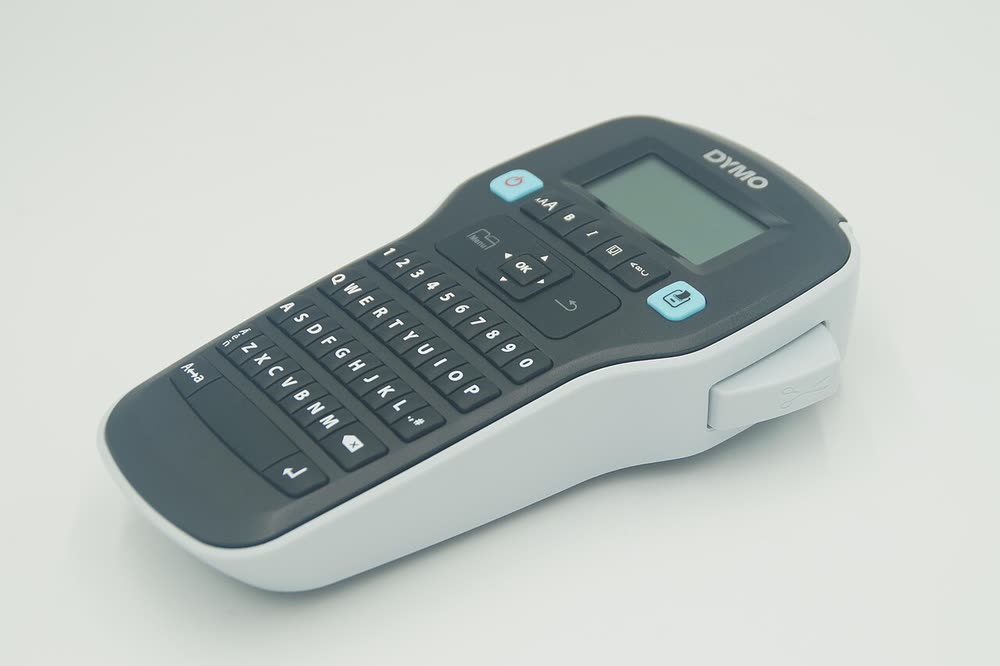
Home and office organisers wanting a simple handheld label maker
Small businesses wanting a cheap pigment MegaTank for documents
Branch offices wanting copier features in a desktop colour MFP
Offices in the Asia-Pacific region leasing an A3 colour copier
Small offices and school departments needing durable A3 mono copying
Studios and organisations still producing printed discs in volume
Branch offices wanting copier-class workflow on a desktop mono MFP
Every download links to the manufacturer or an official app store. No mirrors, no bundled extras.
No waiting for a technician, no carrying the printer to a shop. Most sessions finish in under 30 minutes.
The error code, your printer model and your computer or phone. You can attach a photo of the panel.
We connect with a one-time code you approve. You watch every step and can end the session at any time.
Drivers, Wi-Fi, firmware, scanning and phone printing are set up properly, and you get a written summary.
New model pages, refreshed fixes for the current Windows 11 and macOS releases, and 2026 buying advice.
An independent guide to Brother printer support: regional support.brother.com links, which Brother app is current, deep sleep and offline behavior, toner and drum resets, and the machine error codes decoded.
An independent guide to Primera printer support: where per-model downloads live, what PrintHub controls, how BarTender UltraLite licensing works, and the label alignment problems that waste stock.
A full black cartridge that prints nothing is nearly always a clogged printhead, a sealed new cartridge, or a color setting, not empty ink. Here is the order of fixes that gets black back without wasting ink.
Ink and toner, not the printer, are where the money goes. These 14 changes, from XL cartridges and duplex to choosing the right printer, cut most households' printing bill by half or more.
Printer says offline but it's connected to Wi-Fi? It is almost never broken: your computer has lost track of the printer's IP address, or the Use Printer Offline setting has been switched on.
Always pull jammed paper in the direction it was traveling, with the printer switched off. If the jam message persists with no paper visible, a torn scrap or a dirty sensor is the usual cause.
Members ask questions, answer each other and publish the fixes that worked on their own printers. Free to join, no password needed.
Retailers, ISP router quirks, official support channels and repair options differ by country. Pick yours.
Almost always a communication issue, not a hardware fault. Your computer is checking the wrong address or port, the printer changed IP address after a router restart, or it fell asleep and dropped off Wi-Fi. Clear the Use Printer Offline setting, restart the printer and router, and reserve a fixed IP address for the printer in your router.
Get it only from the manufacturer's own support site: search your exact model number and pick your operating system. Windows 11 and macOS can often print without a vendor driver at all, using their built-in IPP or AirPrint support. Avoid third-party driver download sites.
On an inkjet, remove any protective tape, check the ink levels, then run a nozzle check and a cleaning cycle. On a laser, remove the toner cartridge and pull off any shipping seal. If a new cartridge still prints blank, reseat it and run the printer's cleaning or calibration routine.
Install updates that fix security or connection problems, usually a few times a year. If you use third-party cartridges on an HP printer, read the update notes first, because some firmware releases have stopped non-HP cartridges from working. Never switch the printer off during an update.
Usually yes. In the US, using third-party supplies does not by itself void the warranty, although damage they cause may not be covered. Some printers show warnings or block non-genuine chips after firmware updates. Buy from reputable sellers and keep the old cartridge until the new one prints well.
No. PrinterSupport.io is independent and is not affiliated with HP, Canon, Epson, Brother or any other manufacturer. Our free guides link to each manufacturer's official support site, and we never publish support phone numbers that are not the manufacturer's own.
Share your screen, we diagnose the driver, Wi-Fi or firmware problem and fix it while you watch. One affordable annual plan covers every printer in your home or office.