Kyocera Printer Support: KX Driver, Product Library and Error Codes (Independent Guide)
An independent guide to Kyocera printer support: the regional download sites, when to use the KX Universal Print Driver versus the Product Library, GDI models, and the error codes owners hit.
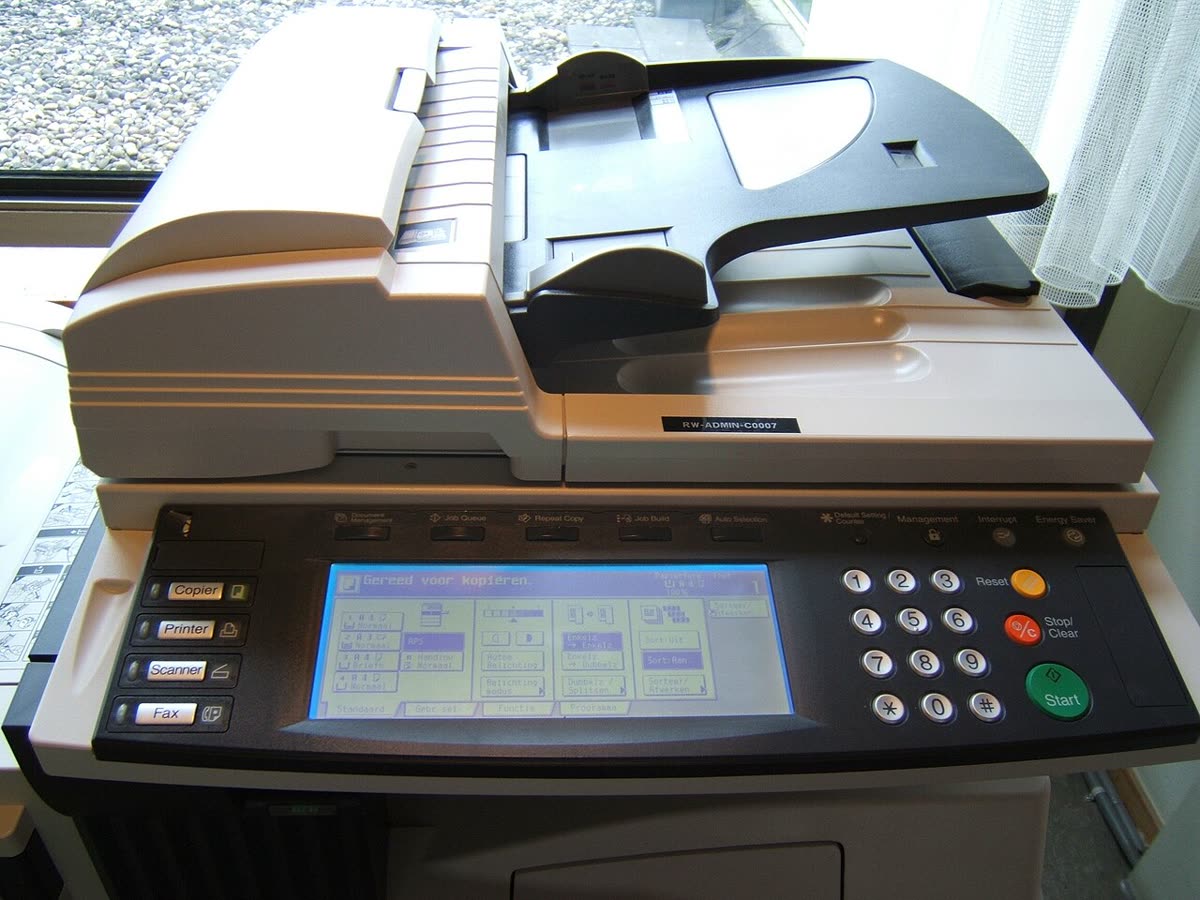
Kyocera builds printers around a specific engineering idea: separate the long-life parts from the consumable ones. In an ECOSYS machine the drum and developer are rated for very high page counts and the thing you replace regularly is a simple toner cartridge. That makes the cost per page unusually low for a laser, and it is why Kyocera is common in schools, councils, law firms and anywhere finance looks closely at print budgets.
It also means Kyocera is a dealer-led brand. Most machines are placed by a reseller under a service agreement, which changes who you call. This page is an independent map of Kyocera support: where downloads live, which driver is right, how setup runs, and what the error conditions mean.
Official Kyocera support links by region
Kyocera runs regional operating companies rather than a single global support site, and each carries its own model catalogue, so use the site for the region the machine was sold in.
| Region | Address | Notes |
|---|---|---|
| United States and Canada | kyoceradocumentsolutions.us | Drivers, Product Library, dealer locator |
| Europe | kyoceradocumentsolutions.eu | European model catalogue and downloads |
| United Kingdom | kyoceradocumentsolutions.co.uk | UK drivers, dealers and service |
Kyocera drivers: which one you need
KX Universal Print Driver
The mainstream Windows driver, previously known simply as the KX Driver. One package covers a wide span of current and recent Kyocera models and exposes the full feature set: finishing, stapling, hole punch, job accounting codes and private print with a PIN release at the panel. In an office this is the driver you want, because generic alternatives silently drop those features. Details on our Kyocera KX driver page.
KX Classic (legacy)
The 7.x KX Classic line exists for older machines the current driver does not cover. If a recent ECOSYS or TASKalfa is not listed in KX Classic, that is expected; use the current driver instead. If an older FS or KM series device is not listed in the current driver, KX Classic is the correct fallback.
The Product Library
The Product Library is the full software bundle for one model, containing print drivers, scan drivers, setup utilities, network configuration tools and documentation. For any multifunction machine where you need scanning, this is the download to take rather than a standalone print driver.
GDI models are different
Some Kyocera machines, including the FS-1020MFP and its relatives, are GDI devices. They render pages on the computer and receive bitmap data rather than PCL or PostScript, so the KX driver does not apply. These models use the Client Tool supplied in their own Product Library. This is one of the most common Kyocera driver dead ends.
KYOCERA Net Viewer and Mobile Print
Net Viewer is the fleet management tool for Windows, giving device discovery, counters, supply levels and firmware status across an estate. Kyocera Mobile Print is the iOS and Android app for printing and scanning from a phone. See our Kyocera Mobile Print page.
Setting up a Kyocera device
- Remove all packing material, seat the toner cartridge until it clicks, and load paper with the tray guides matching the actual size. Kyocera trays report size from the guides and will halt on a mismatch.
- Power on and let the machine complete warm-up and, on colour models, its registration cycle.
- Connect by Ethernet where possible. Kyocera office hardware assumes a wired network and a cable removes an entire class of faults.
- For wireless-capable models, note that many require an optional wireless kit, and built-in wireless on smaller machines is typically 2.4 GHz only. A merged 2.4/5 GHz network name is the usual reason your network never appears.
- Print the status page from the panel, note the IPv4 address, and reserve it in your router or DHCP server.
- Open Command Center RX, Kyocera's embedded web interface, in a browser at that address and set an administrator password immediately. Our Command Center RX login guide covers the factory logins and what to do if the page will not load.
- Install the KX Universal Print Driver on each computer, or the Product Library where scanning is needed.
Kyocera model families explained
| Family | What the name signals | Best for |
|---|---|---|
| ECOSYS P | Print-only lasers with long-life drum and developer | Workgroups wanting the lowest running cost without scanning |
| ECOSYS M and MA | Multifunction versions of the same engines | Offices needing print, scan and copy at low cost per page |
| TASKalfa | Office and departmental multifunction devices with finishing | Departments and fleets with higher volumes and finishing needs |
| TASKalfa Pro | Production and high-volume output | Print rooms and commercial work |
| FS and KM (legacy) | Previous generation lasers and multifunction devices | Still widely installed; some are GDI and need the Client Tool |
A trailing cdn or cdw in a model number indicates colour with duplex and networking or wireless, following the same convention as several other office brands.
Common Kyocera conditions and messages
| Condition | Meaning in one line |
|---|---|
| Call service with a C code | A latched service condition identified by number, usually needing an engineer |
| Add paper in a named cassette | The tray guides report a size that does not match the job, not necessarily an empty tray |
| Replace toner | Toner counter reached; ECOSYS machines usually keep printing briefly past the warning |
| Replace MK maintenance kit | The long-life drum, developer and fuser kit has reached its rated page count |
| Paper misfeed at a named location | The location tells you which cover to open first - see paper jam |
| Device offline in Windows | The queue cannot reach the device IP - see printer offline |
Codes across every brand are indexed in our error code directory.
Consumables and the maintenance kit
The ECOSYS design means your regular purchase is a TK- series toner cartridge, which is a simple container of powder. The drum, developer and fuser are bundled into an MK maintenance kit rated for a very high page count, typically well into six figures on larger machines. That is why a Kyocera cost per page looks so low on toner alone and why the maintenance kit is the number that actually matters over the life of the device.
Budget for the maintenance kit from the start. On a machine placed under a service agreement it is normally included; on an outright purchase it is a lump cost that arrives once and surprises people who only priced toner.
Compatible TK- toner is widely available and generally works, though supply level reporting may be less accurate. Our neutral guidance is in third-party ink and toner.
Why Kyocera machines last so long
It is worth understanding the design argument, because it changes how you should treat the machine. In a conventional laser cartridge, the drum ships inside the cartridge and is thrown away with it, which is why those cartridges cost what they do. Kyocera moves the drum and developer out into long-life components and leaves the cartridge as a container of powder. The result is a machine with a higher purchase price, a much lower recurring cost, and a service interval measured in tens or hundreds of thousands of pages rather than thousands.
Practically, that means a Kyocera is usually worth maintaining rather than replacing. A worn pickup roller, a tired fuser or a maintenance kit due at its rated count are all planned events with available parts, not the end of the device. It also means the machine rewards being used: these engines are specified for steady volume, and a Kyocera doing a few hundred pages a month will comfortably outlive two or three consumer inkjets bought over the same period. Compare current options in our printer database if you are weighing a replacement.
Firmware, security and warranty
Firmware is applied through Command Center RX or by the dealer remotely on managed devices. Because Kyocera multifunction machines hold address books, scan destinations and often SMB or SMTP credentials, firmware currency and credential hygiene are security issues rather than convenience ones. Use a dedicated low-privilege account for scan to folder, never a personal or administrator account.
Warranty on outright purchases is registered regionally. On dealer-placed machines the service agreement replaces it and defines response times, so establish which applies before you call anyone.
How this site fits
We are independent and not affiliated with Kyocera. We publish vendor-neutral fixes, link to Kyocera's own pages for anything that must come from Kyocera, and never charge to unlock a fix. Everything we have on this brand is collected on the Kyocera brand hub.
Kyocera software and drivers
- KYOCERA Mobile Print
Kyocera's mobile app for printing and scanning from a phone iOS · Android - KYOCERA Net Viewer
Windows fleet management console for Kyocera devices Windows - Kyocera Client Tool
Status and scan front end for Kyocera GDI models Windows - Kyocera KX Universal Printer Driver
Kyocera's main Windows driver, formerly known as the KX driver Windows
Kyocera error codes
Kyocera printer models
Grouped by series. Every model page has setup steps, the right cartridge or toner numbers, driver links and the faults owners report.
ECOSYS mono laser MFP 7
TASKalfa A3 color MFP 6
ECOSYS mono laser printer 4
ECOSYS color laser printer 3
TASKalfa A3 mono MFP 3
ECOSYS color laser MFP 2
ECOSYS MA series color laser MFP 1
ECOSYS MA series compact mono laser MFP 1
ECOSYS MA series mono laser MFP 1
ECOSYS PA series compact mono laser printer 1
ECOSYS PA series mono laser printer 1
FS series color laser printer 1
FS series compact mono laser MFP 1
FS series compact mono laser printer 1
FS series mono laser printer 1
TASKalfa A4 color MFP 1
TASKalfa MZ series A3 mono MFP 1
No model matches that. Try the model number only, e.g. "2800".
Kyocera support FAQ
What is the KX Universal Print Driver?
It is Kyocera's main Windows print driver, and it drives a wide range of Kyocera models from a single package. It was previously called simply the KX Driver, and the rename to KX Universal Print Driver reflects that one installation now covers most of the fleet. It exposes Kyocera's full feature set including finishing, job accounting and private print, which is why it is preferred over a generic driver in offices.
What is KX Classic and do I need it?
KX Classic, the 7.x driver line, is legacy. It exists for older Kyocera models that the current KX Universal Print Driver does not cover. If your machine is a recent ECOSYS or TASKalfa, use the current driver. If it is an older FS or KM series device and the current driver does not list it, KX Classic is the correct fallback rather than a generic class driver.
What is the Kyocera Product Library?
It is the complete software bundle for a specific model, distributed as a downloadable package or an ISO image. It contains the print drivers, the scan drivers, setup utilities, the network configuration tool and the documentation. For a multifunction machine where you need scanning as well as printing, the Product Library is what you want rather than a standalone driver download.
Why does the KX driver not work with my FS-1020MFP?
Because that machine is a GDI device rather than a PCL or PostScript one. GDI models render pages on the computer and send bitmap data, so they need the Client Tool supplied in their Product Library instead of the KX driver. This catches a lot of people out because the machines look and behave like ordinary Kyocera lasers in every other respect.
How do I contact Kyocera support in the UK?
If a dealer placed the machine or you hold a service agreement, contact that dealer first, because they hold the service obligation. Kyocera's model is dealer-led and general support will redirect contract customers. For outright purchases, start at kyoceradocumentsolutions.co.uk and use the support and dealer locator options there. We do not publish phone numbers because they change and vary by product line.
Why is Kyocera toner so cheap per page?
Because ECOSYS machines separate the toner from the drum. The drum and developer are long-life components rated for very high page counts, so the consumable you buy regularly is just toner powder in a simple cartridge rather than a cartridge containing a fresh drum. That design is the core of the ECOSYS proposition and is why these machines are popular where running cost matters more than purchase price.
Let a printer specialist fix it with you, remotely
Share your screen, we diagnose the driver, Wi-Fi or firmware problem and fix it while you watch. One affordable annual plan covers every printer in your home or office.