How to Reduce Printing Costs at Home and in the Office: 14 Ways to Cut Ink, Toner and Paper Bills
Ink and toner, not the printer, are where the money goes. These 14 changes, from XL cartridges and duplex to choosing the right printer, cut most households' printing bill by half or more.

On this page
- Quick wins first
- Why printing costs so much
- 1. Know your cost per page
- 2. Buy XL and high-yield cartridges
- 3. Consider subscription ink, carefully
- 4. Switch printer type if you print regularly
- 5. Draft mode and grayscale as defaults
- 6. Duplex and pages per sheet
- 7. Print only what you need
- 8. Stop wasting ink on maintenance
- 9. Choose fonts and formatting that use less ink
- 10. Third-party and remanufactured cartridges
- 11. Laser-specific savings
- 12. Paper
- 13. Small-office controls
- 14. Recycle and reward programmes
- If the bill is still too high
The fastest ways to reduce printing costs are to buy high-yield cartridges instead of standard ones, print everyday documents in draft and grayscale, turn on duplex, and, if you print more than about 40 pages a month, move to an ink-tank or laser printer whose cost per page is a tenth of a cartridge inkjet's. Below are 14 changes in order of how much they save, with the numbers behind each, for home and small-office printing.
Quick wins first
- Open the driver's printing preferences and set the default quality to Draft and colour to Grayscale; switch to Normal and Colour only when needed.
- Turn on automatic duplex as the default so every document prints two-sided.
- Buy the XL or high-yield version of your cartridge next time; it is almost always cheaper per page.
- Use print preview and "print selection" to avoid the blank last page and web-page clutter.
- Stop running repeated head-cleaning cycles; each one uses ink worth several pages.
Why printing costs so much

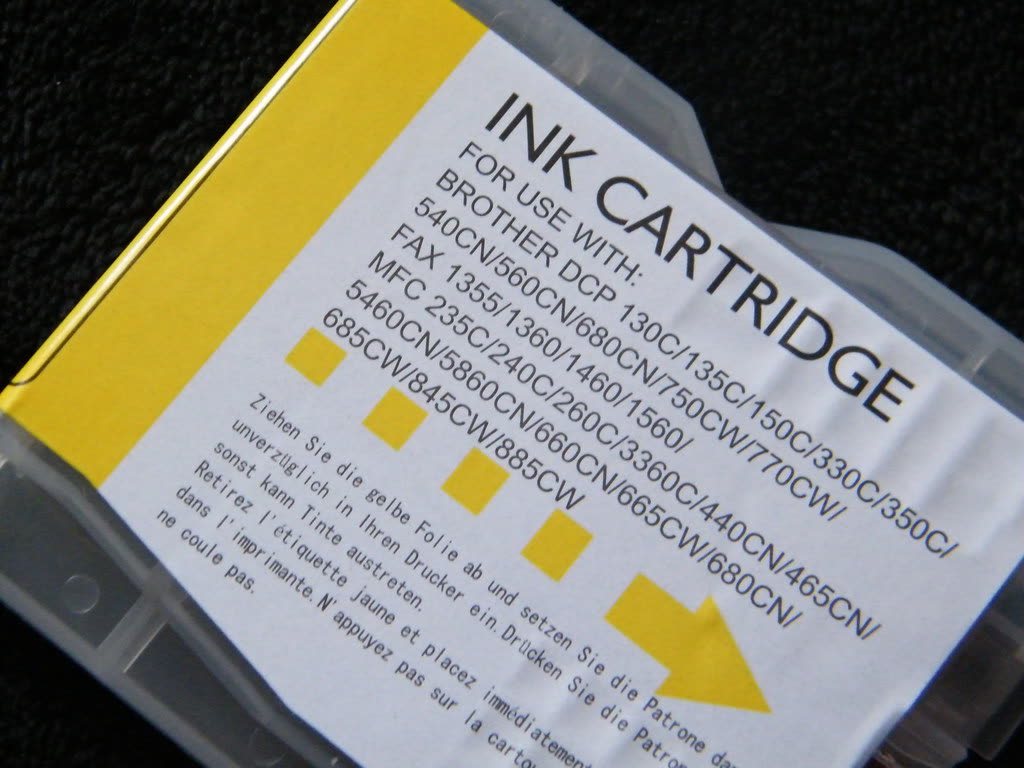
Cartridge inkjets are sold at or below cost and the manufacturer earns on ink. A standard black cartridge for a typical HP DeskJet or Canon PIXMA costs $20 to $25 and prints about 120 to 200 pages: 10 to 20 cents a page before colour. Colour cartridges are worse because one empty colour stops the printer even for black text on many models. On top of that, inkjets use ink for maintenance: every power-on and cleaning cycle consumes some, which is why light users sometimes find a cartridge "empty" after 60 pages. Laser toner and ink-tank bottles avoid most of this. If you want the full comparison of the printer types, read inkjet vs laser printers.
1. Know your cost per page
Divide the cartridge price by its rated yield (printed on the box and on the manufacturer's site, measured at 5 percent coverage, which is a normal text page). A $25 cartridge rated 190 pages is 13 cents a page. A $40 XL rated 480 pages is 8 cents. A $15 ink bottle rated 4,500 pages is 0.3 cents. A $70 toner rated 1,200 pages is 6 cents; the $90 high-yield rated 3,000 pages is 3 cents. Once you know the number, every other decision becomes obvious.
2. Buy XL and high-yield cartridges

The XL cartridge is the same size shell with more ink and a higher price, but the price rises less than the yield. HP 67 vs 67XL, Canon PG-275 vs PG-275XL, Brother TN-2420 vs TN-2410, HP 305 vs 305XL: in every case the XL is 30 to 50 percent cheaper per page. Combination packs (black plus colour) are usually cheaper again than buying separately.
3. Consider subscription ink, carefully
HP Instant Ink and Canon's PIXMA Print Plan charge a flat monthly fee for a page allowance (for example 10, 50, 100 or 300 pages), ship cartridges automatically, and count a colour photo as one page. For someone printing 40 to 50 pages a month with a lot of colour, the 50-page plan at a few dollars or pounds is genuinely cheaper than retail cartridges. The trap is the allowance: unused pages roll over only to a limit, and if you cancel, the subscription cartridges stop working. Track your real monthly pages for two months before picking a tier, and avoid it entirely if you print irregularly.
4. Switch printer type if you print regularly
| Monthly pages | Cartridge inkjet (3 yrs) | Ink tank (3 yrs incl. printer) | Mono laser (3 yrs incl. printer) |
|---|---|---|---|
| 20 (mostly black) | about $110 ink + $100 printer | $300 printer, ink in box | $130 printer, toner in box |
| 80 (half colour) | about $430 ink + $100 printer | $300 printer + $30 ink | n/a for colour |
| 250 (office, mostly black) | about $900 ink + $100 printer | $300 printer + $60 ink | $130 printer + $180 toner |
At 80 pages a month, an ink-tank printer saves roughly $200 over three years and gives you colour; at 250 pages a mono laser or tank saves over $500. Our ink tank vs cartridge guide covers the models.
5. Draft mode and grayscale as defaults
Windows 11: Settings › Bluetooth & devices › Printers & scanners › your printer › Printing preferences. Set Quality to Draft (HP: Draft; Canon: Fast; Epson: Draft; Brother: Fast) and Color to Grayscale or Black ink only. macOS: in any Print dialog set the quality and colour options you want, then choose Save Current Settings as Preset from the Presets menu so they apply every time. Draft uses about half the ink of Normal and is perfectly readable for drafts, receipts and reference copies.
6. Duplex and pages per sheet
Automatic two-sided printing halves paper use. On Windows 11 it is in Printing preferences › Layout or Finishing; on macOS tick Two-Sided in the Print dialog. For reference material, use Pages per Sheet (2 or 4) to fit several pages on one side. If Two-Sided is missing, Windows may have installed the basic IPP Class Driver instead of the vendor driver; see double-sided not working.
7. Print only what you need
Use Print Preview, set a page range, and for web pages use the browser's reader view or "Print selection". Microsoft Edge and Chrome both offer "Remove headers and footers" and an option to skip background graphics. Save to PDF instead of paper whenever the document only needs filing.
8. Stop wasting ink on maintenance
Leave the printer powered on with a sensible sleep timer rather than switching it off at the wall; each cold start on many inkjets triggers a small cleaning cycle. Print one page a week so the nozzles do not dry and force a full cleaning. Run a nozzle check before cleaning and clean only if the pattern is broken. Our printer maintenance tips cover this in detail.
9. Choose fonts and formatting that use less ink
Thin fonts such as Garamond, Century Gothic and Times New Roman use noticeably less ink than Arial or Verdana at the same size. Avoid solid colour backgrounds, full-bleed images and bold everything. For internal documents, 10 or 11 point with narrower margins cuts page count too.
10. Third-party and remanufactured cartridges
Compatible cartridges cost a third to a half of genuine and are fine for documents from a reputable supplier. The catch is that HP's Dynamic Security firmware blocks most non-HP chips on recent printers, Canon and Epson occasionally reject chips after updates, and photo colour accuracy is lower. Read third-party ink and toner before relying on them.
11. Laser-specific savings
Turn on Toner Save (HP EconoMode, Brother Toner Save Mode) for drafts, buy high-yield toner, and when a "Replace Toner" message appears, take the cartridge out, rock it side to side and refit; there are usually a few hundred pages left. On Brother machines the drum is a separate part that lasts around 12,000 pages; buy toner-only, not toner-plus-drum bundles, until the drum message actually appears.
12. Paper
A 500-sheet ream of 75 or 80 gsm multipurpose paper costs $6 to $10; buying a five-ream box cuts that by a third. Do not use premium or photo paper for everyday work, and store paper flat and dry: curled, damp paper causes jams and reprints, which cost more than the paper.
13. Small-office controls
Set the shared printer's defaults to duplex and grayscale on the print server so every user inherits them. Enable secure print release (PIN at the panel) on office MFPs so uncollected jobs are never printed. Most business printers have usage reports in their web interface; check who prints what each quarter. A business with several cartridge inkjets almost always saves by replacing them with one networked mono laser and one ink-tank colour unit.
14. Recycle and reward programmes
Manufacturer and retailer take-back schemes are free and some pay: Staples and Office Depot in the US give rewards for returned cartridges, Brother and Canon offer prepaid recycling, and HP Planet Partners accepts toner and ink by post. It does not reduce the bill much, but it keeps the room tidy and ink out of landfill.
If the bill is still too high
If you have done all of the above and the printer still eats a cartridge every few weeks, check for a fault rather than your habits: a leaking cartridge, a printhead running cleaning cycles on every start, or a firmware problem reporting false empties. Those waste more ink than any setting, and on a printer under warranty they are the manufacturer's problem. If you would like someone to look at your printer's usage counters and tell you whether it is worth keeping or what to replace it with, you can get help from a printer specialist.
Software mentioned in this guide
- HP Smart (the HP app)
HP's official setup, printing, scanning and ink app for home and small-office printers Windows · macOS · iOS - Windows printer settings
How Windows installs printers, and the shift to driverless Windows Ready Print Windows - macOS Printers and Scanners
Where macOS adds printers, scans documents and resets the printing system macOS
Frequently asked questions
What is the cheapest printer to run?
Ink-tank inkjets such as Epson EcoTank, Canon MegaTank and HP Smart Tank cost under 1 cent per page for black and 1 to 2 cents for colour. For black-only printing a mono laser at 2 to 4 cents a page is almost as cheap, never dries out and is faster. Standard cartridge inkjets are the most expensive at 8 to 25 cents a page.
Is HP Instant Ink worth it?
It is worth it if you print a fairly steady number of pages each month that sits just under a plan tier, and especially if you print colour or photos, which count as one page each. It is poor value if you print irregularly, because unused pages expire beyond the rollover cap, and the cartridges stop working if you cancel.
Does draft mode really save ink?
Yes. Draft or Fast mode lays down fewer and smaller ink drops and typically uses about half the ink of Normal quality, and it prints faster. Text stays legible, so set it as the default and switch to Normal for anything that leaves the house.
Are XL cartridges cheaper in the long run?
Almost always. The XL version contains two to three times the ink for around 50 to 80 percent more money, so the cost per page falls by 30 to 50 percent. The only time standard cartridges make sense is if you print so little that the ink would dry out before you used it.
Are third-party ink cartridges a good way to save money?
They can halve ink costs for everyday documents, but HP's recent firmware blocks most non-HP cartridges, chip rejection happens on other brands after updates, and photo quality is lower. Use a reputable supplier with a guarantee, and keep a genuine cartridge on hand in case a compatible is rejected.
How many pages does a cartridge actually print?
The rated yield assumes 5 percent coverage, which is a typical text page; a page of photos or a solid colour graphic uses five to twenty times as much. Inkjet yields also fall if the printer runs cleaning cycles often, so real-world page counts of 60 to 80 percent of the rating are normal.
Printer and home-networking specialist who has set up hundreds of inkjet and laser printers across Windows and macOS.
Questions & comments (0)
No comments yet. Describe your printer model, operating system and the exact message you see; comments appear after review.
Ask about this page
Your comment appears after our team approves it. Or sign in to post faster.