Inkjet vs Laser Printer: Which Is Better for Home Use in 2026? (Cost per Page, Photos, Reliability)
Laser is better for text, volume and printers that sit idle; inkjet is better for photos and color on a budget; ink tank beats both for high color volume. Here is how to decide, with real cost-per-page numbers.
On this page
- The short answer by situation
- How inkjet and laser printers actually differ
- Inkjet vs laser cost per page (2026)
- Laser printer pros and cons
- Inkjet printer pros and cons
- Do laser printers dry out?
- Which is better for photos?
- Inkjet vs laser vs ink tank: the decision table
- Brand notes from the support desk
- If you already own one and it is struggling
Laser printers are better for text documents, higher volumes and anyone who prints only occasionally, because toner does not dry out and costs a few cents a page. Inkjets are better for photos and colour on a small budget, and ink-tank inkjets are the cheapest way to print a lot of colour. If you are choosing between inkjet and laser for home use, the decision comes down to three questions: what you print, how often, and whether colour matters. This guide answers all three with numbers.
The short answer by situation
- Documents, forms, school worksheets, mostly black: mono laser. Brother HL-L2400 series, HP LaserJet M110/M140, Canon i-SENSYS or imageCLASS LBP/MF.
- Occasional colour plus the odd photo, tight budget: cartridge inkjet all-in-one, but budget for ink.
- Regular colour printing, families, students, home business: ink-tank inkjet. Epson EcoTank, Canon MegaTank (PIXMA G series), HP Smart Tank, Brother INKvestment.
- Colour documents in a busy office, no photos: colour laser MFP.
- Serious photo printing: a dedicated photo inkjet with six or more inks (Canon PIXMA PRO, Epson SureColor P or Expression Photo).
How inkjet and laser printers actually differ

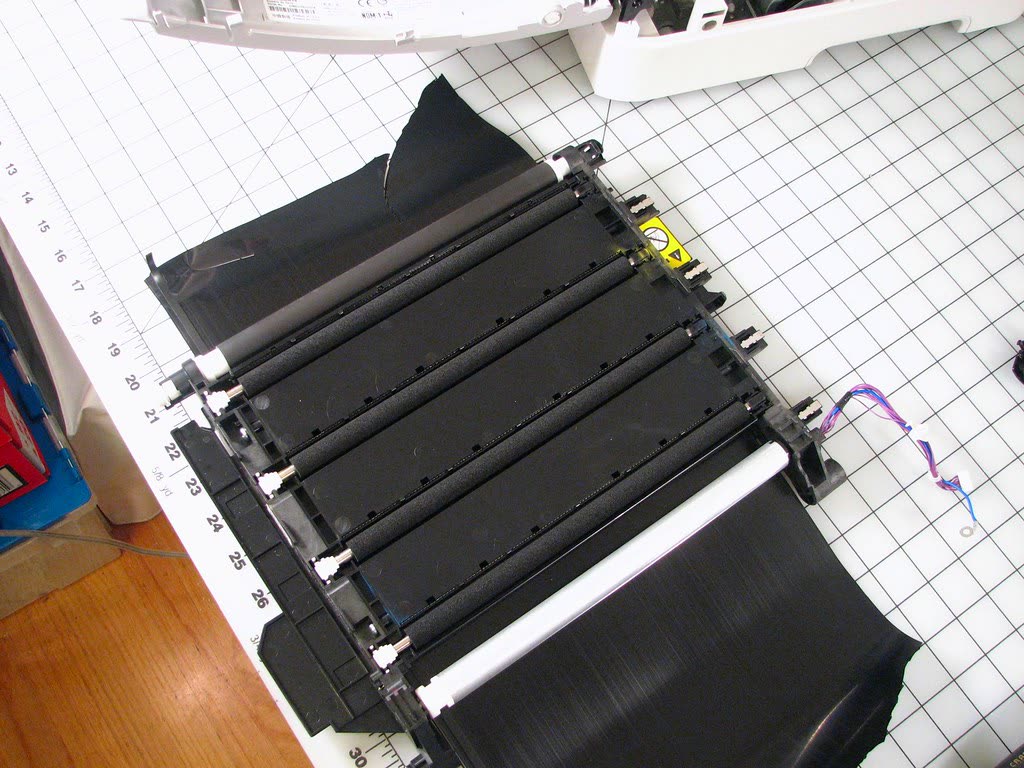
An inkjet sprays microscopic drops of liquid ink through a printhead onto the paper. A laser printer draws the page as static charge on a drum, dusts it with toner powder, transfers the powder to paper and melts it on with a heated fuser. The practical consequences:
- Drying out. Inkjet nozzles clog if unused for a few weeks and need cleaning cycles that waste ink; toner is dry powder and a laser that sits for six months prints perfectly. This is the single biggest reason we see people switch.
- Paper handling. Inkjets print on photo paper, glossy stock, iron-on transfers and thin card. Lasers need laser-rated paper and cannot take inkjet photo paper, which melts in the fuser.
- Text quality. Laser text is crisp and waterproof. Pigment-black inkjet text is close but can feather on cheap paper, and dye inks smear when wet.
- Speed and warm-up. A laser warms up for a few seconds then runs at 20 to 40 pages a minute. Home inkjets manage 5 to 15 in practice, slower for colour. See slow printing if yours is worse.
- Size, noise and power. Lasers are bigger, heavier, and pull several hundred watts while fusing; inkjets are compact and low-power.
Inkjet vs laser cost per page (2026)
The purchase price is the least important number. Over three years a home printer's ink or toner costs typically exceed what the printer cost. Representative figures using standard manufacturer yields and typical US street prices; UK, Canadian and Australian prices are proportionally similar:
| Printer type | Typical price | Black cost per page | Colour cost per page | Best for |
|---|---|---|---|---|
| Cartridge inkjet (standard cartridges) | $60 to $150 | 8 to 12 cents | 15 to 25 cents | Very light use |
| Cartridge inkjet (XL cartridges) | same | 4 to 7 cents | 9 to 14 cents | Light to moderate |
| Ink-tank inkjet | $180 to $450 | 0.3 to 1 cent | 0.8 to 2 cents | Colour volume |
| Mono laser | $120 to $250 | 2 to 4 cents | n/a | Text, reliability |
| Colour laser | $250 to $600 | 2 to 4 cents | 10 to 16 cents | Office colour docs |
Worked example: 100 pages a month, half of them colour. Cartridge inkjet: roughly $15 a month in ink, $540 over three years. Mono laser plus no colour: about $2.50 a month. Ink tank: about $1 a month, but $250 more upfront, which it recovers in about 18 months against the cartridge inkjet. Subscription ink (HP Instant Ink, Canon PIXMA Print Plan) changes the maths for light users; our reduce printing costs guide runs those numbers.
Laser printer pros and cons
Pros: lowest cost and hassle for text; no clogging; fast; sharp, waterproof output; high-yield toner lasts a year or more for most homes; duplex is standard even on cheap models. Cons: cannot print photos worth framing; colour lasers are expensive to buy and to feed with four toners; the drum unit is an extra consumable on Brother models (see Brother drum end of life); larger footprint; fuser heat means a warm-up pause and a little ozone smell in a small room.
Inkjet printer pros and cons
Pros: best photo and graphics quality; prints on almost any media; cheapest to buy; small and quiet; ink-tank versions are the cheapest colour per page of anything. Cons: cartridge ink is the most expensive liquid most households buy; heads clog if unused; cleaning cycles consume ink; text can be slightly soft; cheap models are slow; waste-ink pads eventually fill (the Epson "ink pad end of service life" message) and some brands lock out third-party ink via firmware.
Do laser printers dry out?
No. Toner is a dry plastic-and-pigment powder, so it cannot evaporate. A laser printer you use once a quarter will print a clean first page every time. The only age-related wear is the drum's coating, which degrades with page count rather than time, and toner cartridges that are stored for years can clump slightly, which rocking the cartridge fixes. If your current inkjet's nozzle checks keep failing because you print rarely, a mono laser solves the problem permanently. Our printer not printing black guide explains the clog cycle you are escaping.
Which is better for photos?
Inkjet, and it is not close. Even a $100 four-ink inkjet on glossy photo paper produces better photos than a $500 colour laser, because inkjet dots blend into continuous tones and the paper is designed for it. Colour laser output is fine for charts and presentations but looks flat and slightly glossy-banded on images. If photos matter at all, rule out laser.
Inkjet vs laser vs ink tank: the decision table

| Your situation | Buy this | Avoid this |
|---|---|---|
| Print a few pages a month, mostly black | Mono laser | Cartridge inkjet (it will clog) |
| Kids' homework, colour worksheets, weekly | Ink-tank all-in-one | Standard-cartridge inkjet |
| Home office, invoices and contracts | Mono laser MFP with ADF | Anything without duplex |
| Photos and crafts | Five- or six-ink inkjet | Any laser |
| Small office, colour brochures in-house | Colour laser MFP or business ink tank | Consumer cartridge inkjet |
| Cheapest purchase price, rarely print | Cartridge inkjet with subscription ink | Colour laser |
Brand notes from the support desk
HP: LaserJet M110/M140/M234 mono lasers are compact and reliable but the "e" models require HP+ enrolment and an internet connection; the LaserJet Pro 3000/4000 series avoids that. HP cartridge inkjets (DeskJet, ENVY) are the models that generate the most "cartridge problem" and clog calls. Canon: MegaTank G-series inkjets are robust; PIXMA TS and TR models are good for photos but have small cartridges. imageCLASS lasers are solid office machines. Epson: EcoTank owns the ink-tank market; the two-year ink supply in the box is real. Epson makes few lasers for home users. Brother: HL-L2400 and MFC-L2800 series mono lasers are the printers we see fewest support calls for, full stop. Brother inkjets (MFC-J series, INKvestment) are under-rated for office use. Read more on each brand page: Brother.
If you already own one and it is struggling
Do not replace a working printer over a single clog or a "replace toner" message; both are usually fixable in ten minutes. Replace it when the inkjet's printhead has failed after a soak, when a laser's fuser or drum costs more than a new machine (common on sub-$200 lasers), or when the running cost of cartridges is more than a tank or laser would cost within a year. If you are unsure whether your printer is worth saving or which type to move to, you can get help from a printer specialist who sees these failures every day.
Software mentioned in this guide
- Brother Mobile Connect
Brother's current mobile app for setup, printing, scanning and supplies iOS · Android - Epson Smart Panel
Epson's current mobile app for setup, printing, scanning and ink levels iOS · Android - HP Smart (the HP app)
HP's official setup, printing, scanning and ink app for home and small-office printers Windows · macOS · iOS - Windows printer settings
How Windows installs printers, and the shift to driverless Windows Ready Print Windows
Frequently asked questions
Is laser or inkjet better for home use?
For most homes that print documents, a mono laser is better: cheaper per page, never dries out, and faster. If you print photos or colour regularly, an inkjet is better, and an ink-tank inkjet is the cheapest way to print colour in volume. Many households are best served by a cheap mono laser plus a photo-printing service.
Which printer is cheaper to run, inkjet or laser?
Laser is cheaper to run than a cartridge inkjet: roughly 2 to 4 cents per black page against 8 to 12 cents for standard inkjet cartridges. Ink-tank inkjets undercut both at under 1 cent per page, but cost more to buy. Colour laser and colour inkjet cartridge costs are similar at 10 to 16 cents per page.
Do laser printers dry out if not used?
No. Toner is a dry powder and does not evaporate or clog. A laser printer can sit unused for months and print normally. Inkjet printheads, by contrast, start to clog after two to four weeks without printing, which is why lasers suit people who print rarely.
Can a laser printer print photos?
It can print images, but the quality is noticeably below an inkjet: colours look flat, gradients band, and you cannot use glossy inkjet photo paper because it melts in the fuser. Colour lasers are for documents, charts and marketing material, not for photographs you would frame.
Is an ink tank printer better than a laser?
For colour volume, yes: ink-tank printers print colour for about a cent a page and still handle photos. For black text only, a mono laser is still faster, sharper and immune to clogging. Ink tanks do need to be used regularly to keep the printhead healthy.
What is the difference between toner and ink?
Ink is liquid and is sprayed onto paper by an inkjet printhead; toner is a fine dry powder that a laser printer fuses onto paper with heat. Toner lasts indefinitely in storage and yields thousands of pages per cartridge; ink dries out over time and cartridges hold far fewer pages, but produce better photo quality.
Questions & comments (0)
No comments yet. Describe your printer model, operating system and the exact message you see; comments appear after review.
Ask about this page
Your comment appears after our team approves it. Or sign in to post faster.