Printer Setup Help in the USA: Buying, Wi-Fi, Repair and Recycling
Where to buy a printer in the US, how to get it onto Xfinity, Spectrum, AT&T or Fios Wi-Fi, what repair really costs, and how to recycle the old one.

On this page
This page covers everything specific to owning and setting up a printer in the United States: where to buy, how to get past the Wi-Fi problems caused by the major ISP gateways, what a repair actually costs, how to dispose of the old machine, and the official support routes for each manufacturer. If you just want the machine working, skip to the Wi-Fi section, which resolves the majority of US setup failures.
Where to buy a printer in the US
- Best Buy carries the widest in-store selection of HP, Epson, Canon and Brother, and is the only major chain with a nationwide in-home setup service through Geek Squad. Open-box printers are frequently well discounted and carry the same return window.
- Staples stocks business models more deeply than Best Buy, particularly Brother lasers and HP OfficeJet Pro, and runs regular ink and toner recycling rewards through its membership program.
- Walmart has the sharpest pricing on entry-level models and is the main channel for the Epson EcoTank ET-2900 and ET-4903 outside Epson's own store. In-store stock varies enormously by location.
- Amazon has the deepest catalog and the best pricing on supplies, but check that the seller is Amazon itself or the manufacturer rather than a marketplace reseller, particularly for cartridges.
- Costco sells a small, well-chosen range at good prices with an unusually generous return policy, and frequently bundles extra ink or paper.
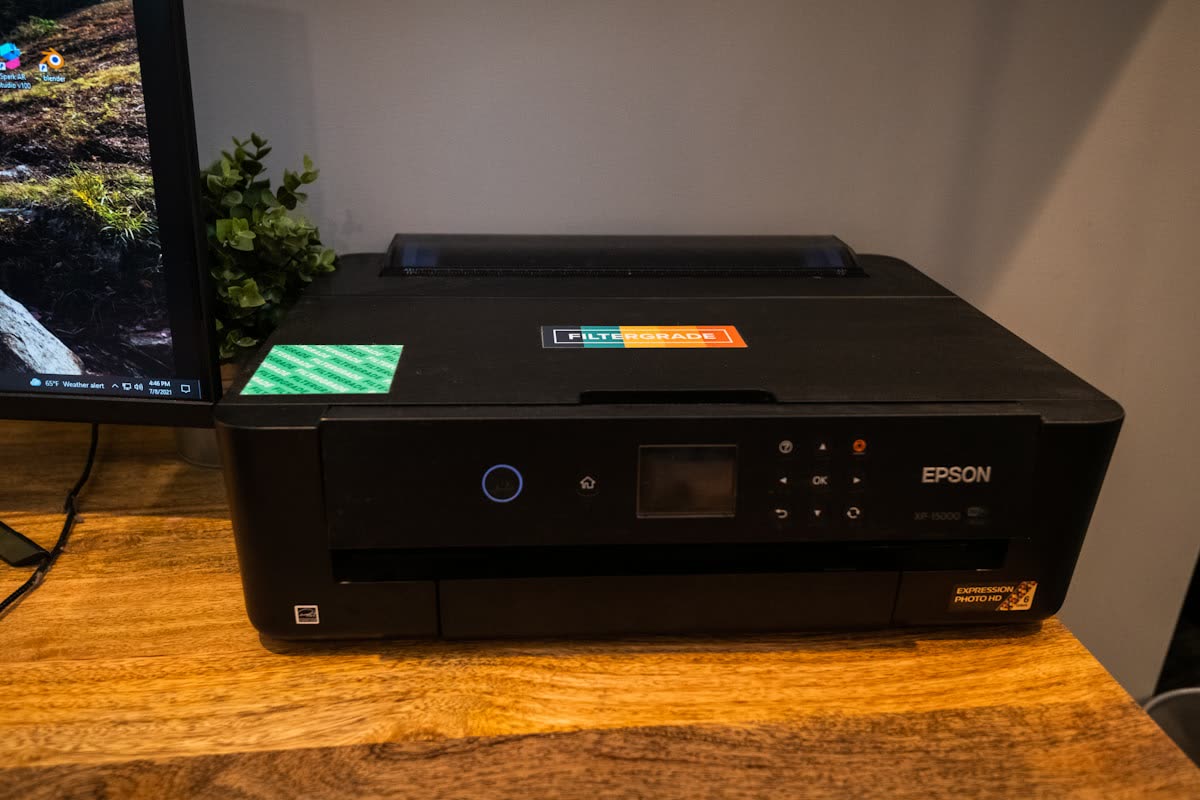
- Manufacturer stores. Epson, HP and Brother all sell directly and often run trade-in or bundle promotions that beat retail. Epson launched the 2026 EcoTank ET-2900 and ET-4903 through its own store, Amazon and Walmart on July 1, 2026.
Setting up on US ISP routers

The single most common printer problem in American homes has nothing to do with the printer. Almost every consumer printer sold in 2026 has a 2.4 GHz-only Wi-Fi radio, and every major US ISP gateway ships with band steering enabled, publishing one network name across both 2.4 and 5 GHz. During setup the printer cannot find the 2.4 GHz network, or connects and then becomes invisible to phones sitting on 5 GHz.
The short version for each gateway is below. For step-by-step routes on every major US router, including T-Mobile Home Internet gateways, see our full guide to connecting a printer to Xfinity, Spectrum, AT&T, Verizon and T-Mobile Wi-Fi.
Xfinity (Comcast) xFi gateways
xFi gateways merge bands by default. Open the Xfinity app, go to WiFi, then View WiFi equipment, then Edit WiFi settings, and either temporarily change the 5 GHz network name so the two are separate, or use the app's option to make the 2.4 GHz band visible. Complete printer setup, then revert if you prefer the merged name. Also check Advanced Security settings: xFi Advanced Security occasionally blocks device-to-device discovery traffic.
Spectrum
Spectrum's Advanced WiFi routers also merge bands. In the My Spectrum app, open Services, select your router, then Advanced settings, and disable Band Steering or split the SSIDs. Spectrum's older Sagemcom and Askey units expose separate 2.4 and 5 GHz names in the web admin at the gateway's address.
AT&T (BGW320 and Air 4920)
AT&T gateways use a single SSID by default. Sign in to the gateway at its local address, go to Home Network, then Wi-Fi, and disable the option that merges the bands. AT&T also has a Device Access Isolation setting under Firewall that must be off, or your phone will not see the printer even when both are connected.
Verizon Fios
The Fios Home Router and Fios Router G3100 merge bands under one name. In the My Fios app or the router admin page, turn off Self-Organizing Network or Smart Wi-Fi during setup, complete the printer connection, then re-enable it if you want. Fios Extenders can also isolate clients; put the printer on the main router where possible.
The universal fallback
If the app-based approach fails, use Wi-Fi Direct or a temporary hotspot. Create a 2.4 GHz-only hotspot from a phone, join the printer to it, then use the printer's control panel or the vendor app to switch it to your home network with the correct credentials. Full step-by-step instructions are in printer will not connect to Wi-Fi.
Official US manufacturer support
These are the official support sites. Use them rather than any phone number that appears in a search advertisement.
- HP: support.hp.com/us-en
- Canon USA: usa.canon.com/support
- Epson America: epson.com/support
- Brother USA: brother-usa.com/support and the global knowledge base at support.brother.com
- Xerox: xerox.com/support
- Lexmark: support.lexmark.com
We are an independent support site and are not affiliated with any of these manufacturers. Our brand pages, starting with HP, collect the model-specific fixes we see most often.
Setup and repair options in the US
In-home setup services
Geek Squad, through Best Buy, is the largest provider. Standalone in-home printer setup typically runs around $100 to $150, or is included in a Best Buy membership. HelloTech and Puls offer similar visits in most metros at comparable prices. Staples offers in-store and remote setup at lower prices for machines bought there.
For a wireless setup problem, an in-home visit is usually unnecessary. Almost every setup failure is a router setting or a driver problem, both of which are resolvable remotely. Our home printer setup help guide covers what to have ready and how to get a new printer working right the first time, whoever does the work.
Repair costs
Independent printer repair shops are concentrated in larger metros. Expect a diagnostic or bench fee of $75 to $125 before any parts, and hourly labor of $85 to $150. Common jobs:
| Job | Typical US cost |
|---|---|
| Diagnostic / bench fee | $75 to $125 |
| Roller and pickup assembly replacement | $120 to $220 |
| Fuser replacement (laser) | $200 to $400 |
| Printhead replacement (where supported) | $150 to $350 |
| Waste ink pad / absorber service | $100 to $200 |
| In-home service call | $125 to $250 plus parts |
The arithmetic is unforgiving on home machines. A $240 EcoTank with a $300 repair bill is not worth fixing. Repair makes sense on business lasers, workgroup MFPs and pro photo printers, where a $300 fuser saves a $2,000 machine. Our guide to whether it is worth repairing a printer works through the decision.
Check the warranty before you pay for any of this: many printers are still covered by the manufacturer, and some retailers and credit cards extend coverage. Printer warranties explained shows how to check yours. If a repair does make sense, our guide to where to get a printer repaired in the US compares Best Buy, Staples, Office Depot and mail-in service.
Recycling a printer or cartridges in the US

Printers contain circuit boards, power supplies and plastics that should not go in household trash, and several states including California, New York, Illinois and Washington restrict or ban electronics from landfill.
- Best Buy accepts printers for recycling at most stores. There is often a small per-item fee for larger electronics depending on state, and haul-away is available with a delivery.
- Staples accepts printers and ink and toner cartridges for free recycling in store, and its rewards program pays a small credit per cartridge returned.
- Office Depot and OfficeMax run similar cartridge take-back programs.
- Manufacturer programs. HP Planet Partners, Canon's cartridge return program, Epson's recycling program and Brother's cartridge return all provide free prepaid mailing labels for used supplies, and several accept whole printers.
- Municipal e-waste days. Most counties run periodic household hazardous waste and e-waste collection events. Check your county solid waste department's calendar.
Before disposing of any networked printer, clear its stored settings and any saved scan destinations or address book entries. Business multifunction devices often hold a hard drive with scanned document images. Our guide to printer security basics covers wiping a device before disposal.
The problems we see most often in the US
In American homes, five issues come up far more often than anything else, and none of them require a technician.
- The printer shows as offline in Windows. Usually the printer's IP address changed when the router handed out a new DHCP lease, so Windows is still trying to reach an address nothing answers on. The permanent fix is a DHCP reservation on the gateway plus reinstalling the printer by IP. Our printer offline guide covers both.
- The printer disappeared after a Windows update. Windows 11 increasingly installs its own universal IPP driver rather than the manufacturer's, which can silently remove duplex, tray selection and scanning options. Reinstalling the vendor driver package restores them.
- Cartridge not recognized on an HP printer. This spikes after firmware updates, particularly on HP+ enrolled machines where third-party supplies are blocked outright.
- iPhone cannot find the printer. Almost always band steering, a guest network, or the Local Network permission that recent macOS and iOS releases require.
- Print jobs stack up and nothing prints. A stalled print spooler service. Clearing the queue and restarting the spooler resolves it in most cases.
Two American specifics are worth flagging. First, dry indoor air from forced-air heating in winter accelerates printhead clogging on inkjets, so a machine that works fine in summer can block up in January; print a color page weekly through the heating season. Second, whole-home mesh systems such as eero, Google Nest Wifi and Orbi are now common in US homes and are aggressive about steering devices between bands and access points. If your printer works from one room and not another, that is why, and Ethernet or a fixed 2.4 GHz network name will fix it permanently.
Getting remote help

Most American printer problems, including nearly all Wi-Fi and driver failures, are fixable in a single remote session without anyone visiting your home. If you want somebody to take it over and sort it out, you can get help from a printer specialist for a fraction of an in-home visit. Our error code reference covers the specific codes if you would rather work through it yourself, and printer offline is the right starting point for the most common symptom.
Software mentioned in this guide
- Brother Mobile Connect
Brother's current mobile app for setup, printing, scanning and supplies iOS · Android - Canon PRINT
Canon's single mobile app for printing, scanning and printer setup iOS · Android - Epson Smart Panel
Epson's current mobile app for setup, printing, scanning and ink levels iOS · Android - HP Smart (the HP app)
HP's official setup, printing, scanning and ink app for home and small-office printers Windows · macOS · iOS - Windows printer settings
How Windows installs printers, and the shift to driverless Windows Ready Print Windows
Printers covered here
Frequently asked questions
Why won't my printer connect to my Xfinity or Spectrum Wi-Fi?
Because almost all home printers use a 2.4 GHz-only radio and US ISP gateways merge both bands under one network name by default. Use the Xfinity or My Spectrum app to temporarily split the 2.4 and 5 GHz networks or disable band steering, complete the printer setup, then revert if you prefer the merged name.
How much does Geek Squad charge to set up a printer?
In-home printer setup through Best Buy's Geek Squad typically runs about $100 to $150 as a standalone service, or is included with a Best Buy membership. HelloTech and Puls charge similar rates. For a wireless setup or driver problem, a remote session is usually far cheaper and just as effective.
Is it worth repairing a printer in the US?
Rarely for home machines. Bench fees start at $75 to $125 before parts, and a common repair such as a fuser or printhead runs $200 to $400, which exceeds the price of most home printers. Repair makes sense for business lasers, workgroup multifunction devices and professional photo printers.
Where can I recycle a printer for free in the US?
Staples accepts printers and cartridges for free recycling at most stores, and Best Buy accepts printers at most locations, sometimes with a small state-dependent fee. Manufacturer programs including HP Planet Partners and Canon's cartridge return provide free prepaid mailing labels for supplies.
Are printer support phone numbers in search results safe to call?
Often not. Sponsored results and lookalike sites for queries like 'HP printer support phone number' are frequently scam call centers that request remote access and then charge for invented problems. Use the official manufacturer links on this page, and be aware that no manufacturer will ever ask for gift cards or a wire transfer.
Which stores sell the new 2026 Epson EcoTank models in the US?
Epson launched the EcoTank ET-2900 at $239.99 and ET-4903 at $299.99 on July 1, 2026 through its own online store, Amazon and Walmart, with the print-only ET-1910 at $159.99. Best Buy and Staples typically pick up new EcoTank models within a few weeks of launch.
Technical writer focused on printer drivers, wireless setup and error-code troubleshooting.
Questions & comments (0)
No comments yet. Describe your printer model, operating system and the exact message you see; comments appear after review.
Ask about this page
Your comment appears after our team approves it. Or sign in to post faster.