Dymo · LabelManager handheld label makers
Dymo LabelManager 280
Office users who want a handheld label maker that also prints from a PC
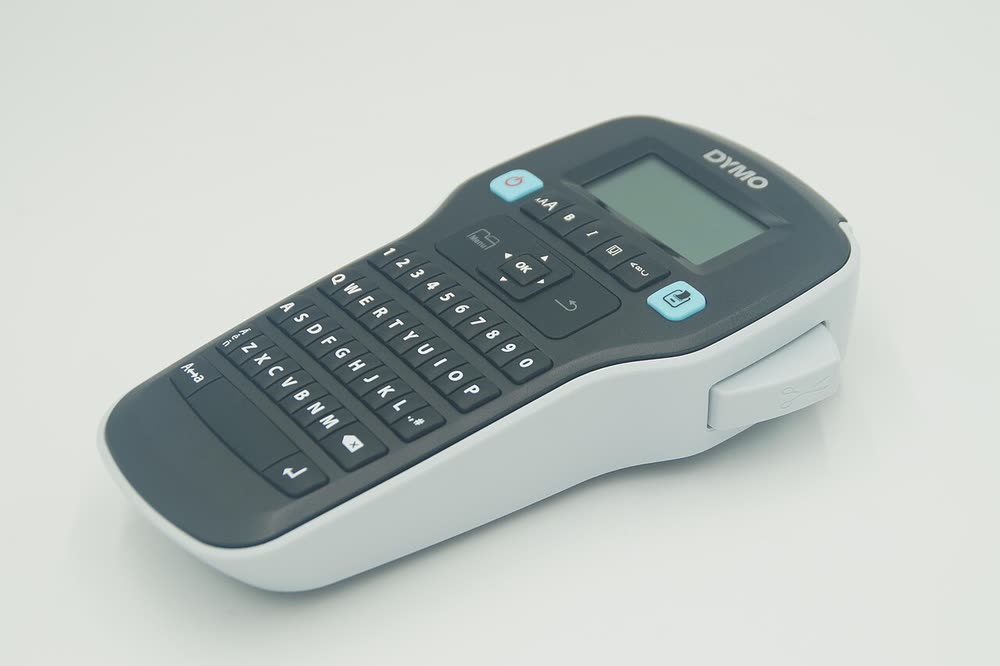
The LabelManager 160 is the everyday handheld label maker found in most stationery cupboards, printing D1 tape labels for files, drawers and cables. It works entirely standalone with a small keyboard and screen, so there is no software to install. The usual complaints are high battery consumption and the tape feeding blank at the start of each label, which is normal for D1 cassettes.
Sold in Worldwide
The LabelManager 160 is the everyday handheld label maker found in most stationery cupboards, printing D1 tape labels for files, drawers and cables. It works entirely standalone with a small keyboard and screen, so there is no software to install. The usual complaints are high battery consumption and the tape feeding blank at the start of each label, which is normal for D1 cassettes.
Best for: Home and office organisers wanting a simple handheld label maker
Fit six AAA batteries or the optional adapter, snap a D1 cassette in until it clicks and press the cut button once to clear the lead. Use the format keys to change font size and the memory feature to store frequent labels. Replace the cassette rather than the printer if printing becomes faint.
The Dymo LabelManager 160 uses the following consumables. Match the number exactly when you buy: the same printer family often uses several different cartridge numbers by region.
High-yield (XL) versions almost always cost less per page if you print regularly. On third-party ink and toner, read our honest assessment first, and note that some manufacturers push firmware that rejects non-original chips.
| Print Speed | Manual, single label at a time |
|---|---|
| Resolution | 180 dpi |
| Duplex | None |
| Adf | None |
| Paper Capacity | D1 tape cassettes 6, 9 and 12 mm |
| Display | Single-line LCD |
| Connectivity | |
| Mobile | |
| Os | |
| Dimensions | 7.1 x 3.2 x 1.8 in |
| Weight | 0.6 lb |
| Extra | Standalone handheld with QWERTY keyboard; 6 AAA batteries or optional adapter; no PC connection |
| Functions |
Every link goes to the manufacturer or an official app store. We never host modified installers.
| Code or message | What it means |
|---|---|
| Tape jam message | Tape caught at the cutter; open the cassette door and pull the tape gently, then trim |
| Battery low | Replace all six AAA batteries together |
No reviews yet. If you own this model, share what works and what does not.
Reviews appear after moderation.
Share your screen, we diagnose the driver, Wi-Fi or firmware problem and fix it while you watch. One affordable annual plan covers every printer in your home or office.
Questions & comments (0)
No comments yet. Describe your printer model, operating system and the exact message you see; comments appear after review.
Ask about this page
Your comment appears after our team approves it. Or sign in to post faster.