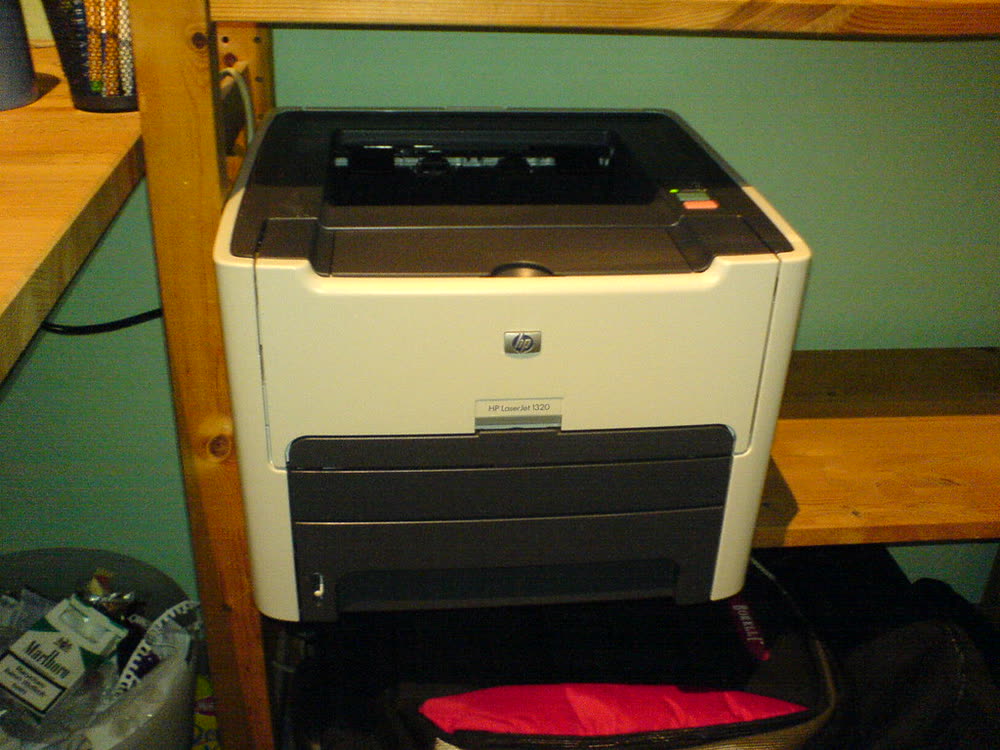
HP LaserJet 1320: Setup, Drivers, Ink and Common Problems
The LaserJet 1320 is the one older personal laser that IT people still recommend keeping, because it speaks real PCL and PostScript and therefore works with the HP Universal Print Driver, macOS and Linux without any special software. It prints double-sided automatically and the 49X cartridge runs to around six thousand pages. Worn pickup rollers and the occasional solenoid click on the paper path are the age-related faults, both cheap to fix.
Sold in United States, Canada, United Kingdom, Europe, Australia. Sold as HP LaserJet 1320n / 1320tn / 1320nw in United States.
Is the HP LaserJet 1320 right for you?
The LaserJet 1320 is the one older personal laser that IT people still recommend keeping, because it speaks real PCL and PostScript and therefore works with the HP Universal Print Driver, macOS and Linux without any special software. It prints double-sided automatically and the 49X cartridge runs to around six thousand pages. Worn pickup rollers and the occasional solenoid click on the paper path are the age-related faults, both cheap to fix.
Best for: Anyone who wants a driver-agnostic, auto-duplex mono laser
Setting up the HP LaserJet 1320
Add the 1320 with the HP Universal Print Driver (PCL 6) on Windows or the built-in Generic PostScript driver on macOS; no HP app is needed. For the 1320n, set a static IP and add it as a TCP/IP printer. If duplex printing stops working, check the rear duplex door is closed and the duplex option is enabled in the driver's Device Settings tab.
- Unbox and prepare. Remove every piece of shipping tape and packing material, install the toner cartridge and drum unit, and load paper in the tray.
- Join your Wi-Fi. Keep the printer close to the router for setup. Most printers only connect to the 2.4GHz band, so if your router broadcasts one merged network name you may need to split the bands temporarily. See our Wi-Fi guide if it will not join.
- Install the setup app. Use HP's official app rather than a driver you found on a search result — third-party driver sites are the most common source of printer malware.
- Add the printer. On Windows 11: Settings › Bluetooth & devices › Printers & scanners › Add device. On macOS: System Settings › Printers & Scanners › Add Printer.
- Print a test page and run a scan if this is an all-in-one, so you find any problem now rather than when you are in a hurry.
Ink, toner and supplies
The HP LaserJet 1320 uses the following consumables. Match the number exactly when you buy: the same printer family often uses several different cartridge numbers by region.
- HP 49A (Q5949A) toner
- HP 49X (Q5949X) high-yield toner
High-yield (XL) versions almost always cost less per page if you print regularly. On third-party ink and toner, read our honest assessment first, and note that some manufacturers push firmware that rejects non-original chips.
Full specifications
| Print Speed | 22 ppm |
|---|---|
| Resolution | 1200 x 1200 dpi |
| Duplex | Automatic |
| Adf | None |
| Paper Capacity | 250 sheets plus 10-sheet priority slot |
| Display | None (status LEDs) |
| Connectivity | USB, Parallel, Ethernet (1320n) |
| Mobile | |
| Os | Windows 11/10, macOS, Linux |
| Dimensions | 13.7 x 14.1 x 10 in |
| Weight | 22 lb |
| Monthly Duty | Up to 10,000 pages |
| Extra | PCL 5e/6 and PostScript emulation, so it works with generic drivers on any platform |
| Functions |
Official drivers and apps
Every link goes to the manufacturer or an official app store. We never host modified installers.
- HP Universal Print Driver (UPD)
One Windows driver that drives most HP printers in a fleet Windows - Windows printer settings
How Windows installs printers, and the shift to driverless Windows Ready Print Windows - macOS Printers and Scanners
Where macOS adds printers, scans documents and resets the printing system macOS
Problems owners report with this printer
- Printer Paper Jam: How to Clear It Safely (Including "Paper Jam But No Paper")
- Printer Printing Lines or Streaks? How to Diagnose Banding, Streaks and Smudges
- "Driver Is Unavailable" on Windows 11? What It Means and How to Fix It
- How to Add a Printer in Windows 11 (and What to Do When the Wizard Can't Find It)
- Two-Sided (Duplex) Printing Not Working: Why the Option Vanishes and How to Get It Back
HP error codes
Owner reviews
No reviews yet. If you own this model, share what works and what does not.
Write a review
Reviews appear after moderation.
Let a printer specialist fix it with you, remotely
Share your screen, we diagnose the driver, Wi-Fi or firmware problem and fix it while you watch. One affordable annual plan covers every printer in your home or office.
Questions & comments (0)
No comments yet. Describe your printer model, operating system and the exact message you see; comments appear after review.
Ask about this page
Your comment appears after our team approves it. Or sign in to post faster.