Canon PIXMA iP110: Setup, Drivers, Ink and Common Problems
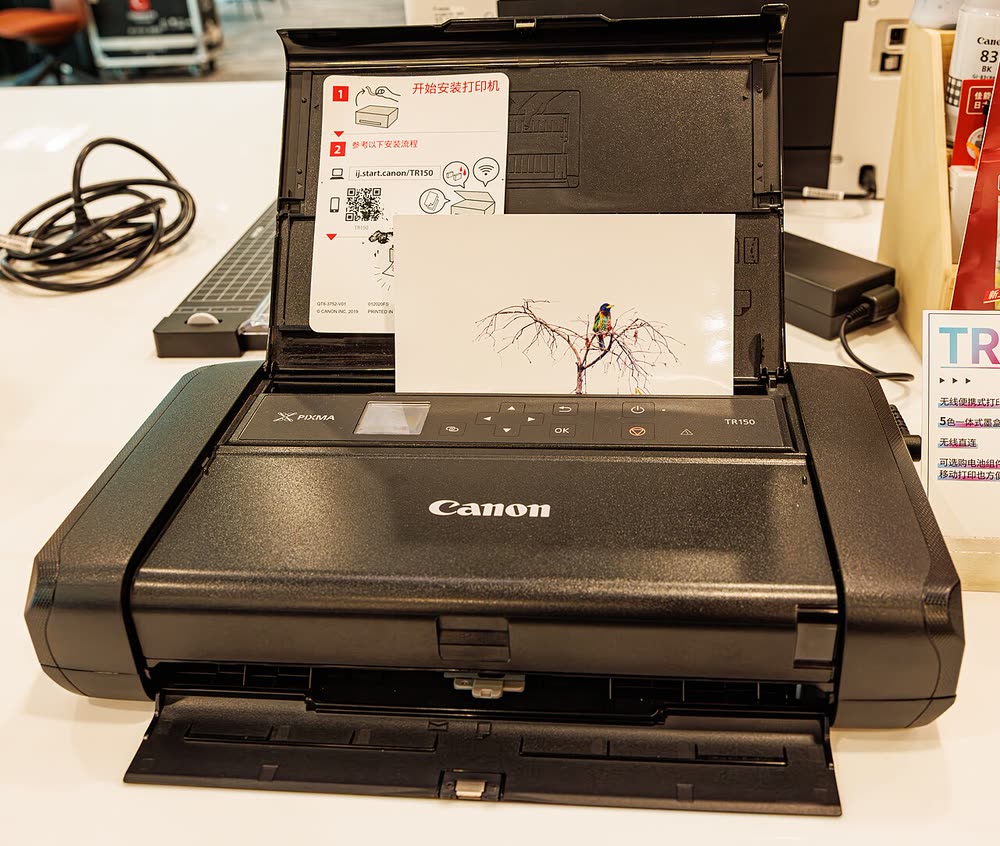
The iP110 was Canon's portable inkjet for most of the 2010s, popular with field sales teams and travelling lawyers who needed contracts printed on the spot. It shares its PGI-35 / CLI-36 cartridges with the newer TR150, so ink remains available. The lamps-only interface makes Wi-Fi setup fiddly, and an old LK-62 battery may no longer hold a charge.
Sold in United States, Canada, United Kingdom, Europe, Australia
Is the Canon PIXMA iP110 right for you?
The iP110 was Canon's portable inkjet for most of the 2010s, popular with field sales teams and travelling lawyers who needed contracts printed on the spot. It shares its PGI-35 / CLI-36 cartridges with the newer TR150, so ink remains available. The lamps-only interface makes Wi-Fi setup fiddly, and an old LK-62 battery may no longer hold a charge.
Best for: Legacy portable printing for field workers
Setting up the Canon PIXMA iP110
Hold the Wi-Fi button until the lamp flashes, then complete the connection with Canon PRINT on a 2.4 GHz network or WPS. For printing without a network, enable the access-point mode and connect your laptop or phone to the printer's SSID. Install the archived iP110 driver on Windows 11 and add via AirPrint on macOS.
- Unbox and prepare. Remove every piece of shipping tape and packing material, install the ink cartridges, and load paper in the tray.
- Join your Wi-Fi. Keep the printer close to the router for setup. Most printers only connect to the 2.4GHz band, so if your router broadcasts one merged network name you may need to split the bands temporarily. See our Wi-Fi guide if it will not join.
- Install the setup app. Use Canon's official app rather than a driver you found on a search result — third-party driver sites are the most common source of printer malware.
- Add the printer. On Windows 11: Settings › Bluetooth & devices › Printers & scanners › Add device. On macOS: System Settings › Printers & Scanners › Add Printer.
- Print a test page and run a scan if this is an all-in-one, so you find any problem now rather than when you are in a hurry.
Ink, toner and supplies
The Canon PIXMA iP110 uses the following consumables. Match the number exactly when you buy: the same printer family often uses several different cartridge numbers by region.
- PGI-35 black
- CLI-36 color
- LK-62 battery (optional)
High-yield (XL) versions almost always cost less per page if you print regularly. On third-party ink and toner, read our honest assessment first, and note that some manufacturers push firmware that rejects non-original chips.
Full specifications
| Print Speed | 9.0 ipm black / 5.8 ipm color |
|---|---|
| Resolution | Up to 9600 x 2400 dpi |
| Duplex | Manual |
| Adf | None |
| Paper Capacity | 50 sheets rear tray |
| Display | None |
| Connectivity | Wi-Fi, USB, Wi-Fi Direct |
| Mobile | Canon PRINT, AirPrint |
| Os | Windows 11/10, macOS, iOS, Android |
| Dimensions | 12.7 x 7.3 x 2.5 in |
| Weight | 4.3 lb |
| Extra | Optional LK-62 battery; replaced by the TR150 in 2020; PGI-35 / CLI-36 cartridges |
| Functions |
Official drivers and apps
Every link goes to the manufacturer or an official app store. We never host modified installers.
- Apple AirPrint
Driverless printing built into iPhone, iPad and Mac iOS · macOS - Canon IJ Setup (ij.start.canon)
Canon's setup portal that walks you through installing a PIXMA or MAXIFY printer Windows · macOS · iOS - Canon PRINT
Canon's single mobile app for printing, scanning and printer setup iOS · Android
Problems owners report with this printer
| Code or message | What it means |
|---|---|
| 1401 | Cartridge not installed |
| 1600 | Ink may have run out |
| 1700 | Ink absorber almost full |
| 5B00 | Ink absorber full |
- Wi-Fi Direct Printing: How to Set It Up and Print Without a Router (HP, Canon, Epson, Brother)
- Printer Not Printing Black but Has Ink? 8 Fixes (HP, Canon, Epson EcoTank, Brother)
- Ink or Toner Cartridge Not Recognized? How to Get Your Printer to Accept It
- USB Printer Not Detected? How to Get Windows 11 or macOS to See It
- Printer Won't Connect to Wi-Fi? 10 Fixes That Work (HP, Canon, Epson, Brother)
Canon error codes
Owner reviews
No reviews yet. If you own this model, share what works and what does not.
Write a review
Reviews appear after moderation.
Compare with similar models
MUNBYN P44S
Sellers who need to print shipping labels on the move
Let a printer specialist fix it with you, remotely
Share your screen, we diagnose the driver, Wi-Fi or firmware problem and fix it while you watch. One affordable annual plan covers every printer in your home or office.
Questions & comments (0)
No comments yet. Describe your printer model, operating system and the exact message you see; comments appear after review.
Ask about this page
Your comment appears after our team approves it. Or sign in to post faster.