Canon · imagePROGRAF PRO
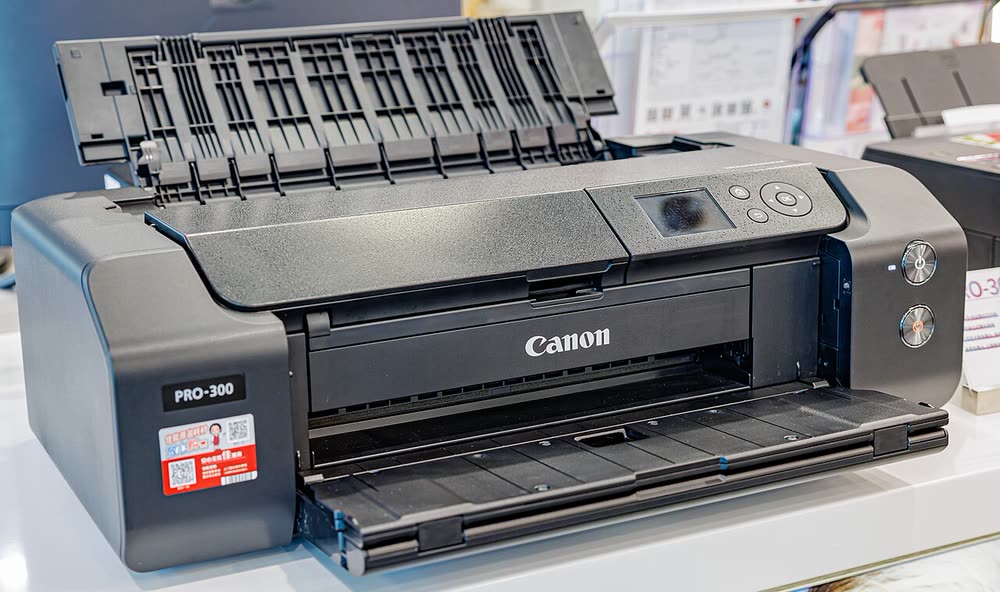
Canon imagePROGRAF PRO-310
Photographers buying a new archival 13-inch pigment printer
The SELPHY QX20 is Canon's pocket-size photo printer, announced in September 2024 and on sale from October 2024 at $149.99, replacing the SELPHY QX10. It uses dye-sublimation rather than ink cartridges or ZINK paper: heat transfers color from a ribbon in layers, which gives smooth, continuous-tone prints instead of the dotted look of inkjet. It is sold worldwide and has ranked among the best-selling photo printers on Amazon in Australia, the UK and Japan. It is also the first SELPHY on this site. It suits families, travelers and scrapbookers who print from a phone and want small keepsake prints rather than 8x10 enlargements.
Sold in Worldwide
The SELPHY QX20 is Canon's pocket-size photo printer, announced in September 2024 and on sale from October 2024 at $149.99, replacing the SELPHY QX10. It uses dye-sublimation rather than ink cartridges or ZINK paper: heat transfers color from a ribbon in layers, which gives smooth, continuous-tone prints instead of the dotted look of inkjet. It is sold worldwide and has ranked among the best-selling photo printers on Amazon in Australia, the UK and Japan. It is also the first SELPHY on this site. It suits families, travelers and scrapbookers who print from a phone and want small keepsake prints rather than 8x10 enlargements.
Best for: Phone photographers who want durable pocket prints for albums and gifts
Charge the printer fully before first use. Install Canon's SELPHY app on your phone, check that the app listing names the QX20 before downloading, and pair the printer from inside the app rather than from the phone's settings. Use ink and paper packs made for the QX20; SELPHY ink and paper are sold as matched sets, so the print count is fixed per pack. If prints show lines or blank patches, reseat the cassette and check the ribbon is not creased. Keep packs sealed until you need them.
The Canon SELPHY QX20 uses the following consumables. Match the number exactly when you buy: the same printer family often uses several different cartridge numbers by region.
High-yield (XL) versions almost always cost less per page if you print regularly. On third-party ink and toner, read our honest assessment first, and note that some manufacturers push firmware that rejects non-original chips.
| Duplex | None |
|---|---|
| Adf | None |
| Connectivity | |
| Mobile | SELPHY Photo Layout |
| Os | iOS, Android |
| Extra | Dye-sublimation pocket printer; announced September 2024, on sale October 2024 at $149.99; replaces the SELPHY QX10 |
| Functions |
Every link goes to the manufacturer or an official app store. We never host modified installers.
No reviews yet. If you own this model, share what works and what does not.
Reviews appear after moderation.
Photographers buying a new archival 13-inch pigment printer
Photographers selling archival 13 x 19 inch prints
Professional photographers printing gallery-grade 17 x 22 inch work
Share your screen, we diagnose the driver, Wi-Fi or firmware problem and fix it while you watch. One affordable annual plan covers every printer in your home or office.
Questions & comments (0)
No comments yet. Describe your printer model, operating system and the exact message you see; comments appear after review.
Ask about this page
Your comment appears after our team approves it. Or sign in to post faster.