Canon · imagePROGRAF PRO
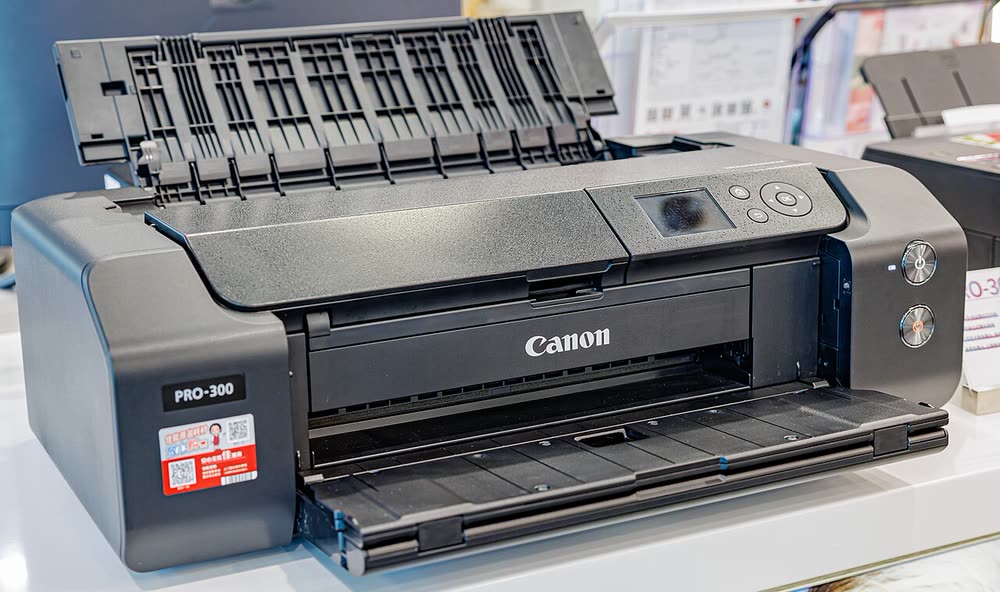
Canon imagePROGRAF PRO-300
Photographers selling archival 13 x 19 inch prints
The PRO-310 is the 2025 update of the PRO-300, announced in January 2025 together with the dye-based PIXMA PRO-200S. Canon kept the ten-ink pigment system and 13-inch format while refreshing firmware, connectivity and software integration. Photographers upgrading from a PRO-10 or PRO-300 will find the workflow unchanged; because it is so new, community knowledge about failure modes is limited.
Sold in United States, Canada, United Kingdom, Europe, Australia
The PRO-310 is the 2025 update of the PRO-300, announced in January 2025 together with the dye-based PIXMA PRO-200S. Canon kept the ten-ink pigment system and 13-inch format while refreshing firmware, connectivity and software integration. Photographers upgrading from a PRO-10 or PRO-300 will find the workflow unchanged; because it is so new, community knowledge about failure modes is limited.
Best for: Photographers buying a new archival 13-inch pigment printer
Set up over Ethernet or Wi-Fi from the LCD, then install the current Professional Print and Layout and driver from ij.start.canon. Use the rear manual slot for thick fine-art stock and set the media type exactly. Print a nozzle check before the first important job and whenever the printer has been idle for a week or more.
The Canon imagePROGRAF PRO-310 uses the following consumables. Match the number exactly when you buy: the same printer family often uses several different cartridge numbers by region.
High-yield (XL) versions almost always cost less per page if you print regularly. On third-party ink and toner, read our honest assessment first, and note that some manufacturers push firmware that rejects non-original chips.
| Print Speed | Approx. 1 min 30 sec per 8 x 10 in photo |
|---|---|
| Resolution | Up to 4800 x 2400 dpi |
| Duplex | None |
| Adf | None |
| Paper Capacity | 100 sheets rear tray plus manual feed; 13 x 19 in and panoramas |
| Display | 3.0-inch LCD |
| Connectivity | Wi-Fi, Ethernet, USB |
| Mobile | Canon PRINT, AirPrint |
| Os | Windows 11/10, macOS, iOS, Android |
| Dimensions | 25.2 x 15.0 x 7.9 in |
| Weight | 31.5 lb |
| Extra | Announced January 2025 alongside the PIXMA PRO-200S as an incremental successor to the PRO-300; ten pigment inks |
| Functions |
Every link goes to the manufacturer or an official app store. We never host modified installers.
| Code or message | What it means |
|---|---|
| 1200 | Cover open |
| 1300 | Paper jam |
| 1660 | Ink tank not installed |
No reviews yet. If you own this model, share what works and what does not.
Reviews appear after moderation.
Photographers selling archival 13 x 19 inch prints
Professional photographers printing gallery-grade 17 x 22 inch work
Phone photographers who want durable pocket prints for albums and gifts
Share your screen, we diagnose the driver, Wi-Fi or firmware problem and fix it while you watch. One affordable annual plan covers every printer in your home or office.
Questions & comments (0)
No comments yet. Describe your printer model, operating system and the exact message you see; comments appear after review.
Ask about this page
Your comment appears after our team approves it. Or sign in to post faster.