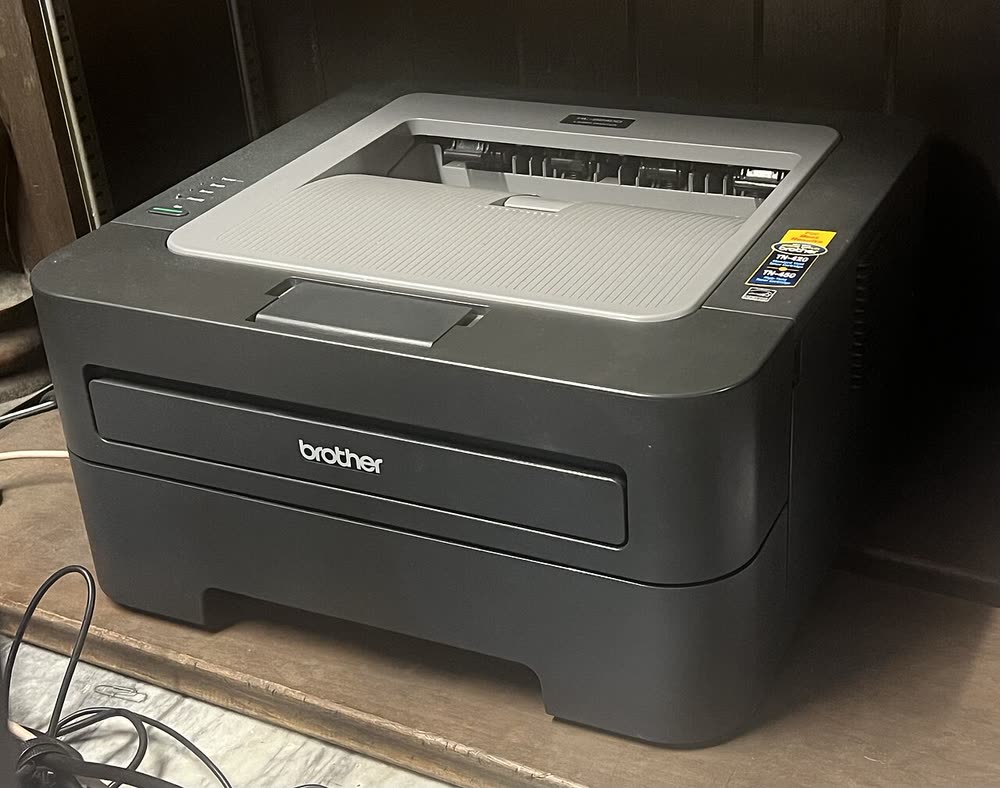
Brother · HL-2200 mono laser
Brother HL-2270DW
Owners of a reliable old home mono laser who just need it to keep working
Despite the HL prefix, the HL-2280DW is a compact print-copy-scan laser that sits between the HL-2270DW and the DCP line. It added a flatbed scanner and small LCD while keeping the same fast duplex engine and cheap TN-450 toner. Scanning on modern Windows needs the Brother scanner driver rather than the print driver alone, which trips up many owners after a PC upgrade. Mechanically these units last, although the drum warning and toner override are routine chores.
Sold in United States, Canada
Despite the HL prefix, the HL-2280DW is a compact print-copy-scan laser that sits between the HL-2270DW and the DCP line. It added a flatbed scanner and small LCD while keeping the same fast duplex engine and cheap TN-450 toner. Scanning on modern Windows needs the Brother scanner driver rather than the print driver alone, which trips up many owners after a PC upgrade. Mechanically these units last, although the drum warning and toner override are routine chores.
Best for: Home offices that want a tiny laser copier with bargain supplies
Install the Full Driver & Software Package so ControlCenter4 and the TWAIN scanner driver come along with the print driver. Wireless setup is done through the LCD menu under Network, choosing your 2.4 GHz SSID. For scan-to-PC, the PC must be on the same subnet and ControlCenter must be running.
The Brother HL-2280DW uses the following consumables. Match the number exactly when you buy: the same printer family often uses several different cartridge numbers by region.
High-yield (XL) versions almost always cost less per page if you print regularly. On third-party ink and toner, read our honest assessment first, and note that some manufacturers push firmware that rejects non-original chips.
| Print Speed | 27 ppm |
|---|---|
| Resolution | Up to 2400 x 600 dpi |
| Duplex | Automatic |
| Adf | None |
| Paper Capacity | 250 sheets + 1 manual feed |
| Display | 2-line LCD |
| Connectivity | Wi-Fi, Ethernet, USB |
| Mobile | Brother iPrint&Scan, AirPrint |
| Os | Windows 11/10, macOS |
| Dimensions | 16.1 x 15.7 x 10.4 in |
| Weight | 21.6 lb |
| Monthly Duty | Up to 10,000 pages |
| Extra | An HL-branded unit with a flatbed copier/scanner on top; uses TN-420/TN-450 and DR-420 |
| Functions | Print, Copy, Scan |
Every link goes to the manufacturer or an official app store. We never host modified installers.
| Code or message | What it means |
|---|---|
| Replace Toner | Toner counter at limit; use the continue setting to keep printing |
| Unable to Init | Mechanical fault at startup, often a stuck scanner carriage or paper fragment |
No reviews yet. If you own this model, share what works and what does not.
Reviews appear after moderation.
Owners of a reliable old home mono laser who just need it to keep working
A single-PC budget mono printer that still has cheap supplies
Home offices that print mostly black text and want a reliable wired or 5 GHz connection
Home offices that want a touchscreen laser all-in-one without fax
Share your screen, we diagnose the driver, Wi-Fi or firmware problem and fix it while you watch. One affordable annual plan covers every printer in your home or office.
Questions & comments (0)
No comments yet. Describe your printer model, operating system and the exact message you see; comments appear after review.
Ask about this page
Your comment appears after our team approves it. Or sign in to post faster.