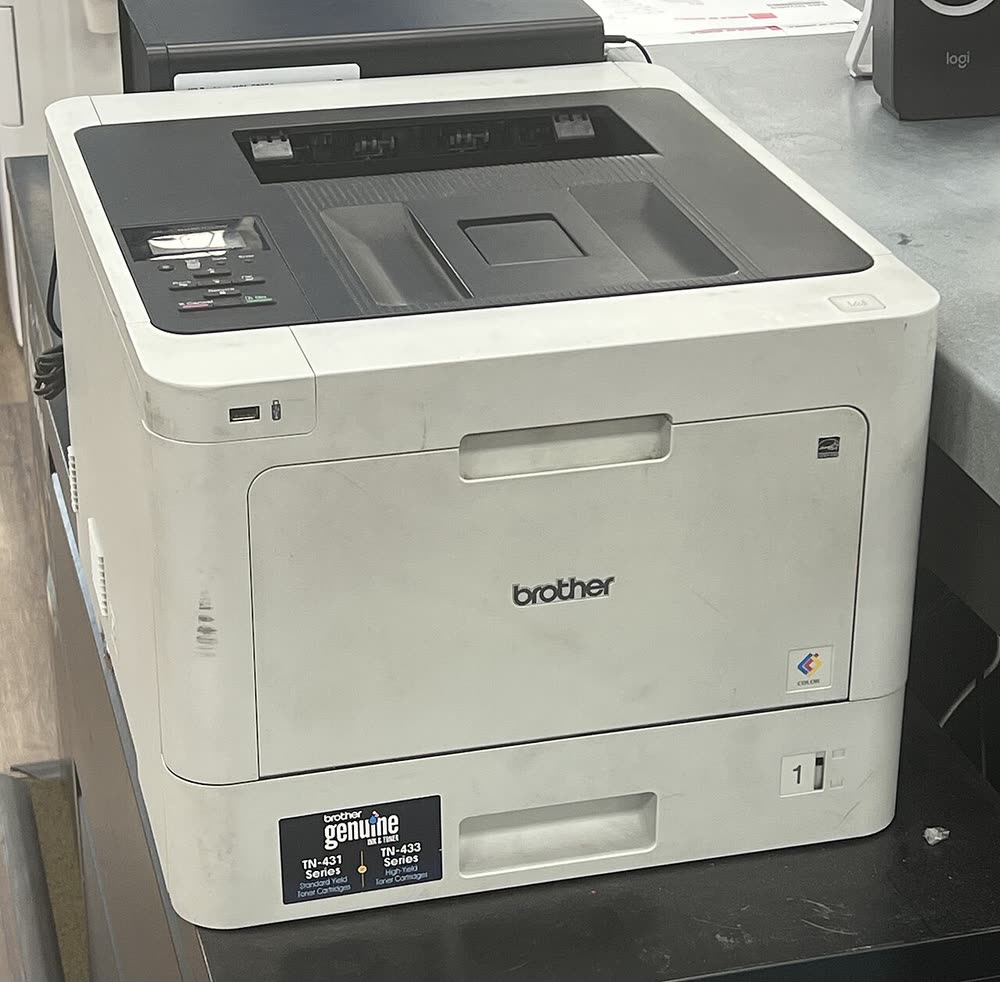
Brother · HL-L8000 business color laser
Brother HL-L8360CDW
Offices needing low-cost color with touchscreen management
The HL-L8260CDW is a true color laser aimed at small businesses, printing 33 ppm in color and mono from a 250-sheet tray plus a 50-sheet multipurpose feeder. The TN-433 high-yield set gives around 4,000 pages per color, far more than the compact LED models. It is heavy and large, but that buys a 60,000-page monthly duty and an optional second tray. Drum, belt and waste box are separate, so count them into running costs.
Sold in United States, Canada, United Kingdom, Europe, Australia
The HL-L8260CDW is a true color laser aimed at small businesses, printing 33 ppm in color and mono from a 250-sheet tray plus a 50-sheet multipurpose feeder. The TN-433 high-yield set gives around 4,000 pages per color, far more than the compact LED models. It is heavy and large, but that buys a 60,000-page monthly duty and an optional second tray. Drum, belt and waste box are separate, so count them into running costs.
Best for: Small businesses that print color documents every day
Connect Ethernet or use the LCD WLAN menu for 2.4 GHz Wi-Fi. Install the Full Driver & Software Package on Windows or the PCL6 driver for managed deployments; Mac and mobile print through AirPrint. Use the web interface to set multipurpose tray paper size and enable Secure Function Lock if several users share it.
The Brother HL-L8260CDW uses the following consumables. Match the number exactly when you buy: the same printer family often uses several different cartridge numbers by region.
High-yield (XL) versions almost always cost less per page if you print regularly. On third-party ink and toner, read our honest assessment first, and note that some manufacturers push firmware that rejects non-original chips.
| Print Speed | 33 ppm color / mono |
|---|---|
| Resolution | Up to 2400 x 600 dpi |
| Duplex | Automatic |
| Adf | None |
| Paper Capacity | 250 sheets + 50-sheet multipurpose tray (expandable) |
| Display | 1-line LCD |
| Connectivity | Wi-Fi, Ethernet, USB, Wi-Fi Direct |
| Mobile | Brother Mobile Connect, AirPrint, Mopria |
| Os | Windows 11/10, macOS, ChromeOS, iOS, Android |
| Dimensions | 16.1 x 19.1 x 12.3 in |
| Weight | 47.6 lb |
| Monthly Duty | Up to 60,000 pages |
| Extra | Toner TN-431 standard / TN-433 high-yield; drum DR-431CL; belt BU-330CL; waste WT-320CL. UK equivalents TN-421 / TN-423, DR-421CL |
| Functions |
Every link goes to the manufacturer or an official app store. We never host modified installers.
| Code or message | What it means |
|---|---|
| Replace Toner | Counter-based stop for one color; Continue mode available |
| Replace Belt | Transfer belt at service life (about 50,000 pages) |
| Jam Duplex | Paper stuck in the rear duplex path |
No reviews yet. If you own this model, share what works and what does not.
Reviews appear after moderation.
Share your screen, we diagnose the driver, Wi-Fi or firmware problem and fix it while you watch. One affordable annual plan covers every printer in your home or office.
Questions & comments (0)
No comments yet. Describe your printer model, operating system and the exact message you see; comments appear after review.
Ask about this page
Your comment appears after our team approves it. Or sign in to post faster.