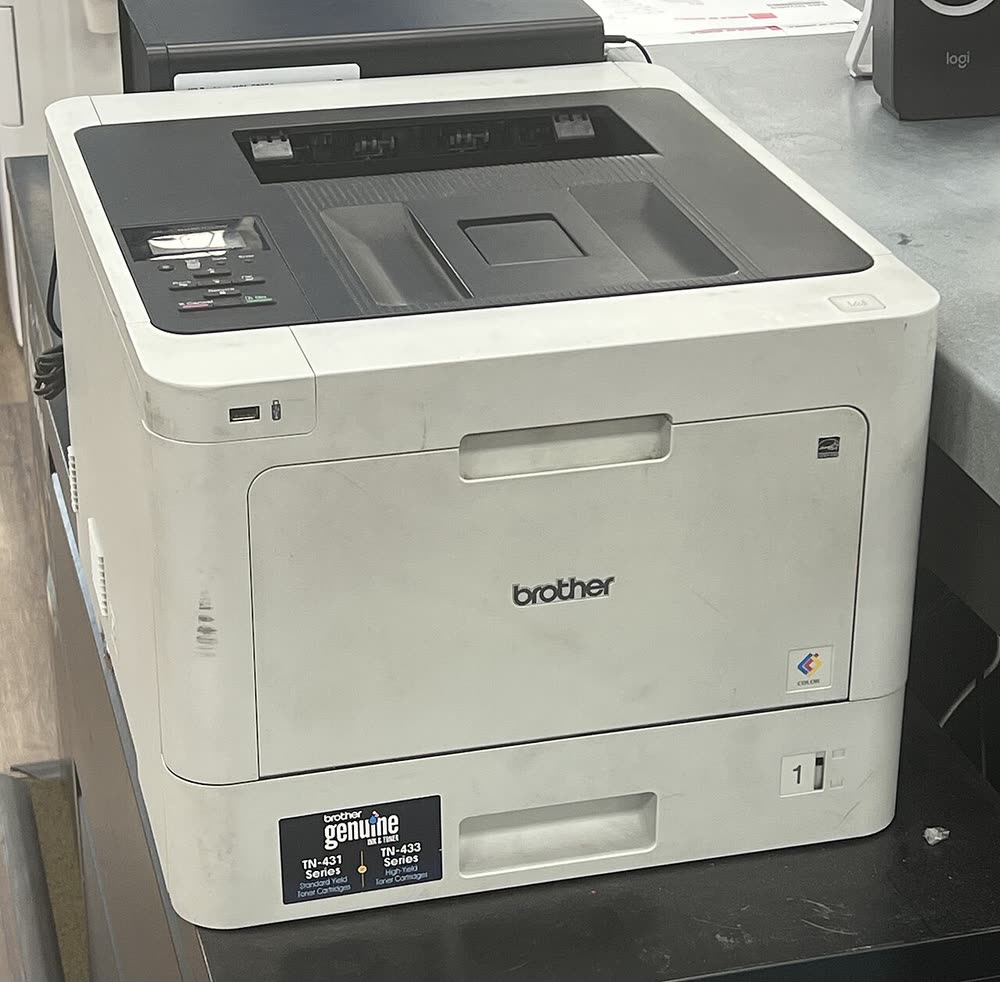
Brother · HL-L8000 business color laser
Brother HL-L8260CDW
Small businesses that print color documents every day
The HL-L8360CDW is the touchscreen version of the HL-L8260CDW and the more common one in offices because it accepts the 6,500-page TN-436 super high-yield cartridges. NFC, Web Connect and Secure Print make it a natural shared printer. The CDWT bundle adds a 500-sheet lower tray for letterhead or legal paper. Per-page color costs with TN-436 toner are among the lowest Brother has offered in a desktop printer.
Sold in United States, Canada, United Kingdom, Europe, Australia
The HL-L8360CDW is the touchscreen version of the HL-L8260CDW and the more common one in offices because it accepts the 6,500-page TN-436 super high-yield cartridges. NFC, Web Connect and Secure Print make it a natural shared printer. The CDWT bundle adds a 500-sheet lower tray for letterhead or legal paper. Per-page color costs with TN-436 toner are among the lowest Brother has offered in a desktop printer.
Best for: Offices needing low-cost color with touchscreen management
Run the touchscreen wireless wizard or connect Ethernet; configure a static IP or reservation for shared use. Deploy the Full Driver & Software Package or PCL6 driver on Windows and set Secure Print PINs in the web interface. Register Web Connect accounts on the screen for direct cloud printing.
The Brother HL-L8360CDW uses the following consumables. Match the number exactly when you buy: the same printer family often uses several different cartridge numbers by region.
High-yield (XL) versions almost always cost less per page if you print regularly. On third-party ink and toner, read our honest assessment first, and note that some manufacturers push firmware that rejects non-original chips.
| Print Speed | 33 ppm color / mono |
|---|---|
| Resolution | Up to 2400 x 600 dpi |
| Duplex | Automatic |
| Adf | None |
| Paper Capacity | 250 sheets + 50-sheet multipurpose tray (expandable) |
| Display | 2.7-inch color touchscreen |
| Connectivity | Wi-Fi, Ethernet, USB, Wi-Fi Direct, NFC |
| Mobile | Brother Mobile Connect, AirPrint, Mopria |
| Os | Windows 11/10, macOS, ChromeOS, iOS, Android |
| Dimensions | 16.1 x 19.1 x 12.3 in |
| Weight | 48.3 lb |
| Monthly Duty | Up to 60,000 pages |
| Extra | HL-L8360CDWT adds a 500-sheet tray; accepts TN-436 super high-yield; DR-431CL, BU-330CL, WT-320CL |
| Functions |
Every link goes to the manufacturer or an official app store. We never host modified installers.
| Code or message | What it means |
|---|---|
| Replace Toner | One color counter exhausted; Continue can be set from the touchscreen |
| Replace WT Box | Waste toner box full |
| Replace Fuser | Fuser unit at its service interval |
No reviews yet. If you own this model, share what works and what does not.
Reviews appear after moderation.
Small businesses that print color documents every day
Small businesses buying a new color laser in 2025-2026
Small businesses buying a new color laser all-in-one in 2025-2026
Managed enterprise color printing over a wired network
Share your screen, we diagnose the driver, Wi-Fi or firmware problem and fix it while you watch. One affordable annual plan covers every printer in your home or office.
Questions & comments (0)
No comments yet. Describe your printer model, operating system and the exact message you see; comments appear after review.
Ask about this page
Your comment appears after our team approves it. Or sign in to post faster.