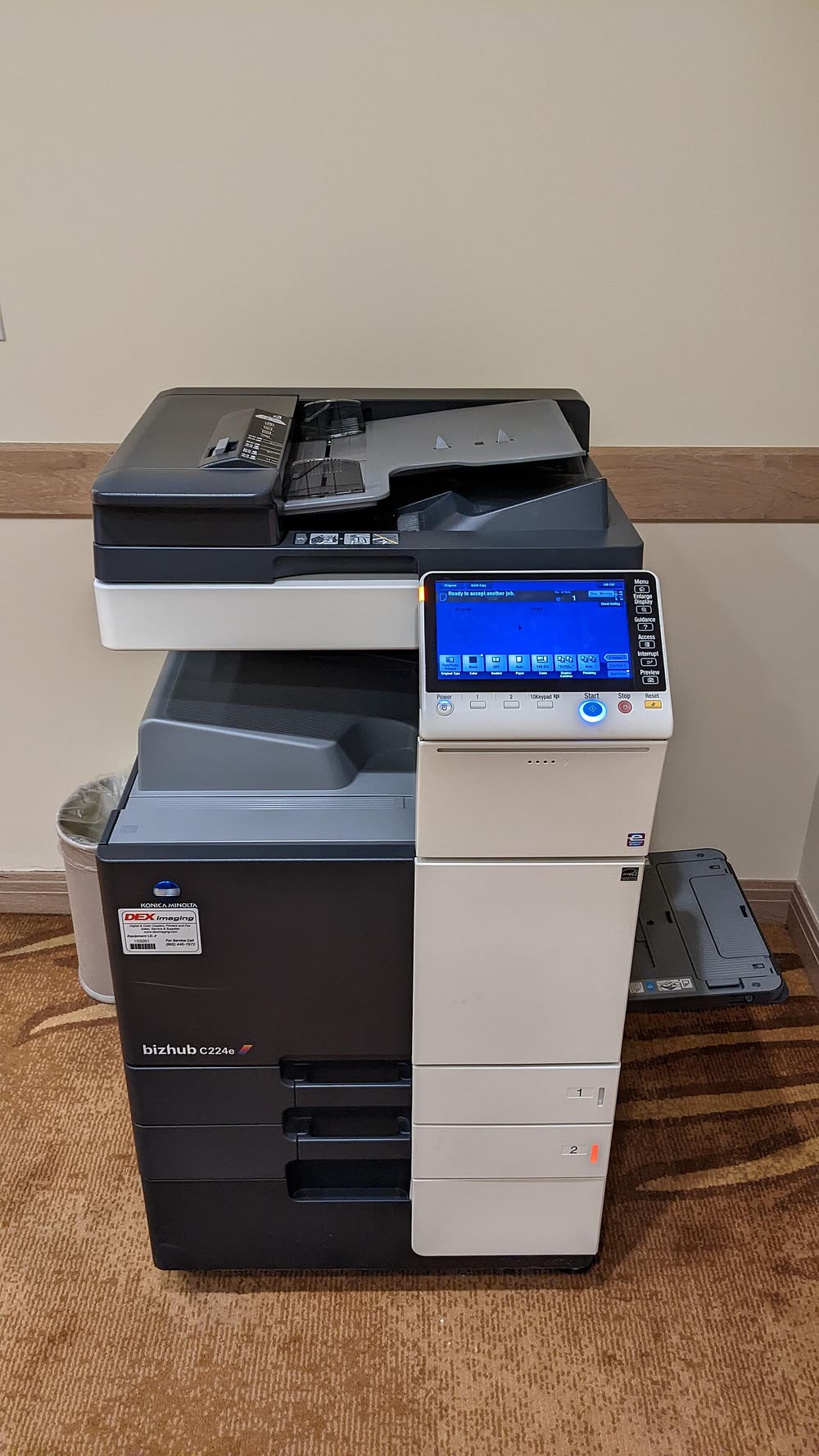
Konica Minolta · bizhub i-Series compact A3 colour MFP
Konica Minolta bizhub C257i
Small offices wanting a compact A3 colour copier
The bizhub C224e is a 2014 A3 colour copier from the e-series, the generation that introduced the 9-inch INFO-Palette touchscreen. It is now a budget second-hand machine and many small businesses bought one off-lease. They still print well, but the drums and developer units are often near the end of their lives, the firmware predates modern email authentication, and the HDD can throw C-D3xx errors as it ages.
Sold in United States, Canada, United Kingdom, Europe, Australia, India, Ireland, New Zealand, South Africa, United Arab Emirates, Singapore
The bizhub C224e is a 2014 A3 colour copier from the e-series, the generation that introduced the 9-inch INFO-Palette touchscreen. It is now a budget second-hand machine and many small businesses bought one off-lease. They still print well, but the drums and developer units are often near the end of their lives, the firmware predates modern email authentication, and the HDD can throw C-D3xx errors as it ages.
Best for: Budget buyers of a second-hand A3 colour copier
Install the bizhub C224e PCL6 or PostScript driver from Konica Minolta's legacy support pages and add the copier by IP. Web Connection (PageScope Web Connection on this generation) manages SMTP and SMB destinations; Gmail and Microsoft 365 now require an app password or SMTP relay. Ask the previous dealer for the admin password before taking ownership of an off-lease unit.
The Konica Minolta bizhub C224e uses the following consumables. Match the number exactly when you buy: the same printer family often uses several different cartridge numbers by region.
High-yield (XL) versions almost always cost less per page if you print regularly. On third-party ink and toner, read our honest assessment first, and note that some manufacturers push firmware that rejects non-original chips.
| Print Speed | 22 ppm mono and colour (A4) |
|---|---|
| Resolution | 1800 x 600 dpi equivalent |
| Duplex | Automatic |
| Adf | Optional 100-sheet dual-scan or reversing ADF |
| Paper Capacity | 1,150 sheets standard, expandable |
| Display | 9-inch colour touchscreen |
| Connectivity | Gigabit Ethernet, USB, Optional Wi-Fi, Optional fax |
| Mobile | PageScope Mobile / Konica Minolta Mobile Print, AirPrint (later firmware), Mopria |
| Os | Windows 11/10, macOS, iOS, Android, Linux |
| Dimensions | Floor-standing, approx 24 x 27 x 36 in |
| Weight | Approx 180 lb |
| Monthly Duty | Recommended up to 20,000 pages |
| Extra | C224e/C284e/C364e family; uses TN321 toners and DR512 drums |
| Functions | Print, Scan, Copy, Fax |
Every link goes to the manufacturer or an official app store. We never host modified installers.
| Code or message | What it means |
|---|---|
| C-2557 / C-2558 / C-2559 | Imaging unit or toner density faults by colour |
| C-3451 | Fusing unit warm-up failure |
| C-D3B1 / C-D3xx | Hard disk or controller fault |
| C-E002 | Board communication error; cold restart |
No reviews yet. If you own this model, share what works and what does not.
Reviews appear after moderation.
Share your screen, we diagnose the driver, Wi-Fi or firmware problem and fix it while you watch. One affordable annual plan covers every printer in your home or office.
Questions & comments (0)
No comments yet. Describe your printer model, operating system and the exact message you see; comments appear after review.
Ask about this page
Your comment appears after our team approves it. Or sign in to post faster.