Zebra · G-Series desktop label printers
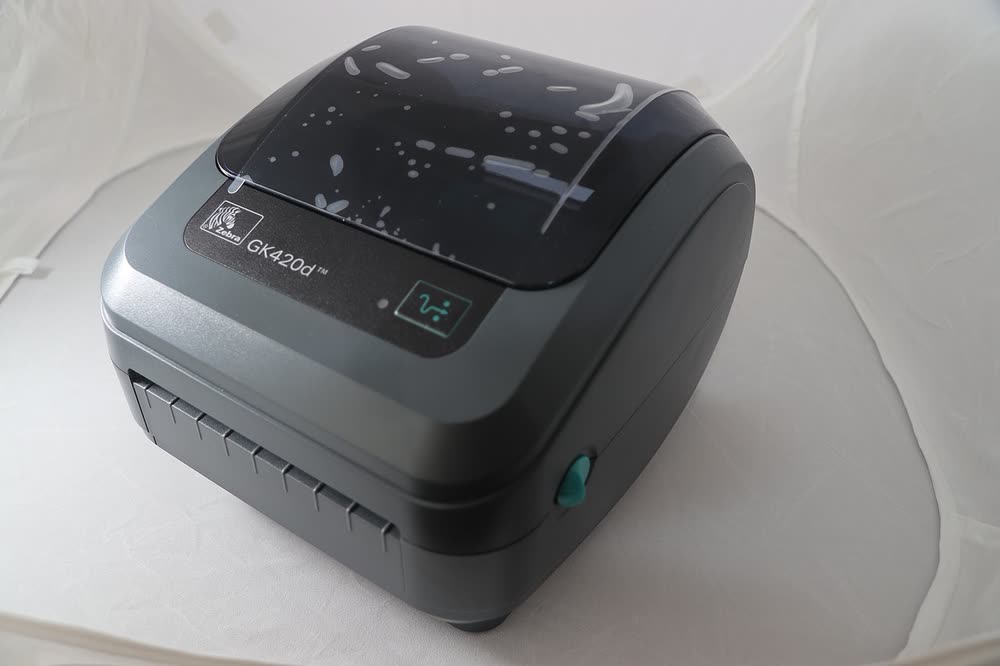
Zebra GK420d
Online sellers buying a proven used printer for 4x6 shipping labels
The GX430t is the 300 dpi thermal transfer member of the G-Series, chosen for jewellery tags, lab labels and product labels with small text that a 203 dpi printer cannot render cleanly. It accepts full 300 m ribbons, so it suits longer runs than a cartridge printer. Ribbon threading direction is the most common cause of blank or faded labels on this model.
Sold in Worldwide
The GX430t is the 300 dpi thermal transfer member of the G-Series, chosen for jewellery tags, lab labels and product labels with small text that a 203 dpi printer cannot render cleanly. It accepts full 300 m ribbons, so it suits longer runs than a cartridge printer. Ribbon threading direction is the most common cause of blank or faded labels on this model.
Best for: Businesses printing small-text durable labels at 300 dpi
Install the driver via Zebra Setup Utilities, load a ribbon so the coated side touches the label, then calibrate for your label gap. Set media type to thermal transfer in the driver, otherwise the printer will try to print without heating the ribbon. Lower print speed when using resin ribbons for the sharpest output.
The Zebra GX430t uses the following consumables. Match the number exactly when you buy: the same printer family often uses several different cartridge numbers by region.
High-yield (XL) versions almost always cost less per page if you print regularly. On third-party ink and toner, read our honest assessment first, and note that some manufacturers push firmware that rejects non-original chips.
| Print Speed | 4 ips (102 mm/s) |
|---|---|
| Resolution | 300 dpi |
| Duplex | None |
| Adf | None |
| Paper Capacity | Up to 4.25-inch wide media; 5-inch OD roll; 300 m ribbon |
| Display | Status LED (LCD option) |
| Connectivity | USB, Serial, Parallel, Ethernet |
| Mobile | |
| Os | Windows 11/10, macOS, Linux |
| Dimensions | 8.0 x 11.0 x 7.5 in |
| Weight | 4.6 lb |
| Extra | 300 dpi thermal transfer printer for fine text and small barcodes; ribbon and direct thermal capable |
| Functions |
Every link goes to the manufacturer or an official app store. We never host modified installers.
| Code or message | What it means |
|---|---|
| Ribbon out (red/green LED) | Ribbon finished or threaded backwards; reload with ink side facing the label |
No reviews yet. If you own this model, share what works and what does not.
Reviews appear after moderation.
Online sellers buying a proven used printer for 4x6 shipping labels
Fulfilment rooms using peel-and-present label workflows
Healthcare and retail sites printing 2-inch labels and wristbands
Warehouses and factories needing an entry-level industrial printer
Share your screen, we diagnose the driver, Wi-Fi or firmware problem and fix it while you watch. One affordable annual plan covers every printer in your home or office.
Questions & comments (0)
No comments yet. Describe your printer model, operating system and the exact message you see; comments appear after review.
Ask about this page
Your comment appears after our team approves it. Or sign in to post faster.