Best Portable Printer 2026: Travel, Laptop and Mobile Printing Picks
Portable printers split into battery inkjets, ink-free thermal printers and pocket photo printers. Here is which suits travel, laptops and phones, and what each really costs to run.
On this page
- Quick picks
- Which type of portable printer do you need?
- What to look for in a portable printer
- Battery inkjets: Canon, Epson and HP
- Direct-thermal letter printers
- Pocket thermal and label printers
- Mini photo printers for phones
- How do you print to a portable printer without Wi-Fi?
- Honest trade-offs: do you need one at all?
The best portable printer depends on what you need to print. For full-color letter pages from a laptop or phone, a battery inkjet such as the Canon PIXMA TR150 or Epson WorkForce WF-110 is the practical choice. For ink-free black-and-white pages, a direct-thermal printer is lighter. For photos from a phone, a mini photo printer fits in a pocket. None of them are cheap to run.
Quick picks
| Model | Type | Best for | Power |
|---|---|---|---|
| Canon PIXMA TR150 | Color inkjet, letter paper | Best all-round travel printer | AC adapter; optional LK-72 battery |
| Epson WorkForce WF-110 | Color inkjet, letter paper | Smallest and lightest letter inkjet | Built-in battery, USB charging |
| HP OfficeJet 250 Mobile | Color inkjet all-in-one | Printing, scanning and copying on the road | Rechargeable battery |
| HP OfficeJet 200 Mobile | Color inkjet, letter paper | Print-only for sales visits and invoices | Rechargeable battery |
| Direct-thermal letter printers, such as Brother PocketJet | Black-only thermal | Ink-free documents in a laptop bag | Battery on many models, sometimes optional |
| MUNBYN P44S | 4 x 6 thermal labels | Shipping labels away from a desk | Built-in battery |
| Phomemo M02 Pro | Pocket thermal | Notes, lists and stickers from a phone | Built-in battery |
| Kodak Mini 2 Retro | Dye-sub photo | Durable credit-card-size photos | Built-in battery |
| Fujifilm Instax Mini Link 3 | Instant film | Party and travel keepsakes | Built-in battery, USB-C charging |
Prices move often and street prices differ from list prices, so check current pricing at Best Buy, Staples, Amazon.com or the manufacturer's store before you buy.
Which type of portable printer do you need?

Battery inkjets
These are shrunken desktop inkjets. They print color on ordinary letter paper, work with AirPrint on an iPhone, iPad or Mac and with Mopria on Android, and connect to a laptop over USB or Wi-Fi. The price of portability is speed, small paper trays and small, expensive cartridges. Expect a weight of roughly 3.5 to 6.5 lb.
Direct-thermal document printers
These use heat-sensitive paper instead of ink, so there are no cartridges to dry out and they are much lighter. The trade-offs are black-only output, special paper that costs more than plain paper, and prints that fade over time, faster in heat or sunlight. Treat them as a way to hand someone a document, not to create a record you'll need in five years.
Mini photo printers
Pocket printers for phones use one of three technologies: Zink paper with the color built into the sheet, dye-sublimation cartridges that combine paper and ribbon, or real instant film. They print small photos only and connect over Bluetooth through the brand's app.
What to look for in a portable printer
| Feature | Why it matters | What to check |
|---|---|---|
| Battery life | Decides whether you can print through a day away from an outlet | Built-in or optional battery, pages per charge (quoted figures are best case), USB-C or car charging |
| Paper type | Sets what you can print and what it costs | Plain letter paper, thermal rolls or sheets, or photo cartridges and film |
| Paper capacity | Small trays mean frequent reloading | Sheets in the tray; 20 to 50 is typical for battery inkjets |
| Connectivity | Hotel and client Wi-Fi often hides printers | Wi-Fi Direct or Bluetooth to print without a router; AirPrint and Mopria to print without an app; USB for laptops |
| Running cost | Small cartridges and specialty media are expensive per page | Cartridge price and yield, thermal paper price, cost per photo |
| Size and weight | You will carry it on every trip | Weight with the battery fitted, and whether it fits your laptop bag |
| Computer support | Some thermal and pocket printers are phone-only | Windows, macOS and ChromeOS support if you print from a laptop |
Battery inkjets: Canon, Epson and HP
Canon PIXMA TR150
The TR150 is the most balanced of the group. It has a 50-sheet rear tray, a small OLED display, Wi-Fi, Wi-Fi Direct and USB, and it pairs a pigment black cartridge (PGI-35) for crisp text with a color cartridge (CLI-36). It weighs about 4.5 lb before the battery. The LK-72 battery is sold separately, so budget for it if you really need to print away from power.
Epson WorkForce WF-110
The WF-110 is the smallest and lightest letter printer here at about 3.5 lb, and its battery is built in and charges over USB. The trade-off is a 20-sheet tray and small 289 and 290 cartridges. It works with Epson Smart Panel, AirPrint and Mopria, which makes phone printing straightforward.
HP OfficeJet 250 Mobile and OfficeJet 200 Mobile
The OfficeJet 250 is the only printer in this group that also scans and copies, with a 10-sheet document feeder and a touchscreen, which suits field staff who need to copy a signed form on site. At about 6.5 lb it is also the heaviest. The OfficeJet 200 is the print-only version at about 4.6 lb. Both use HP 62 cartridges.
All battery inkjets share one weakness: they spend weeks in a bag, and idle printheads dry out. Store them with the cartridges installed and print a page every couple of weeks, as described in our printer maintenance tips. Lithium batteries also lose capacity with age, and replacements are not cheap.
Direct-thermal letter printers

Thermal document printers such as Brother's PocketJet range have long been used by field technicians and delivery drivers because they are light and have nothing to refill. Budget brands sold online now offer letter-size thermal printers for less. Before buying one, check that it has a proper driver for your computer rather than only a phone app, and that you can easily buy the paper in the US. Cheap thermal paper prints faintly and fades fastest.
Pocket thermal and label printers
The Phomemo M02 Pro prints 300 dpi black-and-white notes, to-do lists and stickers on 53 mm thermal rolls from a phone. It is a fun, cheap tool for students and journaling, not a document printer. The MUNBYN P44S prints 4 x 6 shipping labels over Bluetooth from its battery, which suits sellers packing orders at markets or from a car. Setup is covered in our Rollo and MUNBYN setup guide, and desktop options are in the best label printers.
Mini photo printers for phones
- Zink (Kodak Step and similar): no ink or ribbon, just sticky-back 2 x 3 paper. The smallest and cheapest to feed, but colors are softer and less accurate.
- Dye-sublimation (Kodak Mini 2 Retro, Polaroid Hi-Print Generation 2): the paper passes through once for each color plus a clear protective layer, so prints are sharper and resist water and fingerprints. Cartridges combine paper and ribbon.
- Instant film (Fujifilm Instax Mini Link 3): exposes real instax mini film, so you get the classic credit-card-size instant print. The most expensive per print and not archival, but the most fun at a party.
Expect roughly 30 cents to about $1 per print, depending on the technology, the pack size and where you buy. For larger prints, or a photo printer that stays at home, our best photo printer guide covers the Canon SELPHY, EcoTank Photo and pro models.
How do you print to a portable printer without Wi-Fi?
Hotel, airport and client networks often stop devices from seeing each other, so a printer that joins them may never show up. Use the printer's own connection instead:
- Turn on Wi-Fi Direct from the printer's wireless menu (inkjets), or pair over Bluetooth in the brand app (thermal and photo printers).
- On your phone or laptop, join the printer's Wi-Fi Direct network, which usually starts with DIRECT-, using the password shown on the printer's display or network configuration page.
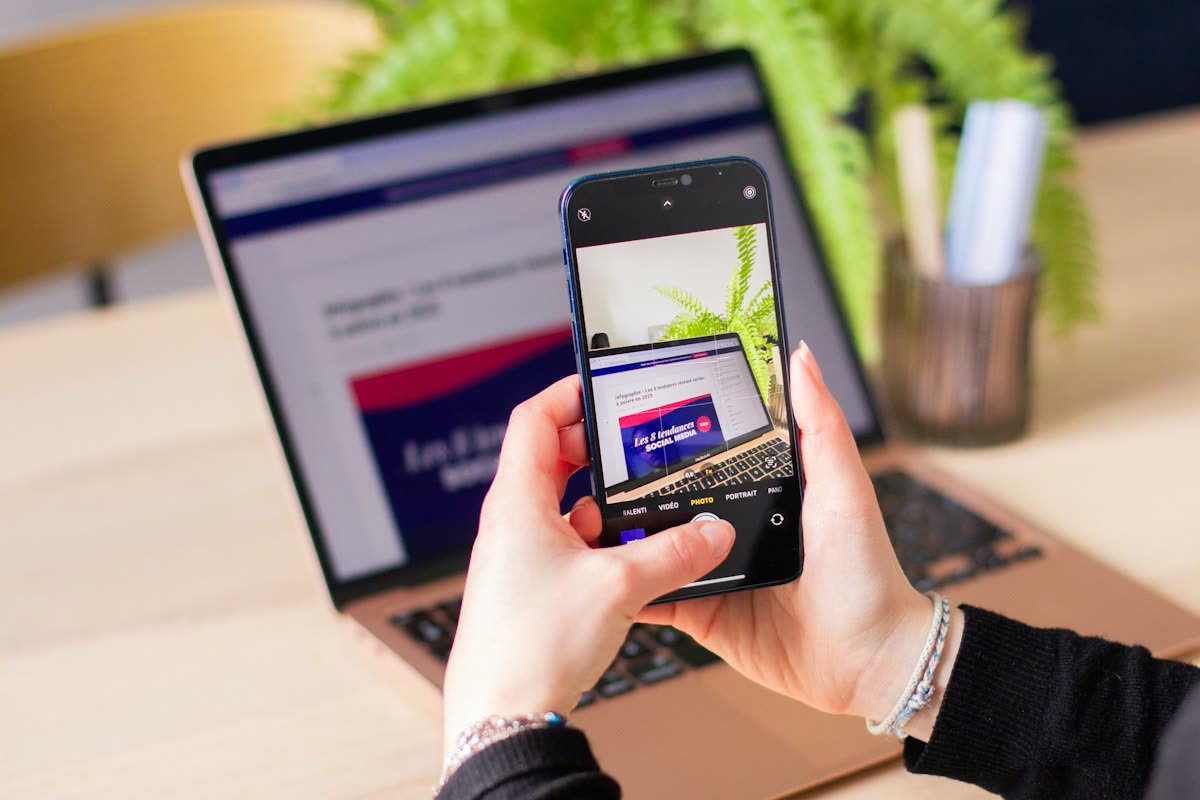
- Print with AirPrint on an iPhone, iPad or Mac, or with Mopria or the default print service on Android. On Windows 11, add the printer under Settings › Bluetooth & devices › Printers & scanners.
- Or skip wireless entirely and use a USB cable from a laptop.
Our guides to Wi-Fi Direct printing and printing from a phone cover each platform step by step.
Honest trade-offs: do you need one at all?
- If you print on the road once or twice a month, a FedEx Office or The UPS Store location, a hotel business center or a public library is cheaper than owning a printer.
- Many forms no longer need paper. An e-signature or a PDF sent from your phone often does the job.
- Portable inkjets cost more per page than desktop printers and are slower. Buy one for convenience, not savings.
- If the printer will mostly sit on a desk, a compact desktop model or an ink-tank printer is better value.
If you would rather not wrestle with Wi-Fi Direct, pairing or drivers in a hotel room, our independent remote printer support plan covers every printer in your home or office, including portable and label printers, on Windows, macOS, ChromeOS, iPhone, iPad and Android for $79 a year.
Software mentioned in this guide
- Apple AirPrint
Driverless printing built into iPhone, iPad and Mac iOS · macOS - Canon PRINT
Canon's single mobile app for printing, scanning and printer setup iOS · Android - Epson Smart Panel
Epson's current mobile app for setup, printing, scanning and ink levels iOS · Android - HP Smart (the HP app)
HP's official setup, printing, scanning and ink app for home and small-office printers Windows · macOS · iOS - INSTAX mini Link app
One app for every generation of the instax mini Link printer iOS · Android - Mopria Print Service
Cross-brand driverless printing and scanning for Android Android
Printers covered here
Frequently asked questions
Can a portable printer print without Wi-Fi?
Yes. Battery inkjets like the Canon PIXMA TR150, Epson WorkForce WF-110 and HP OfficeJet 200 Mobile create their own Wi-Fi Direct network, so a phone or laptop connects straight to the printer with no router. Thermal and mini photo printers pair over Bluetooth through an app. A USB cable to a laptop also works on the inkjets.
Do portable printers need ink?
Battery inkjets use small ink cartridges, which are their main running cost. Direct-thermal printers use heat-sensitive paper instead of ink, so there is nothing to refill, but output is black only and fades over time. Mini photo printers use Zink paper, dye-sub cartridges that combine paper and ribbon, or instant film.
How long does a portable printer battery last?
It depends on the model and on what you print. Manufacturers quote pages per charge measured in ideal conditions, and color pages and cold weather reduce the real figure. Lithium batteries also lose capacity as they age. Carry the charger, and remember that on the Canon TR150 the battery is an optional extra.
Can I print from my iPhone to a portable printer?
Yes. The Canon PIXMA TR150, Epson WorkForce WF-110 and HP OfficeJet Mobile models support AirPrint, so they appear in the iPhone's Share menu under Print once connected. Mini photo, thermal and label printers usually print through their own app over Bluetooth rather than AirPrint, so install the app before you travel.
Do thermal printer prints last?
Not for years. Direct-thermal prints fade, and heat, sunlight and friction speed that up. They are fine for receipts, labels, delivery notes and documents you will scan or copy soon. For contracts or anything you must keep, print on an inkjet instead, or scan the thermal page as soon as you can.
What is the smallest portable printer for letter paper?
Among battery inkjets, the Epson WorkForce WF-110 is the smallest and lightest at about 3.5 lb, with a built-in battery. Direct-thermal letter printers are lighter still but print only in black on special paper. Pocket printers such as the Phomemo M02 Pro are far smaller but use narrow rolls, not letter paper.
Guides credited to the PrinterSupport.io Editorial Team are researched from the manufacturers' own support documentation and our editorial policy, and updated when menus, apps or policies change. Corrections go to help@printersupport.io.


Questions & comments (0)
No comments yet. Describe your printer model, operating system and the exact message you see; comments appear after review.
Ask about this page
Your comment appears after our team approves it. Or sign in to post faster.