Dell Printer Support After Dell Left the Printer Business: Drivers, Windows 11 and What to Do Next
Dell exited the printer business around 2020. This independent guide covers where Dell drivers still live, what actually works on Windows 11, toner sourcing, and how to decide between keeping and replacing.
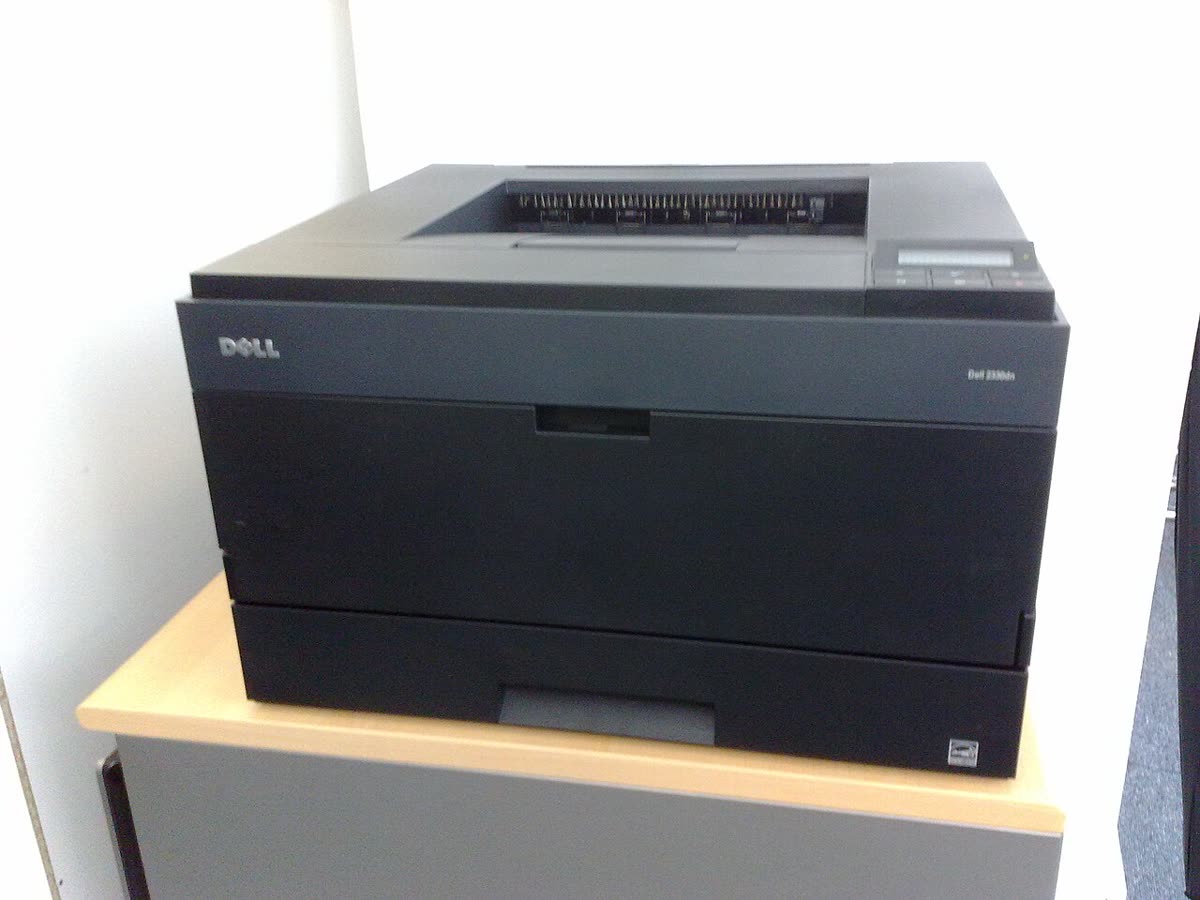
Dell printers are a support category unlike any other on this site, because the manufacturer is no longer in the category. Dell exited the printer business around 2020. It stopped launching models, wound down consumables, and reduced its printer footprint to legacy driver hosting. Machines still work and many are still in daily use in small offices, but the support model is now maintenance, not development.
This page is an honest independent guide to where Dell printer support actually stands: what still exists, what does not, what works on current operating systems, and how to decide whether to keep a Dell printer running at all.
Official Dell support links
Dell never ran separate printer support portals; printers sit inside the same support system as laptops and servers, addressed by service tag.
| Purpose | Address | Notes |
|---|---|---|
| Drivers and downloads | dell.com/support | Search by service tag or model number |
| Support home | dell.com/support/home | Manuals, documentation, legacy articles |
| United Kingdom | dell.com/en-uk | Driver downloads only; no printer sales channel |
| Australia | dell.com/en-au | Driver downloads only |
Finding a Dell printer driver that works
The service tag route
Every Dell device carries a service tag, usually on a label at the back or underneath. Entering it at dell.com/support takes you straight to the correct downloads for that exact unit, which is more reliable than searching a model number that may have had several regional variants.
The Dell Open Print Driver
Dell's universal driver, the Open Print Driver, reached version A16 in 2017 and was never listed for Windows 11. It can still be useful on a Windows 10 machine driving several Dell models, but it is not a dependable answer on a current operating system. Our Dell Open Print Driver page sets out where it still applies.
The class driver route, which usually works
Most Dell lasers were rebadged engines built by other manufacturers, which is genuinely good news. It means the machines speak standard page description languages, so Windows and macOS can drive them with a generic driver. On Windows 11, add the printer manually, choose to select a driver from a list, and pick a generic PCL6 or PostScript class driver. On macOS, add the printer and choose Generic PostScript Printer or Generic PCL Laser Printer.
This route gives you printing, duplex and tray selection. What it usually does not give you is scanning on a multifunction unit, or accurate toner reporting. For scanning, try the original engine manufacturer's scan driver, or fall back on a standards-based scan protocol if the machine supports one.
Adding a Dell printer to a current computer
- Print a configuration or network summary page from the printer panel, or hold the panel button combination documented for your model, and write down the IPv4 address.
- Reserve that address in your router or DHCP server so it cannot change. Almost every long-term Dell printer complaint traces back to an address that moved.
- On Windows, open printer settings, choose to add a printer manually, and select the option to add a printer using a TCP/IP address. Enter the reserved address and clear the box that offers to query the printer and select a driver automatically.
- When asked for a driver, try the Dell package from dell.com/support first. If it will not install or the model is not listed for your Windows version, choose a generic PCL6 class driver for a mono laser or a generic PostScript driver for a colour laser.
- Print a test page, then check duplex and tray selection in the driver properties, because those are the features most often lost when falling back to a class driver.
- On macOS, add the printer by IP using the standard printing protocol, then choose Generic PostScript Printer or Generic PCL Laser Printer if the model does not appear in the list.
- For a multifunction unit, test scanning separately. If no current scan driver exists, check whether the machine supports a standards-based scan protocol, because that is the only route that survives operating system upgrades.
Dell printer model families explained
| Series | What it was | Notes for owners today |
|---|---|---|
| B series (B1160w, B2360dn, B3460dn) | Mono lasers, entry to workgroup | Simple, durable, well served by generic PCL drivers |
| E series (E310dw, E514dw, E515dw) | Compact mono laser multifunction | Printing works with class drivers; scanning is the weak point |
| C series (C1660w, C1760nw, C2660dn, C3760dn) | Colour lasers | Toner is four separate cartridges; check all four before diagnosing colour faults |
| S and H series | Older consumer inkjets and lasers | Effectively unsupported; ink is largely unavailable |
| Smart Printer and Cloud-branded models | Managed and cloud-connected lines | Cloud features are dead; treat them as plain network printers |
Common Dell printer problems today
| Problem | What is actually going on |
|---|---|
| Driver is unavailable in Windows | A Windows 10-era driver was removed or blocked by an update - switch to a class driver |
| Printer shows offline | The queue cannot reach the IP after a DHCP change - see printer offline |
| Toner counter will not clear | A compatible cartridge without a fresh chip, or a chip the machine cannot reset |
| Scanner not detected | The scan driver was never updated past Windows 10, and no class fallback exists for scanning |
| USB device not recognised | Usually the cable or port rather than the printer - see USB printer not detected |
| Cloud or app features gone | The services behind them were retired when Dell left the category |
Codes and messages for every brand are indexed in our error code directory.
Toner and consumables without a manufacturer
Dell no longer sells printer consumables in any of our four markets. In practice there are two supply routes. The first is third-party compatibles listed against the Dell part number, which are still widely available online for the popular B, E and C series machines. The second, and often better, is to identify the original engine manufacturer and buy that cartridge, which is usually cheaper and stocked more reliably.
Because there is no genuine-supply option left, the usual arguments about third-party toner do not really apply here; compatibles are the only market. Buy from a supplier with a returns policy, order one cartridge before committing to several, and keep the packaging until you have printed a few hundred pages. Our neutral guidance is in third-party ink and toner.
Firmware, security and warranty
Firmware for Dell printers is frozen. Whatever is on dell.com/support is the last release, and there will be no further security fixes. That matters on an office network, because network printers expose web interfaces, scan-to-email credentials and stored address books.
Warranty is not a realistic route. Dell printer warranties have long expired on machines this old, and ProSupport contracts frequently excluded printers even when they were current. Business owners should check the contract wording before assuming coverage.
Keep it or replace it?
Our practical position is straightforward. If the machine prints and you can buy toner for it, keep running it and spend nothing further. If it needs a paid repair, replace it: there are no manufacturer parts, no warranty, no driver development and no security updates, so repair money buys you a device that is still obsolete. If it is a multifunction and the scanner has stopped working on a current operating system, that is usually the point at which replacement wins, because the scan side is the hardest part to substitute with generic software.
How this site fits
We are independent and not affiliated with Dell. We publish vendor-neutral fixes, link to Dell's own pages for anything that must come from Dell, and never charge to unlock a fix. Everything we have on this brand is collected on the Dell brand hub.
Dell software and drivers
Dell error codes
Dell printer models
Grouped by series. Every model page has setup steps, the right cartridge or toner numbers, driver links and the faults owners report.
Dell colour laser (Fuji Xerox-built) 4
Dell mono laser (Lexmark-built) 4
Dell inkjet all-in-one (Lexmark-built) 3
Dell B-series mono laser (Lexmark-built) 2
Dell B-series mono laser (Samsung-built) 2
Dell colour LED (Fuji Xerox-built) 2
Dell B-series mono laser MFP (Samsung-built) 1
Dell Cloud colour laser MFP (Fuji Xerox-built) 1
Dell E-series colour laser MFP (Samsung-built) 1
Dell E-series mono laser (Samsung-built) 1
Dell E-series mono laser MFP (Samsung-built) 1
Dell Smart colour laser MFP (Fuji Xerox-built) 1
Dell colour laser MFP (Fuji Xerox-built) 1
Dell mono laser (Samsung-built) 1
Dell mono laser MFP (Samsung-built) 1
No model matches that. Try the model number only, e.g. "2800".
Dell support FAQ
Does Dell still make printers?
No. Dell exited the printer business around 2020. It stopped launching new models, wound down consumables distribution, and reduced its printer presence to legacy driver hosting and documentation. Existing machines still work, but there is no new hardware, no active driver development, and no realistic warranty path. Treat a working Dell printer as a device on borrowed time rather than something to invest further in.
Where can I still download Dell printer drivers?
From dell.com/support. Search by the service tag on the machine or by the model number. Dell has maintained legacy driver hosting even after exiting the category, but pages for discontinued products do eventually get pruned. Download the driver package, the manual and any firmware file now, and keep them somewhere you will still find them in five years.
Is there a Dell printer driver for Windows 11?
Officially, mostly not. The Dell Open Print Driver's last release was version A16 in 2017 and it carries no Windows 11 listing. Some model-specific drivers written for Windows 10 install and work on Windows 11, because the underlying print architecture did not change. If they refuse, the practical route is to add the printer using a generic PCL6 or PostScript class driver, or the original engine manufacturer's driver.
What is Dell Printer Hub and where do I get it?
It was Dell's device status and supplies application. It no longer has an official Dell product page. Because of that, any site offering a Dell Printer Hub download is unofficial and should be treated as untrusted. You do not need it: toner levels can be read from the printer's own panel or embedded web server, and printing works fine without it.
Can I still buy toner for a Dell printer?
Usually yes, but not from Dell. Most Dell lasers were rebadged engines from other manufacturers, so the practical approach is to identify the original engine and search for that cartridge. Third-party compatibles for Dell part numbers remain widely available online and are often the only realistic supply. Check yield and print a test page before buying several.
Should I repair a Dell printer or replace it?
Replace it in almost all cases. With no manufacturer parts channel, no warranty, no current driver development and a device that is at minimum several years old, a paid repair rarely makes sense. If the machine still prints, keep it running with third-party toner until it fails, and plan its replacement rather than budgeting for a service visit.
Let a printer specialist fix it with you, remotely
Share your screen, we diagnose the driver, Wi-Fi or firmware problem and fix it while you watch. One affordable annual plan covers every printer in your home or office.