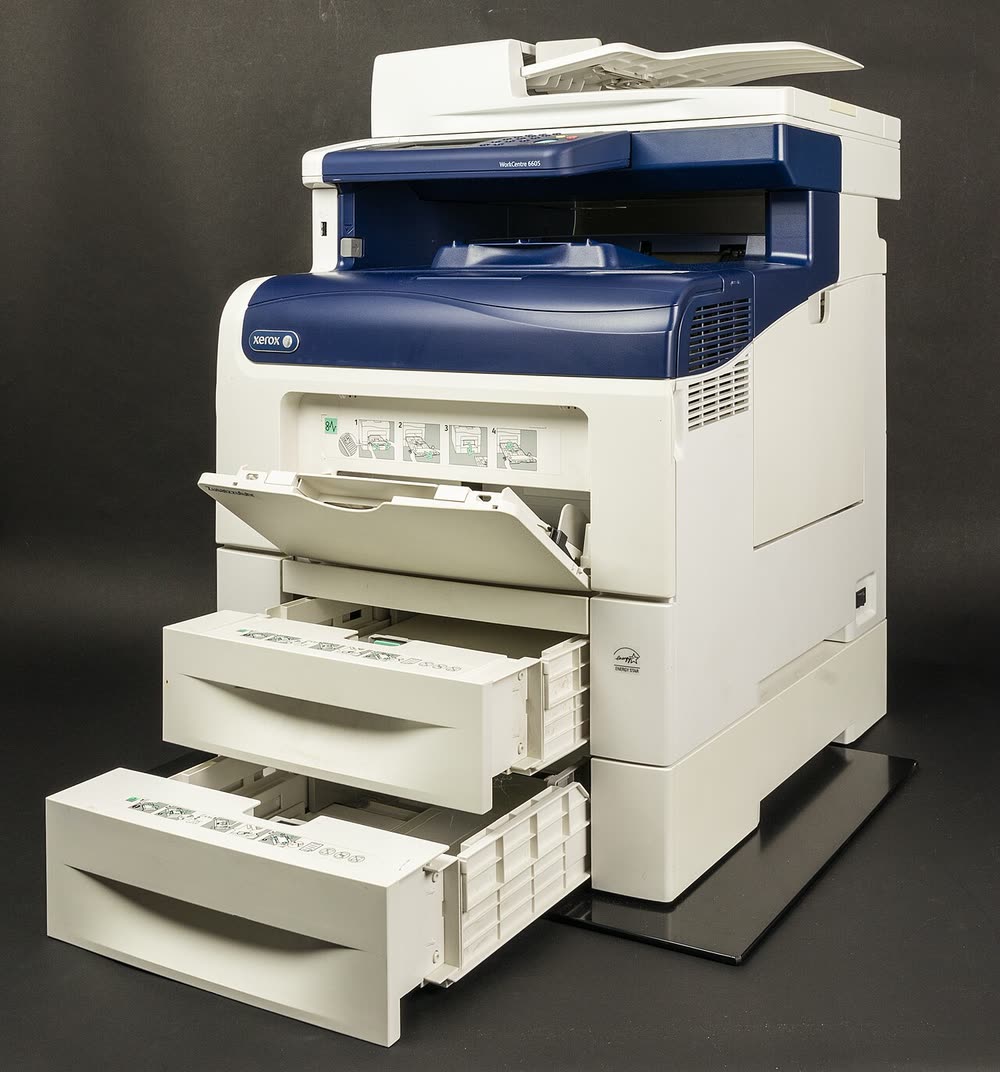
Xerox · WorkCentre color laser MFP
Xerox WorkCentre 6515
Small offices needing a colour MFP with duplex scanning at a modest price
The WorkCentre 6605 was Xerox's mainstream small-office colour MFP before the VersaLink era and remains common in second-hand fleets. It prints 36 ppm colour, faxes and scans through a reversing ADF. The single imaging unit covers all four colours, so a streak or fade in one colour usually means the whole unit is due; and the 092-670 ATC fault is frequent on units past 100,000 pages.
Sold in United States, Canada, United Kingdom, Europe, Australia, India, Ireland
The WorkCentre 6605 was Xerox's mainstream small-office colour MFP before the VersaLink era and remains common in second-hand fleets. It prints 36 ppm colour, faxes and scans through a reversing ADF. The single imaging unit covers all four colours, so a streak or fade in one colour usually means the whole unit is due; and the 092-670 ATC fault is frequent on units past 100,000 pages.
Best for: Small offices still running a 2013-era colour MFP on cheap consumables
Windows 11 works with the Xerox Global Print Driver; use the Print and Scan Experience app or WSD scanning since the original scan utility is unsupported. Scan-to-email, SMB and fax settings are in CentreWare Internet Services at the printer's IP. Apply the last firmware to fix SMB scanning with modern servers.
The Xerox WorkCentre 6605 uses the following consumables. Match the number exactly when you buy: the same printer family often uses several different cartridge numbers by region.
High-yield (XL) versions almost always cost less per page if you print regularly. On third-party ink and toner, read our honest assessment first, and note that some manufacturers push firmware that rejects non-original chips.
| Print Speed | 36 ppm (color and mono) |
|---|---|
| Resolution | Up to 600 x 600 x 4 dpi |
| Duplex | Automatic |
| Adf | 50-sheet reversing |
| Paper Capacity | 550-sheet tray + 150-sheet bypass; optional 550-sheet tray |
| Display | 4.3-inch color touchscreen |
| Connectivity | Ethernet, USB, Wi-Fi (optional) |
| Mobile | AirPrint, Mopria |
| Os | Windows 11/10, macOS, Linux, iOS, Android |
| Dimensions | 16.7 x 20.4 x 21.9 in |
| Weight | 73 lb |
| Monthly Duty | Up to 80,000 pages |
| Extra | Predecessor of the VersaLink C405; shares the 108R01121 imaging unit with the Phaser 6600 |
| Functions | Print, Scan, Copy, Fax |
Every link goes to the manufacturer or an official app store. We never host modified installers.
| Code or message | What it means |
|---|---|
| 092-670 | ATC sensor failure - common on ageing units |
| 010-377 | Fuser failure |
| 091-402 | Imaging unit end of life |
| 016-799 | Print job error |
No reviews yet. If you own this model, share what works and what does not.
Reviews appear after moderation.
Share your screen, we diagnose the driver, Wi-Fi or firmware problem and fix it while you watch. One affordable annual plan covers every printer in your home or office.
Questions & comments (0)
No comments yet. Describe your printer model, operating system and the exact message you see; comments appear after review.
Ask about this page
Your comment appears after our team approves it. Or sign in to post faster.