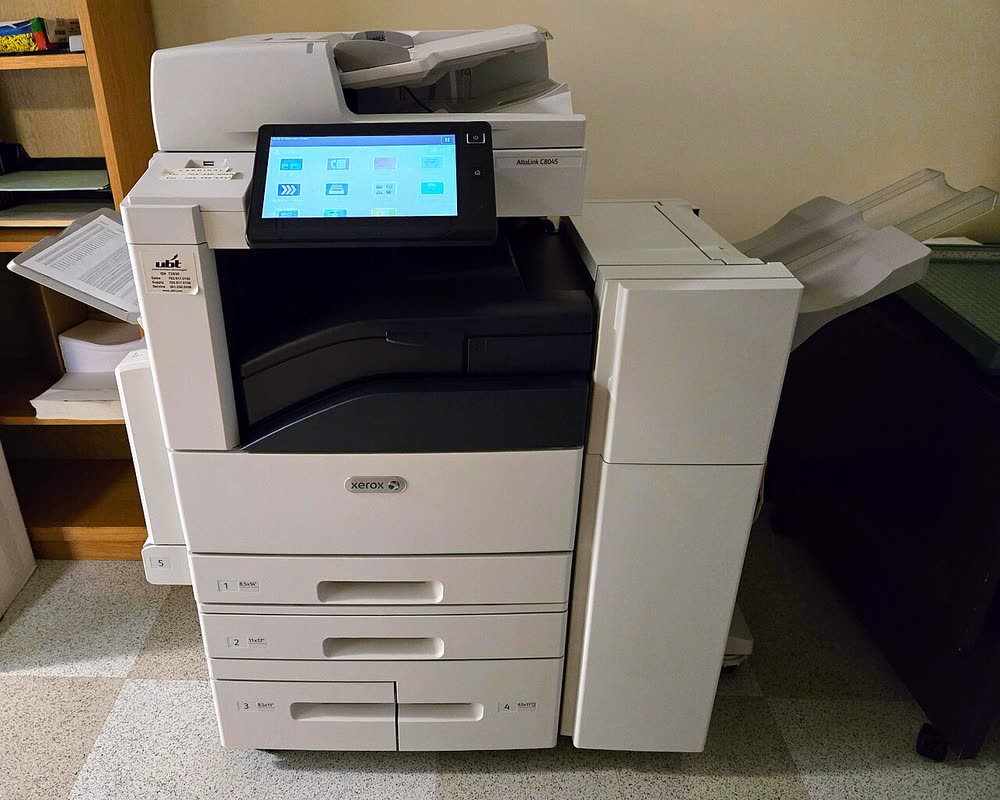
Xerox · AltaLink A3 color MFP
Xerox AltaLink C8145
Departments leasing a current-generation A3 colour copier with cloud workflows
The AltaLink C8045 replaced the WorkCentre 7845 in 2017 with a 10.1-inch tablet interface, faster scanning and the ConnectKey app gallery, while keeping the same proven 45 ppm colour engine and drum family. It is the archetypal leased office copier of the late 2010s. Toner and waste container changes are user tasks; anything involving the fuser or developer is a service call under the contract.
Sold in United States, Canada, United Kingdom, Europe, Australia, India, Ireland
The AltaLink C8045 replaced the WorkCentre 7845 in 2017 with a 10.1-inch tablet interface, faster scanning and the ConnectKey app gallery, while keeping the same proven 45 ppm colour engine and drum family. It is the archetypal leased office copier of the late 2010s. Toner and waste container changes are user tasks; anything involving the fuser or developer is a service call under the contract.
Best for: Offices leasing a mid-volume A3 colour copier with cloud scanning
After dealer installation, administer through the Embedded Web Server for authentication, scan destinations, fax and encryption. Workstations need the Xerox Global Print Driver (PostScript) so finishers and A3 trays are available. Cloud connectors such as Microsoft 365 and Google Drive are installed from the touchscreen app gallery or Xerox Workplace Cloud.
The Xerox AltaLink C8045 uses the following consumables. Match the number exactly when you buy: the same printer family often uses several different cartridge numbers by region.
High-yield (XL) versions almost always cost less per page if you print regularly. On third-party ink and toner, read our honest assessment first, and note that some manufacturers push firmware that rejects non-original chips.
| Print Speed | 45 ppm (color and mono) |
|---|---|
| Resolution | Up to 1200 x 2400 dpi |
| Duplex | Automatic |
| Adf | 130-sheet single-pass duplex |
| Paper Capacity | 2 x 520-sheet trays + 100-sheet bypass; expandable to 5,140 sheets |
| Display | 10.1-inch color touchscreen |
| Connectivity | Ethernet, USB, Wi-Fi (optional), NFC |
| Mobile | AirPrint, Mopria, Xerox Workplace App |
| Os | Windows 11/10, macOS, Linux, iOS, Android |
| Dimensions | 25.4 x 29.3 x 44.5 in |
| Weight | 350 lb |
| Monthly Duty | Up to 200,000 pages |
| Extra | Successor to the WorkCentre 7845; same 013R00662 drum family, toner 006R01697-01700 |
| Functions | Print, Scan, Copy, Fax |
Every link goes to the manufacturer or an official app store. We never host modified installers.
| Code or message | What it means |
|---|---|
| 010-3xx | Fuser fault |
| 092-6xx | Xerographic / ATC fault |
| 027-513 | Scan to SMB failed |
| 077-9xx | Paper jam |
No reviews yet. If you own this model, share what works and what does not.
Reviews appear after moderation.
Share your screen, we diagnose the driver, Wi-Fi or firmware problem and fix it while you watch. One affordable annual plan covers every printer in your home or office.
Questions & comments (0)
No comments yet. Describe your printer model, operating system and the exact message you see; comments appear after review.
Ask about this page
Your comment appears after our team approves it. Or sign in to post faster.