Printer Setup Help in Australia: Buying, Wi-Fi, Repairs, Recycling
Where to buy in Australia, how to get a printer onto a Telstra Smart Modem or Optus NBN box, what repairs cost in AUD, and where to recycle cartridges free.
IT support veteran who breaks down messy printer problems into simple, ordered fixes.
Where to buy in Australia, how to get a printer onto a Telstra Smart Modem or Optus NBN box, what repairs cost in AUD, and where to recycle cartridges free.
A student printer needs to be small, cheap to feed, and working at 2am the night before a deadline. That rules out most of what gets recommended.
Shipping labels, address labels and P-touch tape are three different jobs and three different machines. Here is which thermal label printer to buy for each in 2026.
Blank thermal labels usually mean the roll is loaded upside down or the media is the wrong type. Wrong sizes are a page-setup problem, not a printer fault.
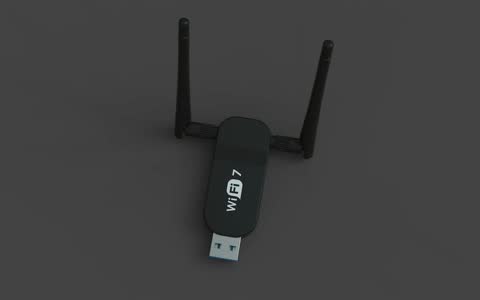
Australian NBN modems merge both Wi-Fi bands under one name and steer devices between them. Printers use 2.4GHz only, which is why they drop off the network.
The ink pad message is a waste-ink counter, not a fault. Some Epson models have a user-replaceable maintenance box; others need a service reset, and third-party tools carry real risks.
The "printer not activated" errors come from the Amyuni PDF driver used by QuickBooks and Sage, not from your physical printer. They are permission and driver faults.
Windows 11 now installs most printers driverless with Windows Ready Print, which can quietly replace a vendor driver and take duplex, trays and scanning with it.
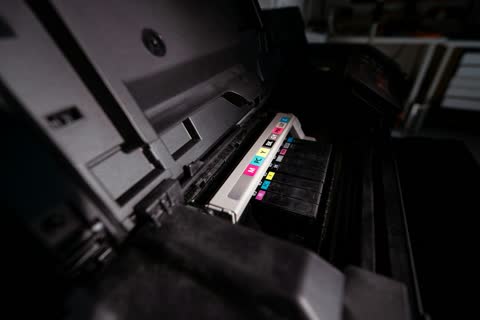
Compatible and remanufactured cartridges can cut ink and toner costs by half or more. The catch is firmware: HP's Dynamic Security, HP+ and occasional Canon and Epson updates reject them. Here is what is safe.
Nine times out of ten a printer that won't connect to Wi-Fi is trying to join a 5 GHz-only network, isn't in setup mode, or is being hidden by a guest network or VPN. Here is the ordered fix.
Epson's ET-3850 against Canon's MegaTank G7020. Both refillable, both with ADFs, but only one faxes and only one has Ethernet as standard.
Both are bottled-ink all-in-ones with document feeders, but only one duplexes and only one faxes. That, plus tray size, decides which belongs on your desk.
Canon's faster imageCLASS with a 50-sheet duplex ADF against Brother's cheaper, hugely popular MFC. Speed and scanning versus price and consumable availability.
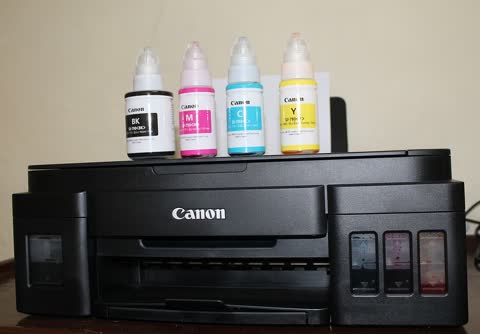
Both are Canon MegaTank all-in-ones with bottled ink, but one is a dye-ink home machine and the other a pigment-ink business printer. That difference decides everything.
The two mainstream refillable tank printers, compared properly: the ET-2800 is the cheapest way into bottled ink, the Smart Tank 7301 adds an ADF, auto duplex and a much bigger paper tray.
An ink-tank printer costs two to three times more to buy and ten to twenty times less to feed. If you print more than about 40 pages a month it pays for itself within two years. Here is the honest comparison.
Brother names the jam location, which saves a lot of guessing. Here is exactly what each message means, how to clear it without tearing the sheet, and why jams repeat.
A grinding printer is telling you something is binding. Packing material, paper scraps, a dry carriage rail and worn gears account for nearly every case.
Brother lasers stop at Replace Toner even when toner remains. Continue mode, a proper reset after fitting a new cartridge and a clean sensor window solve almost every case.
Error 0x97 is Epson's generic internal fault code. A full power reset and a carriage check fix a minority of cases; the rest are main-board or printhead failures where repair economics matter.
B200 means the Canon printhead has drawn too much current, usually from overheating or a clog. A power reset and a proper printhead clean recover a good share of cases.
HP printers show offline more than any other brand simply because there are more of them. The cause is almost always a changed IP address or Windows status polling, not the printer.
A printer that prints but will not scan almost always has a print driver installed without the scan components. Network scanning also needs the printer's stored destination to still be valid.
Blank pages from an inkjet almost always mean dried or clogged nozzles. On a laser, the first thing to check is whether the protective seal was removed from the new toner cartridge.
When a printer accepts a job and prints nothing, the cause is almost always the wrong printer selected, a paused or jammed queue, or a driver that has stopped talking to the hardware.
An independent guide to OKI printer support: which regional site serves you now that OKI has left office printing in the Americas, driver downloads, LED technology and common faults.
An independent guide to Ricoh printer support: the global driver hub, the PCL6 Universal Driver, why Smart Device Print&Scan was discontinued, SC service codes, and how contracts change who you call.
An independent guide to Brother printer support: regional support.brother.com links, which Brother app is current, deep sleep and offline behavior, toner and drum resets, and the machine error codes decoded.