Best Laser Printer for Home 2026: Mono and Color Picks
A mono laser is the least troublesome printer you can own: no clogs, no dried ink, toner that keeps for years. Here are the five worth buying in 2026.

On this page
The case for a home laser printer is simple and it has nothing to do with speed. Toner is a dry powder. It does not evaporate, dry out, clog a nozzle, or need the printer to be woken up every fortnight to stay healthy. You can ignore a mono laser for eight months, ask it for forty pages of tax documents, and it will produce them without a nozzle check, a head clean or a trip to the shops for a cartridge.
That reliability is why mono lasers generate a fraction of the support tickets that inkjets do. If your printing is text, forms, tickets, essays, invoices and shipping documents, this is the category you should be shopping in.
Quick picks
| Model | Type | Best for | Approx price |
|---|---|---|---|
| Brother HL-L2460DW | Mono laser, print only | Best overall home laser | USD 130-160 / GBP 130-150 / CAD 199-239 / AUD 249-299 |
| Brother HL-L2480DW | Mono laser, print only | Same engine, alternative SKU | USD 150-180 |
| Brother MFC-L2900DW | Mono laser AIO | Adds scanner, ADF and copying | USD 250-300 / GBP 220-260 |
| Canon imageCLASS LBP122dw | Mono laser, print only | Compact alternative to Brother | USD 130-170 |
| Canon imageCLASS MF275dw | Mono laser AIO with fax | Home office paperwork | USD 250-320 |
| HP LaserJet M110we | Mono laser, print only | Smallest footprint (with caveats) | USD 100-140 / GBP 90-120 |
| HP LaserJet MFP M140we | Mono laser AIO | Compact AIO (with caveats) | USD 150-200 |
| Pantum P2502W | Mono laser, print only | Cheapest laser worth owning | USD 70-100 / GBP 60-90 |
| Xerox B230 | Mono laser, print only | Business-grade networking at home | USD 150-200 |
How we chose

- Toner cost per page at high yield, plus the drum cost amortised over its rated life. Drum units are the cost people forget; on most home lasers they run 12,000 to 15,000 pages and cost $80 to $130.
- Whether third-party toner works. This varies enormously by brand and is the single biggest long-term cost factor.
- Duplex printing as standard. A home laser without automatic two-sided printing is a false economy; it halves paper cost and most people will not do it manually.
- Driver stability across Windows 11 and recent macOS releases. Windows 11's generic IPP class driver now handles many printers without vendor software, which is convenient but can silently remove duplex and tray selection; see driver installation failed.
Brother HL-L2460DW: the one to buy
Brother's entry mono laser line has been the default recommendation for a decade and the current generation continues it. Around 34 pages per minute, automatic duplex, a proper 250-sheet tray, Wi-Fi, Wi-Fi Direct and Ethernet, and a manual feed slot for envelopes and card.
Running cost. TN830 standard toner covers roughly 1,200 pages; TN830XL high yield covers about 3,000 pages at $70 to $90, so 2.3 to 3 cents a page. The DR830 drum lasts around 15,000 pages at $100 to $130, adding under a cent. Third-party TN830XL equivalents are widely available at $25 to $40 and generally work without complaint.
Pros. The most trouble-free printer in this guide. Fast from cold. Duplex is genuinely quick. Ethernet means you can bypass Wi-Fi entirely. Toner is cheap and available everywhere in every market we cover. Brother drivers have survived every Windows and macOS update we have tested them against.
Cons. Mono only. No scanner. The starter toner in the box is small, often 700 to 1,200 pages, so budget for a replacement early. Output tray holds about 150 sheets.
Who it suits. Anyone whose printing is text, at any volume from twenty pages a month to a thousand.
Known issues. Almost none. The commonest support call is the toner or drum reset sequence after a replacement, covered in replacing Brother toner. The second is people expecting it to print photos; it will not.
Brother MFC-L2900DW: the all-in-one version
The same engine with a flatbed scanner, a 50-sheet automatic document feeder, copying and fax. Around $250 to $300, often less on sale.
Pros. The ADF is the feature that changes how you work with paperwork. Scanning a signed twelve-page lease to a single PDF takes twenty seconds. Scan-to-email and scan-to-network-folder are supported.
Cons. Large and heavy. The scanner is 1200 dpi optical and fine for documents but not for photographs. The ADF on this model is simplex; higher SKUs add duplex scanning.
Who it suits. Home offices, landlords, carers managing someone else's paperwork, anyone who currently photographs documents with a phone and is tired of the results.
Canon imageCLASS LBP122dw and MF275dw
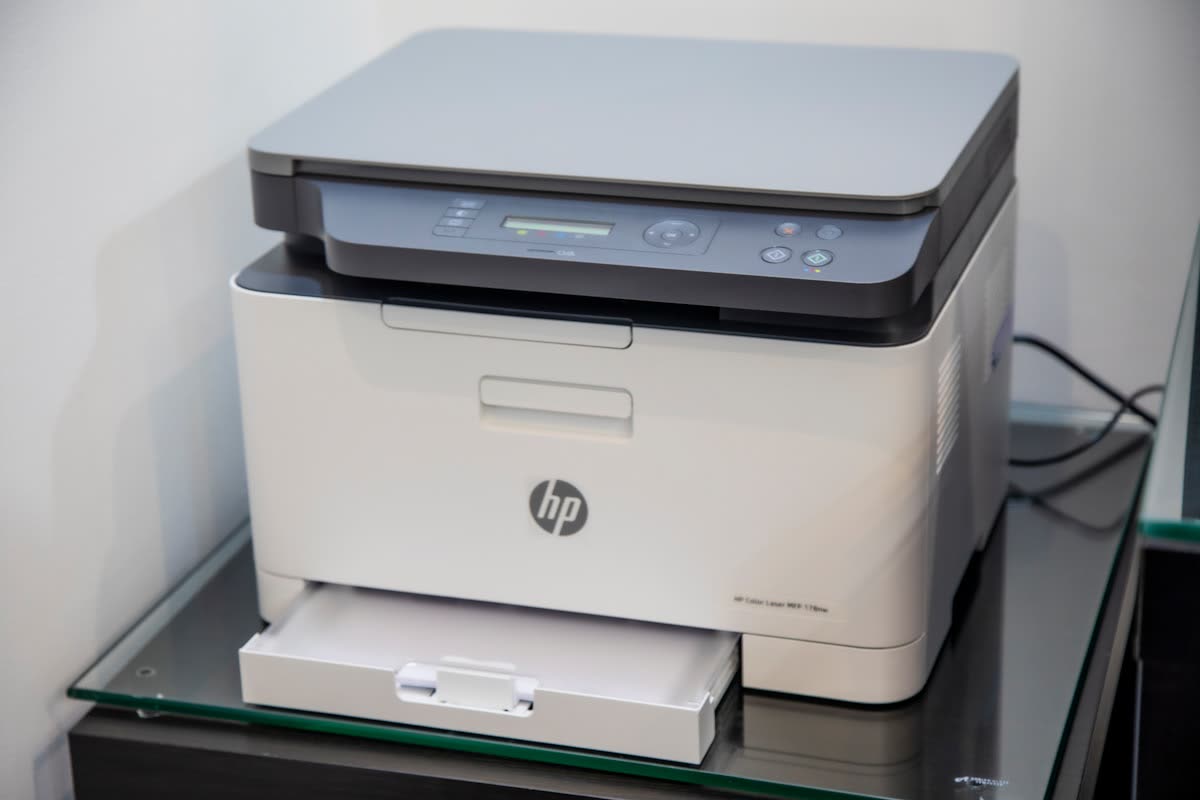
Canon's entry mono lasers are the closest direct competitors to Brother and are worth buying when they undercut on price. The LBP122dw is print-only at around 36 ppm with duplex and Wi-Fi; the MF275dw adds scanning, copying, an ADF and fax.
Running cost. Cartridge 071 or 071H depending on SKU. High-yield toner covers roughly 2,500 pages at $85 to $110, so around 3.5 cents a page. Canon uses an all-in-one cartridge that includes the drum, which simplifies maintenance but raises per-page cost slightly.
Pros. Compact and well-built. The all-in-one toner-and-drum cartridge means no separate drum replacement. Canon's mobile app and setup flow are straightforward.
Cons. Slightly higher cost per page than Brother. Third-party cartridge quality is more variable. Canon has been increasingly firm about chip verification on newer toner.
Who it suits. Buyers who find a Canon on a better deal than the Brother, or who prefer the smaller footprint.
HP LaserJet M110we and M140we: read the fine print
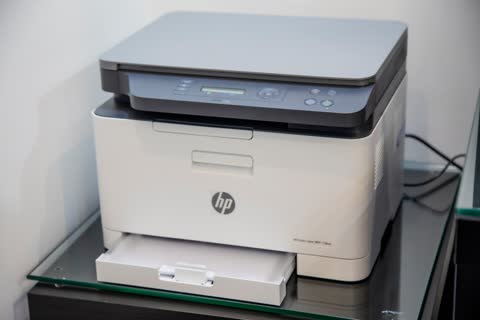
These are the smallest mainstream mono lasers you can buy and the hardware is fine: around 21 ppm, compact, with the excellent HP app for setup and mobile printing. The M140we adds a scanner and copier.
The issue is the "e". These are HP+ models. Enrolling during setup gives you extra warranty and Instant Ink pages, and permanently restricts the printer to genuine HP toner for its entire life while requiring a continuous internet connection. You can decline HP+ at setup, but the discounted price you paid usually assumes you will not.
Running cost. HP 134A toner covers about 1,100 pages at $65 to $80, so roughly 6 cents a page, which is double the Brother. The 134X high-yield version improves this to around 4 cents. With HP+ active, third-party toner is not an option at all.
Pros. Genuinely small. Best-in-class app and mobile printing. Very easy first-time setup.
Cons. Highest running cost of the mono lasers here. No automatic duplex on the M110we. HP+ lock-in. HP's Dynamic Security has repeatedly been re-tightened through firmware updates.
Who it suits. People with very limited desk space who print little, value the HP app, and are comfortable buying genuine toner forever.
Pantum P2502W: the cheap option
Pantum sells a genuinely functional mono laser for $70 to $100, which is less than many cartridge inkjets. Around 22 ppm, Wi-Fi, USB, 150-sheet tray. Pantum renamed its parent company from Ninestar to Pantum Technology in April 2026 and refreshed its range with the BP2400 and BM2400 series, so expect the entry models to shift over the next year.
Running cost. PA-210 toner runs roughly $20 to $35 for 1,600 pages, about 1.5 to 2 cents a page, which is the cheapest here. Cartridges are refillable and third-party stock is plentiful in some markets and scarce in others.
Pros. Remarkable value. Genuinely cheap toner. Small.
Cons. No automatic duplex on the P2502W. Driver and app quality are noticeably behind the major brands, and Wi-Fi setup is the most common complaint; there is very little English-language support content, which is why we cover it on our Pantum brand page. Support and warranty service are thin outside a few markets. Toner availability in Ireland, New Zealand and parts of Canada can be patchy.
Who it suits. Students, second printers, anyone printing under a hundred pages a month who wants the lowest possible cost and can live without hand-holding.
Xerox B230: business networking at home

A 36 ppm mono laser with duplex, Ethernet, Wi-Fi and a properly grown-up network stack including secure print and IPsec. Around $150 to $200.
Running cost. High-capacity toner covers around 3,000 pages, roughly 3 cents a page. Xerox toner is somewhat less widely stocked at retail than Brother or HP, so check local supply.
Pros. Enterprise-grade networking and security features on a home-priced machine. Good for anyone working from home under an employer's IT policy. Solid build.
Cons. Supply availability varies by country. No scanner. Following Xerox's acquisition of Lexmark, the June 2026 launch of the unified A4 range (C240, C245, C255a, C303a, C305ae in colour) signals a portfolio transition, so check whether a successor to the B230 is imminent in your market before buying.
What to avoid
- Colour lasers at home. Four toners, four drums, 12 to 16 cents a colour page, and mediocre photo output. An ink tank printer does home colour better and cheaper.
- Any laser without automatic duplex if you print more than fifty pages a month. Paper adds up.
- Buying on starter toner. Almost every laser ships with a partial cartridge. Factor a replacement into your purchase budget.
- Cheapest-available third-party toner in a machine under warranty. Reputable remanufacturers are fine; the very cheapest cartridges leak and can contaminate the drum.
- Assuming laser is always cheaper. At 2 to 3 cents a page, a mono laser is beaten by an ink tank printer at under one cent. Laser wins on reliability and instant-dry output, not on absolute cost per page.
Verdict
Buy the Brother HL-L2460DW. It costs $130 to $160, prints 3,000 pages on an $80 toner, takes third-party supplies without complaint, and will still be working in ten years. Add the MFC-L2900DW instead if you need to scan and copy. Consider Canon's imageCLASS models when they are cheaper on the day, the Pantum P2502W if the absolute lowest cost matters more than support quality, and the Xerox B230 if you need business networking. Approach HP's LaserJet M110we and M140we with your eyes open about HP+ and toner cost.
Setting one up is usually five minutes, and our wireless setup walkthrough covers it. If Windows insists on the generic driver and you have lost duplex or tray options, or the printer will not hold a network address, our team can sort it remotely through the support plan.
Software mentioned in this guide
- Brother Mobile Connect
Brother's current mobile app for setup, printing, scanning and supplies iOS · Android - Canon PRINT
Canon's single mobile app for printing, scanning and printer setup iOS · Android - HP Smart (the HP app)
HP's official setup, printing, scanning and ink app for home and small-office printers Windows · macOS · iOS - Windows printer settings
How Windows installs printers, and the shift to driverless Windows Ready Print Windows - macOS Printers and Scanners
Where macOS adds printers, scans documents and resets the printing system macOS
Printers covered here
Frequently asked questions
What is the best laser printer for home use in 2026?
The Brother HL-L2460DW at $130 to $160. It prints around 34 pages per minute with automatic duplex, uses TN830XL toner at roughly 2.5 to 3 cents a page, accepts third-party cartridges, and has both Wi-Fi and Ethernet. The MFC-L2900DW is the all-in-one version if you need scanning.
Is a laser printer better than an inkjet for home?
For text, forms and documents, yes. Toner never dries out, so a laser tolerates months of disuse that would clog an inkjet. Inkjets still win for photos and for the lowest cost per colour page, particularly refillable ink tank models at under a cent a page.
How much does laser printing cost per page?
Roughly 2 to 3.5 cents a page on high-yield toner for the models in this guide, plus under a cent for drum amortisation on machines with separate drums. HP's HP+ models run closer to 4 to 6 cents because third-party toner is blocked. Pantum is cheapest at around 1.5 to 2 cents.
Do laser printers dry out if unused?
No. Toner is a dry plastic powder and stores for years. This is the main reason to buy a laser for a home that prints in occasional bursts. The only long-idle issue is the drum picking up dust, which usually clears after a few pages.
Is Pantum a good brand?
The hardware is decent value and the toner is the cheapest around, but the software, Wi-Fi setup and after-sales support are noticeably weaker than Brother, Canon or HP, and toner availability varies by country. It is a good second printer or student printer, not a good first printer for someone who wants hand-holding.
Should I buy a colour laser for home?
Usually not. Colour toner costs 12 to 16 cents a page, you buy four toners and often four drums, and photo output on glossy paper is poor. If you want home colour, an ink tank inkjet such as the Epson EcoTank ET-2900 or Canon PIXMA G3270 costs less to buy and far less to run.
Printer and home-networking specialist who has set up hundreds of inkjet and laser printers across Windows and macOS.
Questions & comments (0)
No comments yet. Describe your printer model, operating system and the exact message you see; comments appear after review.
Ask about this page
Your comment appears after our team approves it. Or sign in to post faster.