Epson · WorkForce Pro
Epson WorkForce Pro WF-C5890
Workgroups wanting a current managed colour inkjet MFP
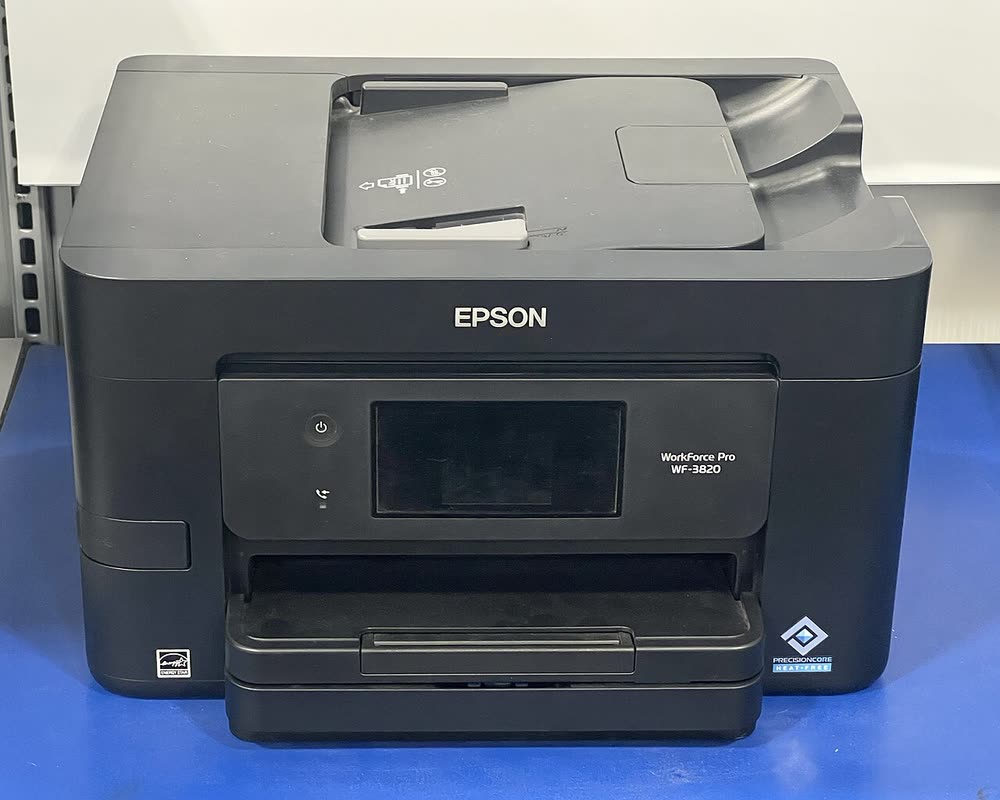
The WF-3820 is the current compact WorkForce Pro for home offices, moving to 822 cartridges in North America and keeping the 250-sheet cassette, ADF, fax, Ethernet and duplex. It prints fast pigment text and is cheaper to buy than the WF-4820 while sharing most of its features. The WF-3823 is a store variant. As with all PrecisionCore cartridge models, keep it in weekly use and expect compatible 822 cartridges to be hit-or-miss after firmware updates.
Sold in United States, Canada, United Kingdom, Europe, Australia. Sold as WF-3823 (retailer variant) in United States; WF-3825 in Europe.
The WF-3820 is the current compact WorkForce Pro for home offices, moving to 822 cartridges in North America and keeping the 250-sheet cassette, ADF, fax, Ethernet and duplex. It prints fast pigment text and is cheaper to buy than the WF-4820 while sharing most of its features. The WF-3823 is a store variant. As with all PrecisionCore cartridge models, keep it in weekly use and expect compatible 822 cartridges to be hit-or-miss after firmware updates.
Best for: Home offices wanting a current compact office all-in-one
Smart Panel on 2.4 GHz Wi-Fi or Ethernet handles setup. Install the driver bundle from epson.com/support and enable duplex. Use the WF-3820 package for a WF-3823. Fit all four 822 cartridges before the first power-on.
The Epson WorkForce WF-3820 uses the following consumables. Match the number exactly when you buy: the same printer family often uses several different cartridge numbers by region.
High-yield (XL) versions almost always cost less per page if you print regularly. On third-party ink and toner, read our honest assessment first, and note that some manufacturers push firmware that rejects non-original chips.
| Print Speed | 21 ISO ppm black / 11 ISO ppm color |
|---|---|
| Resolution | Up to 4800 x 2400 dpi |
| Duplex | Automatic |
| Adf | 35 sheets |
| Paper Capacity | 250 sheets |
| Display | 2.7-inch color touchscreen |
| Connectivity | Wi-Fi, USB, Ethernet, Wi-Fi Direct |
| Mobile | Epson Smart Panel, AirPrint, Mopria |
| Os | Windows 11/10, macOS, ChromeOS, iOS, Android |
| Dimensions | 16.7 x 14.8 x 9.6 in |
| Weight | 19.0 lb |
| Extra | Replaces WF-3720; 822 cartridges (US) or 35 Umbrella (UK/EU); WF-3823 is a retailer variant |
| Functions | Print, Scan, Copy, Fax |
Every link goes to the manufacturer or an official app store. We never host modified installers.
| Code or message | What it means |
|---|---|
| W-11 | Paper jam in cassette |
| W-13 | Document jam in ADF |
No reviews yet. If you own this model, share what works and what does not.
Reviews appear after moderation.
Share your screen, we diagnose the driver, Wi-Fi or firmware problem and fix it while you watch. One affordable annual plan covers every printer in your home or office.
Questions & comments (0)
No comments yet. Describe your printer model, operating system and the exact message you see; comments appear after review.
Ask about this page
Your comment appears after our team approves it. Or sign in to post faster.