Printer Setup Help in Canada: Buying, Wi-Fi, Repair and Recycling
Where to buy in Canada, how to get a printer onto Rogers Ignite, Bell Giga Hub or Telus Wi-Fi, what repair costs in Canadian dollars, and how to recycle responsibly.
Consumer-tech editor covering printers and home-office gear for US and Canadian readers.
Where to buy in Canada, how to get a printer onto Rogers Ignite, Bell Giga Hub or Telus Wi-Fi, what repair costs in Canadian dollars, and how to recycle responsibly.
On a Mac or iPhone you do not need drivers, you need AirPrint done properly. These are the printers that just work, and the settings that stop them working.
A small-business printer is judged on cost per page, duty cycle and how it behaves at 4:55pm on a Friday. Here are the eight worth buying in 2026.
Fake printer support numbers rank in ads, pop-ups and lookalike sites. The only reliable route is the manufacturer's own site for your country, reached by typing the address yourself.
Most printers need no driver on macOS because AirPrint and IPP Everywhere handle everything. Vendor drivers still matter for trays, finishing and vendor scanning.
Brother lasers estimate toner mechanically, so a refilled cartridge still reports empty. Resetting the counter is a panel sequence or a physical gear, depending on the model.
Since macOS 15 Sequoia, apps need Local Network permission to reach a printer on your Wi-Fi. That single setting explains most printers that vanish after a macOS update.
A modern printer is a network computer running a web server, and it usually ships with no admin password. Setting one, updating firmware and disabling unused services closes most of the risk.
A print job stuck in the queue blocks everything behind it. Here is how to cancel a job that won't delete on Windows 11 and Mac, including the spooler reset that always works.
Printing from a phone is built in: AirPrint on iPhone and iPad, the default print service on Android, and native printing on Chromebooks. Here is how each works and what to do when the printer is not listed.
Two of the cheapest all-in-ones you can buy. Both use two cartridges and both are expensive to feed, but the ownership models differ sharply.
A tiny, cheap Samsung laser against Brother's faster duplexing workhorse. The Samsung wins on size and price; the Brother wins on almost everything else.
A color ink tank all-in-one against a mono laser printer. Different tools entirely, and the right answer depends almost completely on whether you need color.
Epson's pigment-ink WorkForce Pro against HP's Instant Ink-oriented OfficeJet Pro. The ink model, not the hardware, is what really separates them.
The ENVY 6055e adds automatic duplex and dual-band Wi-Fi for a small premium, and those two features remove most of the reasons people get frustrated with the DeskJet.
HP Smart's generic setup error nearly always comes down to the wrong Wi-Fi band, a printer no longer in setup mode, a stale app cache or a blocked account sign-in.
AirPrint discovery fails when the phone and printer are not on the same network segment, when the printer is asleep, or when local network permission is denied. Here is the order to check them in.
A phantom Epson jam almost always means a torn scrap, dust on an optical sensor, or glazed feed rollers. Here is the systematic search that finds it.
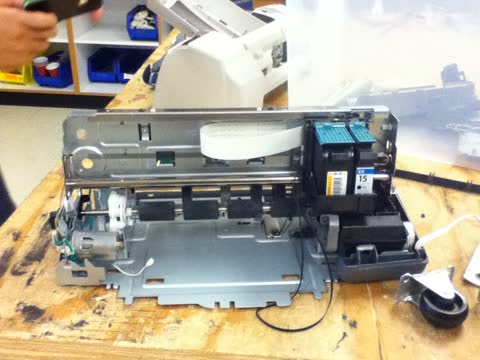
Support code 5100 means the print carriage cannot move as expected. Packing material, a paper scrap or an ink-smeared encoder strip account for nearly every case.
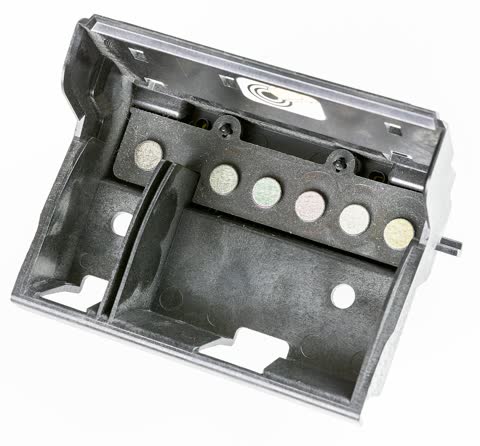
HP reports a printhead problem when it cannot communicate with the printhead or detect it at all. On models with a removable printhead, reseating and cleaning the contacts fixes most cases.
Most printers add in about a minute from Settings › Bluetooth & devices › Printers & scanners › Add device. When the wizard finds nothing, add the printer manually by its IP address instead.
The direction of the marks tells you the cause. Horizontal banding on an inkjet means clogged nozzles; evenly repeating vertical lines on a laser point at the drum or fuser.
Most wireless setup failures come from one of three things: the printer only supports 2.4GHz Wi-Fi, it is not in setup mode, or your router is isolating devices from each other.
An independent guide to Zebra printer support: the rebranded Setup Utilities, ZebraDesigner editions, Browser Print, Link-OS firmware, media calibration and the label faults that waste the most rolls.
An independent guide to Sharp printer support: where the MFP drivers actually download, Sharpdesk Mobile, why the Sharp Print Service Plugin is obsolete in Europe, and the recurring MFP problems.
Dell exited the printer business around 2020. This independent guide covers where Dell drivers still live, what actually works on Windows 11, toner sourcing, and how to decide between keeping and replacing.
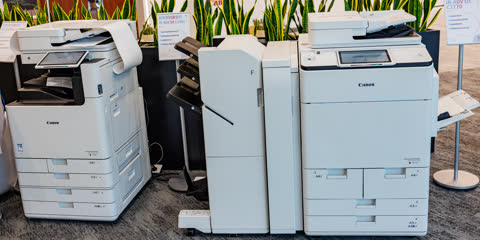
An independent guide to Canon printer support: the real setup portal, which Canon app matches your printer type, regional driver links, model family names decoded, and the support codes owners hit most.