Canon Printer Support: ij.start.canon Setup, Drivers, Apps and Error Codes (Independent Guide)
An independent guide to Canon printer support: the real setup portal, which Canon app matches your printer type, regional driver links, model family names decoded, and the support codes owners hit most.
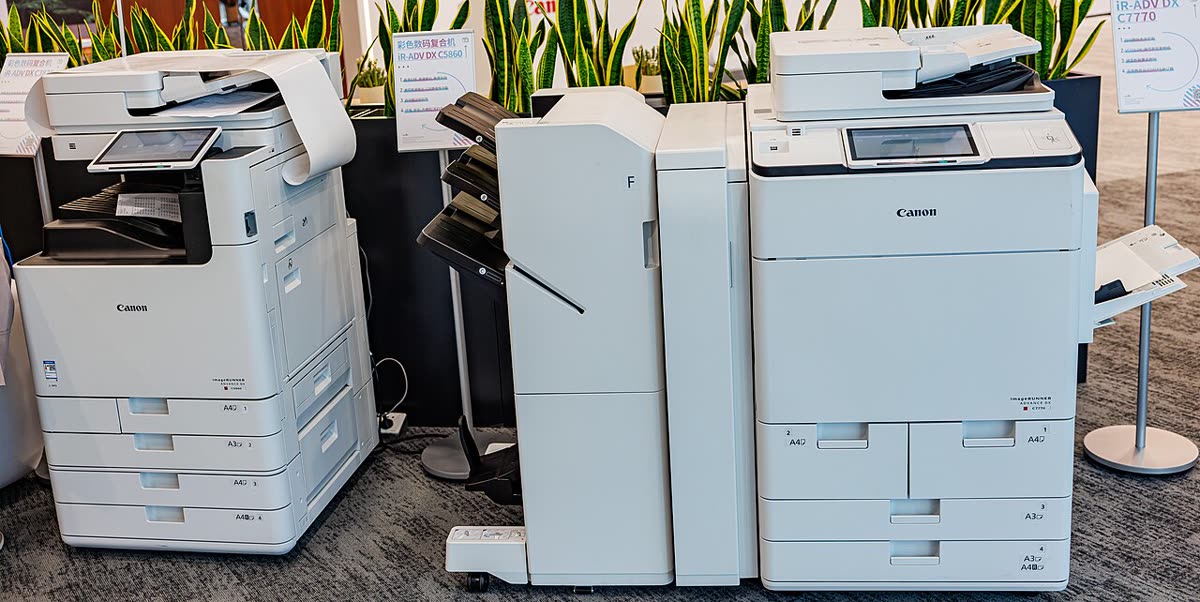
Canon sells three fairly separate printer businesses under one name: PIXMA and MAXIFY inkjets for homes and small offices, imageCLASS and i-SENSYS lasers for document work, and imageRUNNER multifunction devices for managed office fleets. They use different apps, different scan utilities and different driver families, which is why generic Canon advice so often fails.
This page is an independent map of Canon printer support: which official address serves your country, which app matches your machine, how a first setup should go, what Canon's numbered support codes mean, and where the running costs actually sit.
Official Canon support links by region
Canon runs separate national sites rather than one platform with subpaths, so use the country you bought in. Warranty registration and repair booking are national.
| Region | Support and drivers | Notes |
|---|---|---|
| United States | usa.canon.com/support | Drivers, manuals, warranty and service |
| Canada | canon.ca | Bilingual driver packages and Canadian warranty |
| United Kingdom | canon.co.uk/support | i-SENSYS naming for laser models |
| Australia | canon.com.au | AU drivers, warranty and repair booking |
| All regions | ij.start.canon | Guided first-time setup portal by model |
Canon software: which app matches your printer
Canon PRINT
Canon PRINT is the current mobile app for iOS and Android. It was formed by merging the old Canon PRINT Inkjet/SELPHY consumer app with Canon PRINT Business, so one app now covers PIXMA, MAXIFY, SELPHY and the office lines. It handles wireless setup, printing, scanning to phone and ink level display. Details are on our Canon PRINT app page.
IJ Scan Utility versus MF Scan Utility
This is the single most common Canon confusion. IJ Scan Utility is for inkjets: PIXMA, MAXIFY and the G series MegaTank machines. MF Scan Utility is for laser multifunction machines: imageCLASS in North America and i-SENSYS in Europe and Australia. Installing the wrong one produces a scanner that is never found. Our notes on the inkjet side are on the IJ Scan Utility page.
IJ Printer Assistant Tool
The maintenance console for inkjets, covering nozzle checks, deep cleaning, print head alignment, quiet mode and roller cleaning. It is Windows only. On macOS these functions live inside the printer utility reached from Printers and Scanners, and some deep-clean options are simply unavailable, which is worth knowing before you buy a Canon inkjet for a Mac-only household.
Generic Plus drivers and Easy-PhotoPrint Editor
For imageCLASS, i-SENSYS and imageRUNNER machines, Canon ships the Generic Plus UFR II, Generic Plus PCL6 and Generic Plus PS3 drivers. UFR II is Canon's own fast rendering language and is the default choice; PCL6 and PS3 exist for compatibility with legacy applications and print servers. Photo users additionally get Easy-PhotoPrint Editor, a free layout and photo printing application for Windows, macOS, iOS and Android.
Setting up a Canon printer for the first time
- Remove all orange transit tape and the protective material inside the cartridge bay, then load plain paper. Canon printers print an alignment sheet during setup.
- Power on and let the printer finish its initial ink charge. On G series MegaTank models this takes several minutes after you fill the tanks and must not be interrupted.
- Open
ij.start.canonand enter your exact model, or install Canon PRINT on your phone. Both routes install the same components. - Confirm your Wi-Fi band. Most PIXMA models are 2.4 GHz only; newer MAXIFY and some 2024 and later models are dual band. A single merged network name is the most common reason a Canon printer never lists your network.
- Prefer Easy Wireless Connect. On the printer choose Wireless LAN setup, then Easy wireless connect, and let the phone app push your credentials. This avoids typing a long password on the printer's panel.
- Use WPS only if your router exposes a physical WPS button and you can press it within two minutes. Many ISP-supplied routers in the UK and Australia now disable WPS by default.
- Finish on the computer by adding the printer in Windows Settings or macOS Printers and Scanners so non-Canon applications can print to it.
Canon model families explained
| Family | What the name signals | Best for |
|---|---|---|
| PIXMA TS and TR | Consumer cartridge inkjet; TR adds an ADF and fax | Home printing and light home office |
| PIXMA G (MegaTank) | Refillable ink tank | Households and small offices wanting very low page cost |
| PIXMA PRO and imagePROGRAF | Pigment photo and wide format | Photographers, art printing, CAD and posters |
| MAXIFY | Business inkjet with higher duty cycle | Small offices printing hundreds of pages a month |
| imageCLASS (US, CA) and i-SENSYS (UK, AU) | Same laser hardware, different regional brand | Document-heavy work, sharp text, no clogging |
| imageRUNNER and imageRUNNER ADVANCE | Managed office multifunction devices | Fleets with device management and finishing needs |
| SELPHY | Dye-sublimation photo printer | Small prints from a phone, events, keepsakes |
Common Canon support codes and error messages
Canon uses two schemes: four-digit numeric support codes for user-fixable conditions, and letter-prefixed codes such as B200 or 5B00 for hardware and service conditions.
| Code | Meaning in one line |
|---|---|
| 1300 | Paper jam in the feed path - see support code 1300 |
| 1000 / 1003 | No paper loaded in the rear tray or cassette |
| 1403 / 1401 / 1485 | Print head or cartridge not installed or not recognised |
| 5100 | Carriage cannot move, usually an obstruction or encoder strip contamination - see error 5100 |
| 5200 | Ink has run dry and the head is at risk of overheating |
| 5B00 / 5B01 | Waste ink absorber counter full - see 5B00 explained |
| 6000 | Paper feed error, often a sensor or tray position problem |
| B200 | Print head voltage fault, typically a failed head - see B200 error |
Codes from every brand are indexed in our error code directory.
Ink, tanks and running costs
Canon splits sharply on running cost. Entry PIXMA TS and TR models use small PG and CL cartridges and are among the most expensive printers per page anywhere; the printer is cheap because the ink is not. The G series MegaTank machines invert that: a higher purchase price, then bottles that deliver thousands of pages. MAXIFY sits in between with high-yield business cartridges.
Canon does not run a mandatory subscription tier the way some rivals do. Where a Canon subscription or auto-replenishment programme is offered in your country it is optional and does not lock the hardware. That is a meaningful difference if you want to keep cartridge choice open.
Firmware and third-party cartridges
Canon firmware updates arrive through the printer panel, the Canon app or the driver package. Canon has not pursued cartridge blocking as aggressively as some competitors, but firmware can still change how unrecognised chips are handled, and the printer will always warn that it cannot monitor levels on a non-genuine or refilled cartridge. Dismissing that warning usually means holding the Stop button for several seconds.
Warranty and official contact channels
Canon consumer printer warranty is typically one year from purchase, extended on some professional lines. Register the product on your national Canon site, keep the receipt, and photograph the serial label before the printer is pushed against a wall. Canon generally repairs through an authorised network rather than swapping units, so booking a service through the national site is the correct route.
In the UK and Australia, statutory rights against the retailer run in parallel with the manufacturer warranty and frequently outlast it, so a printer failing at eighteen months is not automatically your problem to pay for.
How this site fits
We are independent and not affiliated with Canon. We publish vendor-neutral fixes, link to Canon's own pages for anything that must come from Canon, and never charge to unlock a fix. Everything we have written about this brand is collected on the Canon brand hub, and if you want structured help beyond an article our support plan explains what independent remote assistance covers.
Canon software and drivers
- Canon Easy-PhotoPrint Editor
Canon's photo layout and printing software for inkjet printers Windows · macOS · iOS - Canon Generic Plus Printer Driver
Canon's universal driver for imageCLASS, i-SENSYS, imageRUNNER and imageFORCE Windows · macOS · Linux - Canon IJ Printer Assistant Tool
Windows maintenance panel for Canon inkjets: cleaning, alignment and nozzle checks Windows - Canon IJ Scan Utility
The scanning front end bundled with Canon inkjet drivers Windows · macOS - Canon IJ Setup (ij.start.canon)
Canon's setup portal that walks you through installing a PIXMA or MAXIFY printer Windows · macOS · iOS - Canon PRINT
Canon's single mobile app for printing, scanning and printer setup iOS · Android - Canon PRINT Business
Superseded office mobile app, now merged into Canon PRINT iOS · Android - Canon Professional Print and Layout
Colour-managed printing plug-in for PIXMA PRO and imagePROGRAF PRO printers Windows · macOS - SELPHY Photo Layout
Layout and printing app for Canon SELPHY compact photo printers iOS · Android
Canon error codes
Canon printer models
Grouped by series. Every model page has setup steps, the right cartridge or toner numbers, driver links and the faults owners report.
PIXMA TS 22
imageCLASS MF 21
PIXMA G MegaTank 18
imageCLASS LBP 13
PIXMA MG 11
PIXMA TR 11
MAXIFY GX MegaTank 8
MAXIFY MB 4
PIXMA E 4
PIXMA MX 3
PIXMA PRO 3
PIXMA iP 3
imagePROGRAF PRO 3
MAXIFY iB 1
PIXMA iX 1
No model matches that. Try the model number only, e.g. "2800".
Canon support FAQ
What is ij.start.canon and is it safe?
It is Canon's official first-time setup portal. You enter your model number and it serves the correct driver package, the setup app and step-by-step wireless instructions for your operating system. The older address canon.com/ijsetup now redirects to a region selector that lands in the same place. Both are genuine Canon addresses; be careful of lookalike domains with extra words or hyphens, which are usually paid support traps.
Which Canon app do I need, Canon PRINT or something else?
Canon PRINT is the current mobile app, formed by merging the old Canon PRINT Inkjet/SELPHY app with Canon PRINT Business. On the desktop, inkjet owners use the IJ Scan Utility for scanning and the IJ Printer Assistant Tool for maintenance, which is Windows only. Laser imageCLASS and i-SENSYS owners use the MF Scan Utility instead, which is a different program despite the similar name.
How do I contact Canon support in the UK?
Go to canon.co.uk/support, select your product, and use the contact options shown on that product page. Canon UK routes consumer printers and professional imaging through different teams, so starting from the product page matters. We do not publish Canon phone numbers because they differ by product line and change, and fake Canon support numbers are widely advertised in search ads.
What does Canon support code 5B00 mean?
It means the waste ink absorber counter has reached its limit. The pad that catches ink from cleaning cycles is considered full, and the printer stops rather than risk leaking. It is a counter and a physical pad, so a software reset alone is not a real fix on a printer that has genuinely absorbed that much ink. On low-cost PIXMA models the service cost usually exceeds the printer's value.
Why won't my Canon printer connect to Wi-Fi?
Most Canon consumer printers are 2.4 GHz only, so a router broadcasting one merged name for 2.4 GHz and 5 GHz is the usual culprit. Use Easy Wireless Connect from the printer's setup menu, which lets the phone app push the credentials directly, rather than typing a long password on the printer panel. Also check that the network password contains no characters the printer panel cannot enter.
Can I use compatible ink in a Canon printer?
Yes, and Canon is generally less aggressive than some rivals about blocking third-party chips, but the printer will display an ink level warning it cannot verify and you may need to hold the Stop button to dismiss it. Canon also disables ink level monitoring for refilled cartridges. Use compatibles from a supplier with a returns policy, and keep genuine cartridges for diagnosing print quality faults.
Let a printer specialist fix it with you, remotely
Share your screen, we diagnose the driver, Wi-Fi or firmware problem and fix it while you watch. One affordable annual plan covers every printer in your home or office.