Best All-in-One Printer 2026: Print, Scan, Copy and Fax Picks
The scanner is why you buy an all-in-one, so buy the right scanner. Here are the 2026 picks by volume, from a $240 EcoTank to a color laser workhorse.

On this page
An all-in-one printer prints, scans and copies, and usually faxes. That combination is now the default in homes and small offices, and for good reason: paperwork arrives as paper and has to leave as PDF, and a phone camera is a poor substitute for a flat, straight, multi-page scan.
But the reason people regret all-in-one purchases is almost always the same. They compare printers on print speed and price, and never look at the scanner. This guide flips that around.
Quick picks
| Model | Type | Best for | Approx price |
|---|---|---|---|
| Epson EcoTank ET-4903 | Ink tank AIO with ADF and fax | Best for homes and home offices | USD 300 / AUD 419 (ET-4900) |
| Epson EcoTank ET-2900 | Ink tank AIO, flatbed only | Cheapest tank AIO | USD 240 / GBP 250 (ET-2920) |
| HP OfficeJet Pro 9135e | Business inkjet AIO | Best small office all-rounder | USD 280-330 / GBP 230-280 |
| Brother MFC-J5010DW | INKvestment inkjet AIO | New for 2026, good paper handling | USD 279.99 |
| Brother MFC-J5110DW | INKvestment AIO, dual trays | Duplex scanning and 500-sheet capacity | USD 359.99 |
| Brother MFC-L2900DW | Mono laser AIO | Text documents, no clogs | USD 250-300 / GBP 220-260 |
| Brother MFC-L3780CDW | Colour laser AIO | Colour that must be laser-crisp | USD 500-600 |
| Canon imageCLASS MF275dw | Mono laser AIO with fax | Compact laser alternative | USD 250-320 |
| Canon PIXMA G3270 | Ink tank AIO | Documents plus family photos | USD 230-270 |
How we chose

Four criteria, and the second one is the one most guides omit.
- Three-year running cost at realistic volume, including ink or toner and drums.
- Scanner capability. Specifically: is there an automatic document feeder, how many sheets does it hold, and does it scan both sides in a single pass? A flatbed-only AIO means lifting the lid for every page.
- Automatic duplex printing. Surprisingly absent on several popular tank models.
- Software quality for scan-to-PDF, OCR, scan-to-email and scan-to-folder, which is where cheap machines fall down hardest.
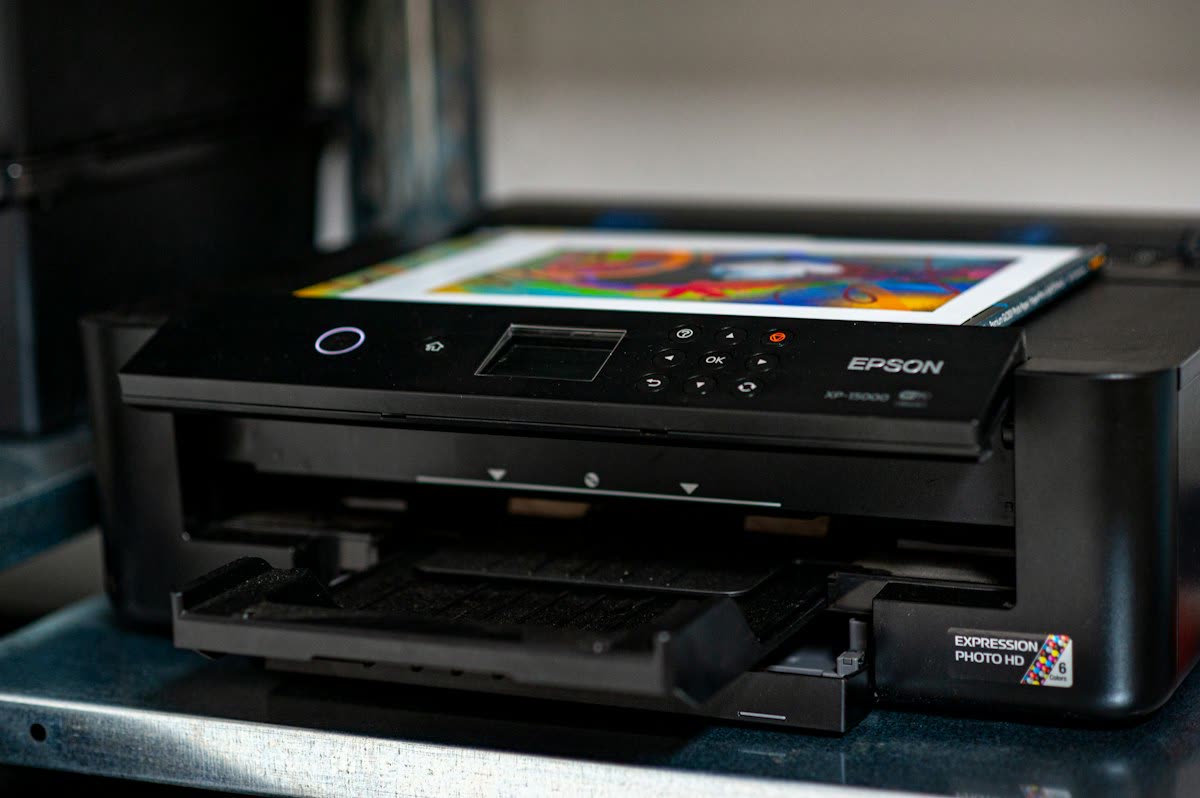
Epson EcoTank ET-4903: best for homes
Epson's seventh-generation EcoTank refresh landed in mid-2026, and the ET-4903 at $299.99 is the model to buy if you want one machine to handle everything a household or a one-person business throws at it. It prints, scans, copies and faxes, with a 30-sheet ADF and a 1.44-inch colour screen.
Specs. 11 ppm black and 6 ppm colour ISO, 5760 x 1440 dpi, flatbed plus ADF, Wi-Fi and USB, AirPrint and Mopria. In-box ink is quoted at roughly 3,600 black and 6,500 colour pages.
Running cost. EcoFit bottles at $13 to $17 refill the tanks; black pages cost well under half a cent and mixed colour pages one to two cents. Over three years at 60 pages a month you will spend around $15 on ink.
Pros. The cheapest running cost of any AIO here by a wide margin. The ADF turns multi-page paperwork into a twenty-second job. Epson Smart Panel handles scan-to-PDF and scan-to-cloud well. Fax is still useful for medical and legal paperwork.
Cons. No automatic duplex printing on the base SKU, which is a genuine omission at $300. The ADF is simplex, so double-sided originals need two passes. Slow on long print jobs. Plastic build.
Who it suits. Households, students living at home, freelancers, landlords, anyone printing 20 to 400 pages a month.
Known issues. The EcoTank family traits: printheads clog after long idle periods, and the waste ink pad counter eventually triggers a service message covered in Epson ink pad end of service life. Print something every week or two.
HP OfficeJet Pro 9135e: best for small offices
If you need speed and proper document scanning rather than the lowest ink cost, the OfficeJet Pro 9100 series is the machine. Around 22 ppm mono and 18 ppm colour, automatic duplex printing, a 35-sheet ADF with single-pass duplex scanning, a 250-sheet tray, Ethernet and dual-band Wi-Fi, and a 2.7-inch touchscreen.
Running cost. HP 910XL or 936e cartridges depending on SKU: roughly 1.5 to 2.5 cents mono and 7 to 9 cents colour. Instant Ink can cut that significantly at predictable volume, in exchange for a monthly page allowance.
Pros. Single-pass duplex scanning is the standout. Excellent scan software with OCR and scan-to-folder. Genuinely fast for an inkjet. Low power draw against a colour laser.
Cons. The "e" means HP+ eligibility, and enrolling permanently restricts the printer to genuine HP cartridges and requires constant internet. Cartridge-recognition errors after firmware updates are the commonest complaint; see HP ink cartridge problem.
Who it suits. Offices of two to eight people printing 300 to 1,500 pages a month with real colour needs.
Brother MFC-J5010DW and MFC-J5110DW: new for 2026
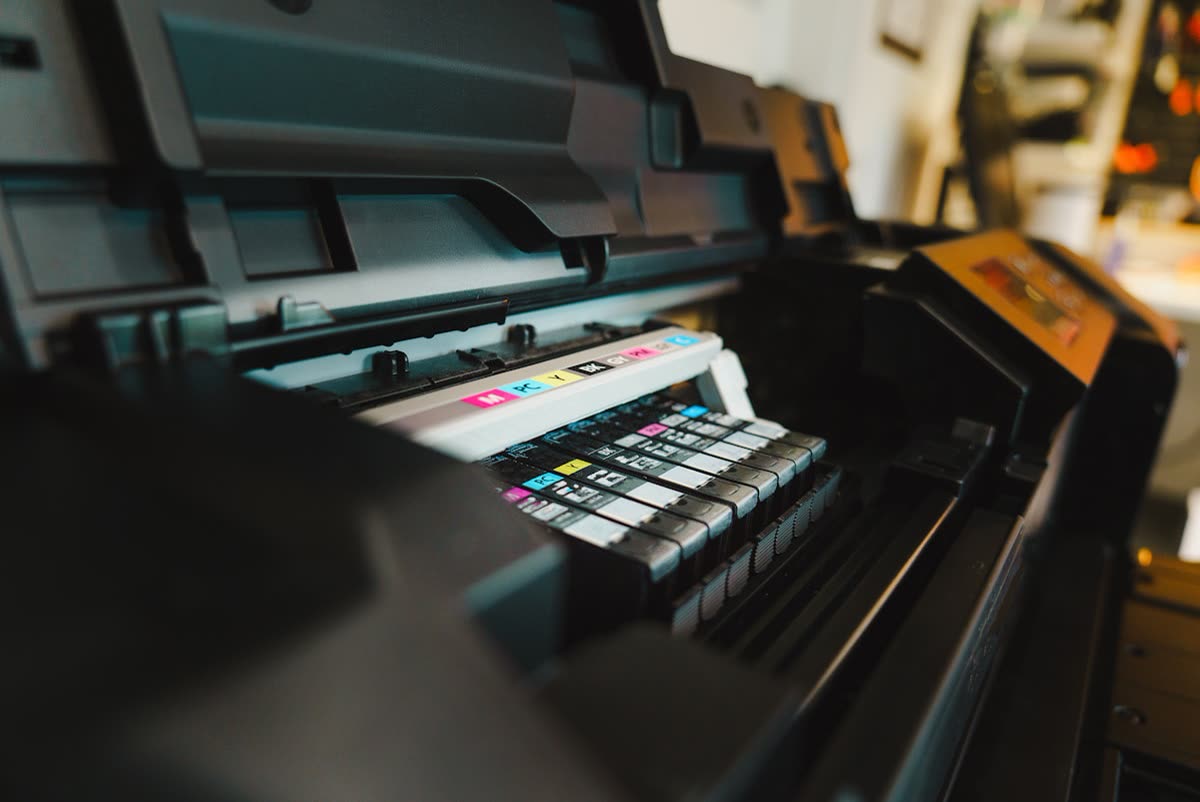
Brother announced its next-generation INKvestment all-in-ones in July 2026. The MFC-J5010DW at $279.99 targets home offices: 28 ppm black and 26 ppm colour, a 250-sheet tray, a 50-page ADF, a 2.7-inch colour touchscreen, automatic duplex and a compact chassis. The MFC-J5110DW at $359.99 steps up to dual trays totalling 500 sheets plus a 100-sheet multipurpose tray, single-pass duplex scanning through the 50-page ADF, and a 4.3-inch touchscreen.
Running cost. LC506-series INKvestment cartridges with high in-box yield. Expect roughly one cent black and three to five cents colour: better than ordinary cartridges, worse than a true tank system.
Pros. Paper handling no EcoTank at this price approaches. The J5110DW's 500-sheet capacity and single-pass duplex ADF are business-class features at a home-office price. Optional Brother Refresh auto-replenishment ships cartridges before you run out.
Cons. Colour cost per page is several times an EcoTank's. Larger footprint than the Epson.
Who it suits. Small businesses that print a lot of paper and value trays, ADF quality and duplex over the absolute lowest ink cost.
Brother MFC-L2900DW: best mono laser AIO

If your scanning and printing is documents and you never print photographs, a mono laser AIO is the least troublesome machine you can own. Around 34 ppm with automatic duplex, a 50-sheet ADF, a 250-sheet tray, Wi-Fi and Ethernet.
Running cost. TN830XL toner at $70 to $90 for roughly 3,000 pages, so 2.5 to 3 cents a page, plus a drum at around 15,000 pages. Third-party toner is widely available and generally works.
Pros. Toner never dries out, so months of disuse cost nothing. Instant-dry, highlighter-safe output. Stable drivers. Fast duplex.
Cons. Mono only. Simplex ADF on this SKU. Bulky.
Who it suits. Home offices, professionals, anyone with occasional bursts of heavy document printing. See our home laser guide for the wider range.
Brother MFC-L3780CDW: best colour laser AIO
Around 31 ppm colour and mono, single-pass duplex scanning through a 50-sheet ADF, 250-sheet tray plus multipurpose slot, Ethernet, and a 3.5-inch touchscreen. Roughly $500 to $600.
Running cost. High-yield toner brings mono to around 3 cents and colour to 12 to 15 cents a page. Four drums are a scheduled cost at around 18,000 pages.
Pros. Colour that is dry the instant it leaves the machine, immune to highlighters and rain. Excellent for reports, marketing collateral and colour-coded forms. Strong duty cycle.
Cons. Expensive per colour page. Heavy. Photo output on glossy paper is mediocre, as with all colour lasers.
Canon options
The imageCLASS MF275dw is a compact mono laser AIO with fax at $250 to $320, using an all-in-one toner-and-drum cartridge that simplifies maintenance at slightly higher cost per page. The PIXMA G3270 MegaTank at $230 to $270 is the pick if you want tank ink and better photo output than an EcoTank, at the cost of a slower engine and no ADF. Canon also refreshed its Asian colour laser AIO line in early 2026 with models such as the imageCLASS MF667Cx, though availability outside Asia is limited.
What to avoid
- Sub-$100 cartridge all-in-ones. The scanner works fine. The ink will cost you $200 a year and the setup cartridges are half empty.
- Flatbed-only AIOs if you scan multi-page documents. You will stop scanning within a month. Pay the $60 for the ADF.
- Assuming an ADF is duplex. Most budget ADFs are simplex. Check the specification explicitly for "single-pass duplex scanning" or "2-sided scan".
- Buying without checking for automatic duplex printing. Several popular tank AIOs, including some EcoTank SKUs, omit it.
- Fax as a deal-breaker. Most people no longer need it, but if you deal with medical, legal or government paperwork in the US, Canada or Japan, it is still occasionally mandatory.
Verdict
For a household or a solo business, the Epson EcoTank ET-4903 is the right buy: the ADF and fax cover real paperwork, and ink effectively stops being a cost. If you print faster and need duplex scanning, the HP OfficeJet Pro 9135e is the better office machine as long as you decline HP+. Brother's new MFC-J5010DW and MFC-J5110DW are the picks when paper handling matters more than ink cost, and the MFC-L2900DW is what to buy if you want to stop thinking about the printer entirely.
Scan-to-folder, scan-to-email and network scanning are where all-in-ones cause the most support calls, because they involve credentials, firewall rules and SMB versions. If yours prints but will not scan across the network, our team can configure it remotely on the support plan, and you can compare specifications across our printer database.
Software mentioned in this guide
- Brother Mobile Connect
Brother's current mobile app for setup, printing, scanning and supplies iOS · Android - Canon PRINT
Canon's single mobile app for printing, scanning and printer setup iOS · Android - Epson Smart Panel
Epson's current mobile app for setup, printing, scanning and ink levels iOS · Android - HP Smart (the HP app)
HP's official setup, printing, scanning and ink app for home and small-office printers Windows · macOS · iOS - Windows printer settings
How Windows installs printers, and the shift to driverless Windows Ready Print Windows
Printers covered here
Frequently asked questions
What is the best all-in-one printer in 2026?
The Epson EcoTank ET-4903 at around $300 for homes and solo businesses, because it adds an automatic document feeder and fax to tank ink that costs under a cent a page. For small offices needing speed and duplex scanning, the HP OfficeJet Pro 9135e at $280 to $330 is the better machine.
Do I really need an automatic document feeder?
If you ever scan more than three pages at a time, yes. A flatbed forces you to lift the lid, place, close and repeat for every page, and most people simply stop scanning. An ADF turns a twelve-page document into one twenty-second operation, and the feature costs about $60 more.
What is single-pass duplex scanning?
A feeder with two image sensors that captures the front and back of a sheet in one pull. A reversing ADF has to pull each sheet through three times to get both sides, which is roughly three times slower and jams more. Look for the phrase explicitly in the specification.
Should I buy an inkjet or laser all-in-one?
Ink tank inkjet if you want the lowest running cost and any colour printing. Mono laser if you print text in bursts, want instant-dry output and never want to think about clogged heads. Colour laser only if colour output must be smudge-proof and highlighter-safe on plain paper.
Is fax still worth having on an all-in-one?
For most people, no. It remains occasionally required for medical, legal and some government paperwork in the US and Canada, and it is bundled on most business AIOs anyway, so it is rarely worth paying extra for on its own.
Why will my all-in-one print but not scan?
Usually a software or network issue rather than hardware. On Windows, the WIA service may be stopped or the vendor scan driver missing; over the network, scan-to-computer often breaks when the printer's IP address changes. Give the printer a fixed IP reservation and reinstall the full vendor driver rather than the generic Windows one.
Technical writer focused on printer drivers, wireless setup and error-code troubleshooting.
Questions & comments (0)
No comments yet. Describe your printer model, operating system and the exact message you see; comments appear after review.
Ask about this page
Your comment appears after our team approves it. Or sign in to post faster.