OKI Printer Support: Regional Sites, Drivers and What Changed in the Americas (Independent Guide)
An independent guide to OKI printer support: which regional site serves you now that OKI has left office printing in the Americas, driver downloads, LED technology and common faults.
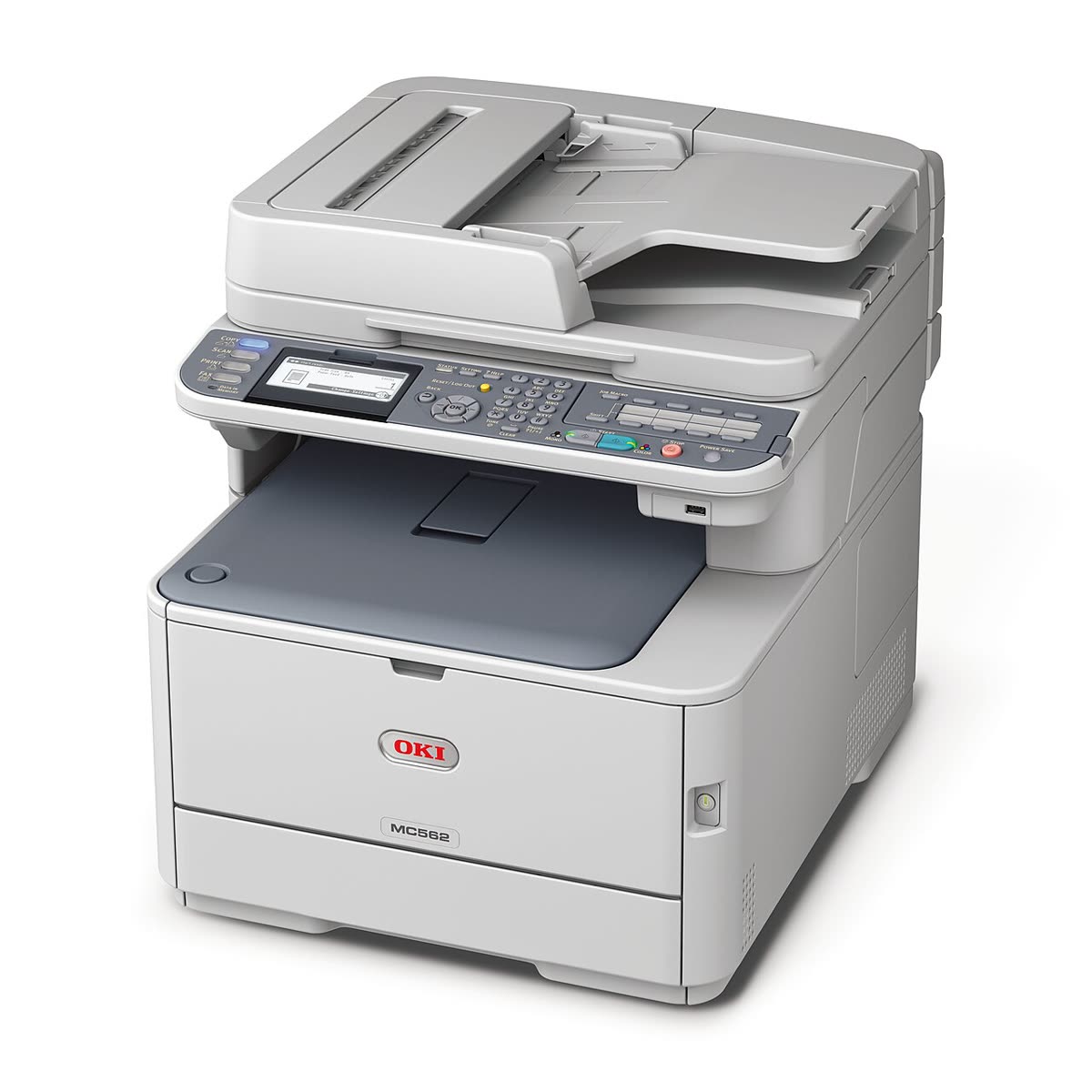
OKI is the printer brand most likely to be doing something the others cannot. Its machines use LED print heads rather than a moving laser assembly, which makes them compact and mechanically simpler, and many models offer a straight paper path that handles heavy card, synthetic media and very long banner sheets. In specialist work, white toner and label printing especially, OKI holds ground no mainstream brand contests.
It is also a brand in retreat in one major market. OKI no longer sells office printers in the Americas, and support for existing machines has moved to the regional oki.com sites. This page is an independent map of where OKI support now stands, what still works, and how to plan around it.
Official OKI support links
OKI operates through regional sites rather than one global support platform, and the regional structure changed when the Americas office printer business ended. Use the site for the region the printer was sold in.
| Region | Address | Notes |
|---|---|---|
| Global and region selector | oki.com | Corporate site and routing to regional operations |
| Europe | oki.com/eu | European drivers, documentation and dealers |
| United Kingdom | oki.com/uk | UK drivers, support and specialist printing range |
What LED printing means for you
The engineering difference is worth understanding because it explains the machines' strengths and their failure modes. A conventional laser printer scans a single laser beam across the drum using a rotating polygon mirror. OKI replaces that assembly with a fixed bar of LEDs, one per dot across the page width. Everything after that is the same electrophotographic process: charge the drum, expose it, develop with toner, transfer to paper, fuse with heat.
The consequences are practical. Fewer moving parts in the imaging path means fewer mechanical failures there. A more compact head allows a shorter, straighter paper path, which is why OKI machines accept card stock, synthetic media and banner lengths that jam other brands. And because the LED bar is fixed, there is no scanning mechanism to fall out of alignment.
The trade-off is that OKI colour machines use four separate toner cartridges and four separate image drums. That is eight consumable positions to track, and it is the source of most OKI colour complaints: a wash of one colour is nearly always a depleted or badly seated drum rather than a colour management problem.
OKI software and drivers
Print drivers
OKI supplies PCL and PostScript drivers per model from the regional sites. Take the full package for a multifunction machine so the scan components install too. Where no current driver exists for your operating system, OKI machines speak standard page description languages, so a generic PCL6 or PostScript class driver will usually produce working printing, duplex and tray selection.
OKI Mobile Print
The mobile app for iOS and Android handles printing from a phone to a supported OKI machine. See our OKI Mobile Print page. For most everyday printing, AirPrint on iOS and Mopria on Android are simpler and require no app.
LPR Utility
A legacy Windows utility that submits jobs over the LPR protocol and can redirect jobs between printers. It dates from a period when Windows handled network printing poorly. On current Windows, a standard TCP/IP printer port is simpler and more reliable, and we would only reach for the LPR Utility to solve a specific problem it uniquely addresses.
The embedded web page
Networked OKI machines expose a web interface at their IP address covering network settings, supply levels for all eight consumable positions on a colour model, counters and security settings. This is the fastest way to see which drum or toner is actually low.
Setting up an OKI printer
- Remove all packing material and, critically, the protective sheet from each image drum. On a colour machine that is four separate items and missing one produces an immediate colour fault.
- Seat the toner cartridges into their drums and rotate the coloured lever to release toner into each drum before closing the cover.
- Load paper with the tray guides set to the actual size, then power on and allow the warm-up cycle to finish.
- Connect by Ethernet where possible. OKI office machines are designed around wired networks, and many models have no wireless at all.
- On wireless-capable models, expect 2.4 GHz support, so a merged 2.4/5 GHz network name will prevent the printer from listing your network.
- Print the configuration page from the panel, note the IPv4 address, and reserve it in your router or DHCP server.
- Install the model driver on each computer, or add the printer by TCP/IP with a generic class driver where no current package exists.
OKI model families explained
| Series | What the name signals | Best for |
|---|---|---|
| B series | Mono LED printers | Document printing in small offices and workgroups |
| C series | Colour LED printers | Colour documents; four toners plus four drums to track |
| MB and MC series | Mono and colour multifunction machines | Offices needing scan and copy alongside printing |
| ES series | Dealer channel versions of the same engines | Managed placements through resellers |
| Pro series | Specialist graphics, white toner and banner-capable machines | Label, transfer, signage and specialist print work |
Common OKI problems
| Symptom | What is actually happening |
|---|---|
| A colour cast across every page | A depleted or badly seated image drum, not a colour setting - see wrong colours printing |
| Printer offline in Windows | The queue cannot reach the device IP after a DHCP change - see printer offline |
| Repeated marks at a fixed interval | Drum or fuser contamination; the spacing identifies which roller |
| Jams on heavy card | The rear straight-through exit is not open, forcing media around the curve - see paper jam |
| Toner low that will not clear | A compatible cartridge chip the machine cannot reset, or the drum rather than the toner is depleted |
| No current driver for your Windows version | Fall back to a generic PCL6 or PostScript class driver |
Codes across every brand are indexed in our error code directory.
Printing on unusual media
This is the reason to keep an OKI, so it is worth setting out properly. Many OKI models offer a rear straight-through exit that takes paper from the tray to the output without bending it around a roller. Opening that exit is what allows heavy card, adhesive label stock, synthetic and waterproof media and banner sheets far longer than A4 to pass through without creasing or jamming.
Three things have to line up. The media has to be within the machine's weight range, which is usually printed inside the tray or in the manual. The rear exit has to be open, because leaving it closed forces the sheet around the curve and produces a jam that looks like a mechanical fault. And the driver has to be told the media type, because the fuser temperature and transport speed change for heavy stock, and a card sheet run at plain paper settings produces poor adhesion and toner that rubs off.
For banner work, feed one sheet at a time through the multipurpose tray, set the custom length in the driver rather than relying on a preset, and support the output so the sheet does not fold under its own weight as it leaves the machine.
Consumables and planning ahead
OKI colour machines separate toner from image drums, so a genuine cost per page must account for both plus the fuser and transfer belt. Drums typically outlast several toner cartridges but are a significant cost when they arrive, and on an eight-position colour machine they rarely all expire together.
In Europe and other active regions, genuine supply is normal. In the Americas, third-party compatibles are effectively the only market for office models, and they are widely available for popular codes. Buy from a supplier with a returns policy and test one before committing. Our neutral guidance is in third-party ink and toner.
Warranty and what to expect next
In active regions, warranty is registered through the regional site and dealer agreements govern managed placements. In the Americas, warranty on office printers is a closed question for practical purposes, and the sensible posture is to run the machine until it fails while keeping an archived copy of its software.
If the machine still prints cleanly and you can buy toner, keep it. If it needs paid repair, replace it, because there is no manufacturer parts channel behind it in that market.
How this site fits
We are independent and not affiliated with OKI. We publish vendor-neutral fixes, link to OKI's own pages for anything that must come from OKI, and never charge to unlock a fix. Everything we have on this brand is collected on the OKI brand hub.
OKI software and drivers
OKI error codes
OKI printer models
Grouped by series. Every model page has setup steps, the right cartridge or toner numbers, driver links and the faults owners report.
B400 mono LED printer 3
C300 colour LED printer 3
C500 colour LED printer 3
C800 A3 colour LED printer 3
MB mono LED MFP 2
MC colour LED MFP 2
MC800 A3 colour LED MFP 2
Microline dot matrix 2
B500 mono LED printer 1
B700 mono LED printer 1
B800 A3 mono LED printer 1
C600 colour LED printer 1
C700 colour LED printer 1
Pro white toner LED printer 1
No model matches that. Try the model number only, e.g. "2800".
OKI support FAQ
Does OKI still sell printers?
Not in the Americas for office printing. OKI withdrew from that market, and support for existing machines moved to the regional oki.com sites. OKI Europe, OKI UK and other regional operations remain active, particularly in graphics, label and specialist printing. If you are in the United States or Canada with an OKI office printer, treat it as a device to run until it fails rather than one to invest in.
Where do I download OKI drivers?
From the regional oki.com site covering where the printer was sold: oki.com/eu for Europe, oki.com/uk for the United Kingdom, and the appropriate regional site elsewhere. Search your exact model number. Because OKI has restructured its regional presence, download and archive the driver, firmware and manual for your model now rather than assuming the page will still exist later.
What is an LED printer and is it different from a laser?
OKI uses a fixed array of LEDs instead of a moving laser and mirror assembly to write the image onto the drum. The rest of the process is identical: charge, expose, develop with toner, transfer, fuse. Practically it means fewer moving parts, a more compact body and a straight paper path on many models, which is why OKI machines handle heavy card and long banner media better than most.
What is the OKI LPR Utility?
It is a small Windows utility that sends print jobs to a networked OKI printer using the LPR protocol, and it can manage multiple printers and redirect jobs if one is unavailable. It is a legacy tool from an era before Windows handled network printing well. On current Windows, adding the printer with a standard TCP/IP port is usually simpler and more reliable.
Can I still buy OKI toner?
Yes in Europe and other active regions through normal channels, and in the Americas through third-party specialists who continue to stock the popular codes. OKI colour machines use four toner cartridges plus separate image drums, so check which component is actually depleted before ordering. Compatibles are available for most common models and are the practical route where genuine supply has ended.
Why do OKI colour prints have a colour cast?
Usually one of the four image drums or toners is depleted or seated incorrectly rather than a colour management fault. OKI machines report toner and drum separately, and a drum near end of life produces a wash of one colour before it produces an error. Check all four positions, print the built-in colour test page, and reseat each unit before adjusting any colour settings.
Let a printer specialist fix it with you, remotely
Share your screen, we diagnose the driver, Wi-Fi or firmware problem and fix it while you watch. One affordable annual plan covers every printer in your home or office.