Printer Buying Guide 2026: How to Choose Without Regret
Every regretted printer purchase comes from the same four mistakes. This guide walks through the decisions in the order that actually matters.

On this page
- Step 1: work out your real volume
- Step 2: choose the supply system
- Step 3: all-in-one or print-only?
- Step 4: the features that actually matter
- Step 5: understand the lock-in before you unbox
- Step 6: drivers and the Windows 11 situation
- What to avoid
- A checklist to take to the shop
- Verdict
- Which buying guide do I need?
Buying a printer is unusually easy to get wrong, because the thing on the price tag is not the thing you pay. The purchase price is typically 20 to 40 percent of what a printer costs you over three years, and the manufacturers know that better than you do. This guide walks through the decisions in the order that determines the outcome, rather than in the order the retailer's filter menu presents them.
Step 1: work out your real volume
Everything follows from this and almost nobody knows it. If you already own a printer, print a configuration or status page from its menu. It shows a lifetime page count. Divide by the months you have owned it. That is your real volume, and it is usually two to three times what people guess.
If you have never owned one, estimate honestly by category: a household that prints tickets, school work and forms is around 20 to 60 pages a month; a home business is 100 to 400; a small office with staff is 500 to 2,000. Homeschool families often print several times more than a typical household during the school year, which changes the answer; see best printer for homeschool families.
| Monthly volume | Mostly text | Regular color |
|---|---|---|
| Under 20 pages | Mono laser, or use a print shop | Cartridge inkjet or print shop |
| 20 to 100 pages | Mono laser | Ink tank |
| 100 to 500 pages | Mono laser | Ink tank or business inkjet |
| 500 to 2,000 pages | Mono laser MFP | Business inkjet or color laser |
| Over 2,000 pages | Workgroup mono laser | Color laser or high-volume business inkjet |
Step 2: choose the supply system

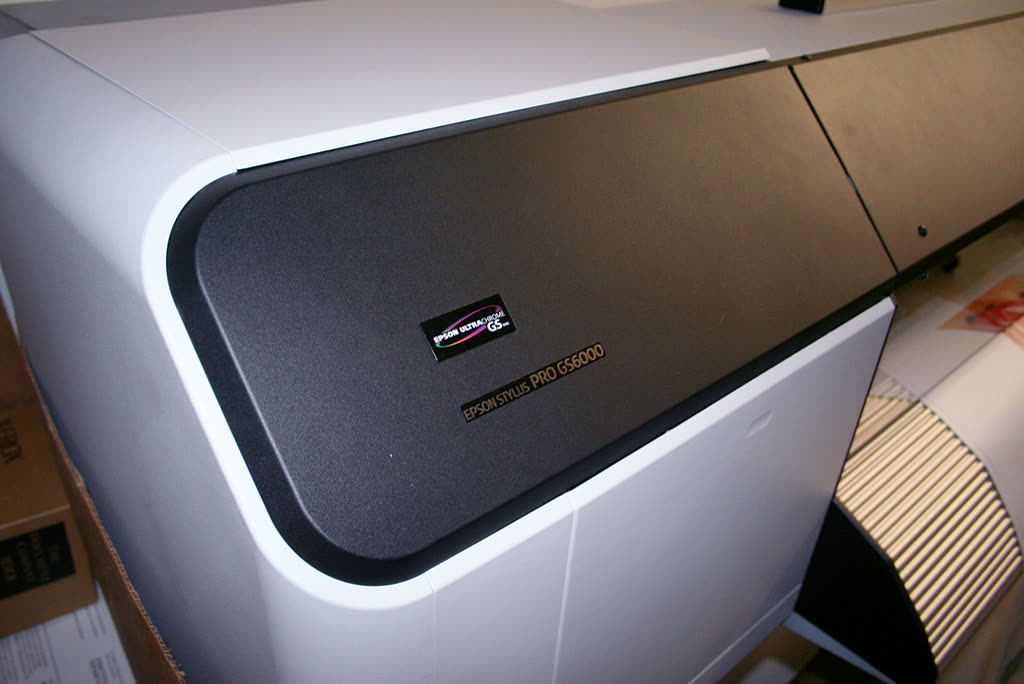
This single decision determines most of what the printer will cost you. There are three systems.
Cartridge inkjet
Small sealed cartridges, usually chipped, often with the printhead built in. Cheapest to buy at $50 to $150, most expensive to run at 6 to 12 cents a black page and 18 to 30 cents color. On HP and Canon models the printhead is inside the cartridge, so every replacement is a new head, which is why these machines rarely clog terminally but cost so much per page.
Buy one if: you print under about ten pages a month, need the smallest possible footprint, or need the lowest possible purchase price today.
Ink tank (Epson EcoTank, Canon MegaTank, HP Smart Tank)
Refillable reservoirs and a permanent printhead. $160 to $450 to buy, 0.2 to 0.5 cents a black page and one to two cents color. The 2026 EcoTank refresh brought the entry price to $159.99 for the print-only ET-1910, $239.99 for the ET-2900 all-in-one and $299.99 for the ET-4903 with document feeder and fax. Our roundup of new printers for 2026 covers what HP, Canon, Epson and Brother launched this year and which older models they replaced.
Buy one if: you print more than about 40 pages a month, especially in color, and will use it at least weekly. The permanent head clogs if ignored for months.
Laser (toner)
Dry powder fused onto the page. $70 to $600 for home and small-office models, 2 to 3.5 cents a page on genuine toner and under a penny on compatibles. Toner does not evaporate, so a laser tolerates months of disuse.
Buy one if: you print text, in bursts, and want the fewest possible problems. Color laser only if color output must be instantly dry and highlighter-safe on plain paper; it costs 12 to 16 cents a color page.
The full comparison, with cost tables, is in inkjet vs laser printers and ink tank vs cartridge.
Step 3: all-in-one or print-only?
An all-in-one adds a scanner, copier and usually a fax modem for roughly $60 to $100 over the print-only version of the same machine. Most households eventually need to scan something: a signed form, a passport page, an insurance document, a stack of receipts.
The question is not really whether to get a scanner but which kind:
- Flatbed only. Glass and a lid. Fine for books, photos and single pages. Painful for anything longer.
- Flatbed plus ADF. An automatic document feeder pulls a stack of loose sheets through. Turns a twelve-page scan from a five-minute chore into twenty seconds.
- Single-pass duplex ADF. Two sensors capture both sides of each sheet in one pull. Roughly three times faster than a reversing feeder and far less jam-prone. This is the feature to look for if you handle real paperwork.
If you scan more than three pages at a time, more than occasionally, buy the ADF. People without one stop scanning within a month.
Step 4: the features that actually matter
Automatic duplex printing
Two-sided printing without flipping the paper. It halves your paper cost, looks more professional on submitted work, and is standard on almost all lasers and business inkjets. Notably, several popular consumer tank models still omit it, including some EcoTank SKUs. Check the specification explicitly.
Paper capacity
A 100-sheet tray means refilling constantly. 250 sheets is the sensible minimum for anything above light home use. A separate multipurpose tray or rear feed matters if you print envelopes, card, labels or photo paper, because pulling those through the main tray causes most jams.
Connectivity
Wi-Fi is universal. Ethernet is the underrated feature: it removes every wireless variable at once and is the single best fix for recurring "printer offline" problems. If the printer will sit near a router or switch, buy a model with a network port. Wi-Fi Direct is useful for setup and for guests but disconnects the phone from the internet while in use.
Most home printers still have 2.4 GHz-only radios in 2026. That matters because many ISP routers publish one merged network name across both bands, which breaks discovery. Our guide to printers that will not connect to Wi-Fi covers the specific settings.
Portable printers
If you need to print away from a desk, in a car, on a job site or in a hotel room, a battery-powered portable printer trades paper handling and running cost for size. They make sense as a second printer, rarely as the only one; our guide to the best portable printer covers travel, laptop and phone-first picks.
Duty cycle
Manufacturers quote a maximum monthly duty cycle and a recommended monthly volume. The maximum is a stress rating, not a target. Buy a printer whose recommended volume is at least three times your real number.
Print resolution and speed
Both are heavily oversold. Any current printer produces text you cannot fault. Speed differences between 11 and 22 pages per minute are invisible at home. Speed matters in offices, where the queue is real.
Step 5: understand the lock-in before you unbox

This is where money is quietly lost, and it is the section most buying guides skip.
HP+ and Instant Ink
HP models whose name ends in "e" (M110we, M140we, OfficeJet Pro 9125e and 9135e, DeskJet 2755e and so on) are eligible for HP+. Enrolling during first setup gives extra warranty months and some Instant Ink pages. In exchange, the printer is permanently restricted to genuine HP cartridges for its entire life, and requires a continuous internet connection to function.
The decision is offered once, during first setup, and cannot be reversed. It is not a subscription you cancel. If you want the freedom to buy third-party supplies later, decline it. You can still subscribe to Instant Ink separately without HP+.
Instant Ink itself is a page-allowance subscription that can genuinely save money for steady color printers, because a photo counts as one page. It is poor value for sporadic printing, since unused pages are largely lost and cartridges stop working when you cancel.
HP Dynamic Security
HP has repeatedly used firmware updates to reject cartridges with non-HP chips, then partially reversed course, then reintroduced the behavior. If you plan to use compatible cartridges in an HP printer, consider disabling automatic firmware updates, and read third-party ink and toner first.
Chipped label media
The same pattern appears in label printers. The DYMO LabelWriter 550 generation reads a chip on each label roll and refuses unrecognized stock, unlike the older 450. Our label printer guide covers which machines take open media.
Subscription-adjacent traps
- Cartridges that ship "for setup only" with half the ink of a retail cartridge.
- Bundle deals where the discount assumes enrollment in a plan.
- Managed print contracts with monthly minimums above your real volume.
Step 6: drivers and the Windows 11 situation
Windows 11 now installs most printers automatically using a built-in universal driver based on IPP, and Microsoft has been steadily moving toward this model under the Windows Ready Print approach, retiring third-party driver delivery through Windows Update. For basic printing this is genuinely better: no downloads, no bloatware, no driver conflicts after updates.
The catch is that the generic driver exposes a generic feature set. Duplex, tray selection, stapling, secure print, custom paper sizes and scanning profiles can all silently disappear. If you have bought a printer for a feature and Windows cannot see it, install the manufacturer's full driver package rather than assuming the printer is faulty. Our guide to driver installation failures covers the process.
On macOS the situation is simpler: AirPrint handles printing with no driver at all, and vendor software is only needed for advanced scanning. Recent macOS releases do require Local Network permission to be granted per app before printers appear, which has broken many previously working setups.
What to avoid
- Sub-$80 cartridge printers. The most expensive printers in existence over three years.
- Enrolling in HP+ without reading the terms. Permanent, irreversible, and made once at setup.
- Color laser for home photo printing. Wrong technology, poor results.
- Ink tank printers for very light use. Under about ten pages a month the head will clog before you recover the premium.
- Wireless-only models where Ethernet is available. Wi-Fi is the leading cause of recurring offline problems.
- Buying on print speed. At home you will never notice it.
- Refurbished printers with unknown page counts unless the seller provides the configuration page.
- Any printer whose supplies are hard to buy in your country. Check toner or bottle availability locally before ordering an imported bargain.
A checklist to take to the shop
- Real monthly page volume, black and color separately.
- Supply system chosen: tank, toner or cartridge.
- Cost per page confirmed from the manufacturer's ISO yield and the current supply price.
- Automatic duplex printing: yes or no.
- Scanner type: none, flatbed, ADF, or single-pass duplex ADF.
- Ethernet port if the printer sits near the router.
- Paper capacity of at least 250 sheets for anything above light use.
- Confirmed that you can buy supplies locally for the next five years.
- HP+ decision made in advance if you are buying an "e" model.
Verdict
For most homes: an ink tank all-in-one if you print color, a mono laser if you do not. For most small offices: a business inkjet or a mono laser multifunction with a real document feeder, on Ethernet, with the HP+ box unchecked. Spend the extra hundred dollars at purchase to save several hundred over three years, and check the supply cost before the print speed.
Which buying guide do I need?
Once you know the supply system and features you want, our category guides narrow it to specific models.
| If you are buying for | Read |
|---|---|
| A typical home | Best printer for home |
| A home office | Choosing a home office printer |
| A small business | Best printer for small business |
| A homeschool family | Best printer for homeschool families |
| A student | Best printer for students |
| Travel, a car or a job site | Best portable printer |
| A Mac, iPhone or iPad household | Best wireless printer for Mac and iPhone |
| The lowest running cost | Best ink tank printer and cheapest ink cost per page |
| Text only, printed in bursts | Best laser printer for home |
| Photos | Best photo printer |
| Scanning, copying and fax | Best all-in-one printer |
| Shipping or address labels | Best label printer |
| Knowing what launched this year | New printers for 2026 |
If the machine you buy fights you on setup, get help from a printer specialist.
Software mentioned in this guide
- Brother Mobile Connect
Brother's current mobile app for setup, printing, scanning and supplies iOS · Android - Epson Smart Panel
Epson's current mobile app for setup, printing, scanning and ink levels iOS · Android - HP Smart (the HP app)
HP's official setup, printing, scanning and ink app for home and small-office printers Windows · macOS · iOS - Windows printer settings
How Windows installs printers, and the shift to driverless Windows Ready Print Windows - macOS Printers and Scanners
Where macOS adds printers, scans documents and resets the printing system macOS
Printers covered here
Frequently asked questions
How do I choose the right printer in 2026?
Start with your real monthly page volume, then choose the supply system: ink tank for color above about 40 pages a month, mono laser for text, cartridge inkjet only for very light use. After that, insist on automatic duplex, a document feeder if you scan multi-page documents, and Ethernet if the printer sits near the router.
Should I buy an inkjet, a laser or an ink tank printer?
Ink tank if you print color regularly, because it costs one to two cents a color page against 18 to 30 cents for cartridges. Mono laser if your output is text, because toner never dries out and the machine tolerates months of disuse. Cartridge inkjet only if you print under about ten pages a month.
What is HP+ and should I accept it?
HP+ is an option offered once during first setup on HP models ending in 'e'. Accepting gives extra warranty and Instant Ink pages, and permanently restricts the printer to genuine HP cartridges while requiring a continuous internet connection. It cannot be reversed. Decline it unless you have deliberately chosen to subscribe to Instant Ink.
Do I still need to install printer drivers on Windows 11?
For basic printing, usually not: Windows 11 installs a built-in universal IPP driver automatically. But that generic driver often hides duplex, tray selection, secure print and advanced scanning options. If a feature you paid for is missing, install the manufacturer's full driver package rather than assuming the hardware is faulty.
Is automatic duplex printing worth paying for?
Yes, for anything above light use. It halves your paper cost, produces better-looking documents, and removes a manual step most people will not bother with. Note that several popular consumer ink tank models still omit it, so check the specification rather than assuming.
How long should a printer last?
A well-chosen mono laser will run five to ten years at home volumes. Ink tank printers typically last three to six years, limited by the permanent printhead and the waste ink pad counter. Cheap cartridge inkjets often become uneconomic within two years because a replacement costs less than a set of cartridges.
Printer and home-networking specialist who has set up hundreds of inkjet and laser printers across Windows and macOS.

Questions & comments (0)
No comments yet. Describe your printer model, operating system and the exact message you see; comments appear after review.
Ask about this page
Your comment appears after our team approves it. Or sign in to post faster.